

Proximity login, with automatic lock when you walk away
Idle timers force a trade-off between security and convenience. Hideez signs users in when they approach and locks the PC when they walk away.

Built for people who keep leaving the desk

Locks when the person leaves
The session ends the moment the credential goes out of range, so a short idle timer stops being the price of keeping the workstation covered.

Two ways back in
Proximity brings the session back as the user returns. Where a deliberate action is preferred, Tap & Go signs them in on a single tap.

Works where phones can't
For gloves, phone-free floors, and staff who won't carry a personal device, the Hideez Key handles both the sign-in and the lock.

Fits the Windows you already run
Domain-joined or standalone, Active Directory or Entra ID, personally assigned laptops or shared PCs. No migration.
Two ways to carry the credential
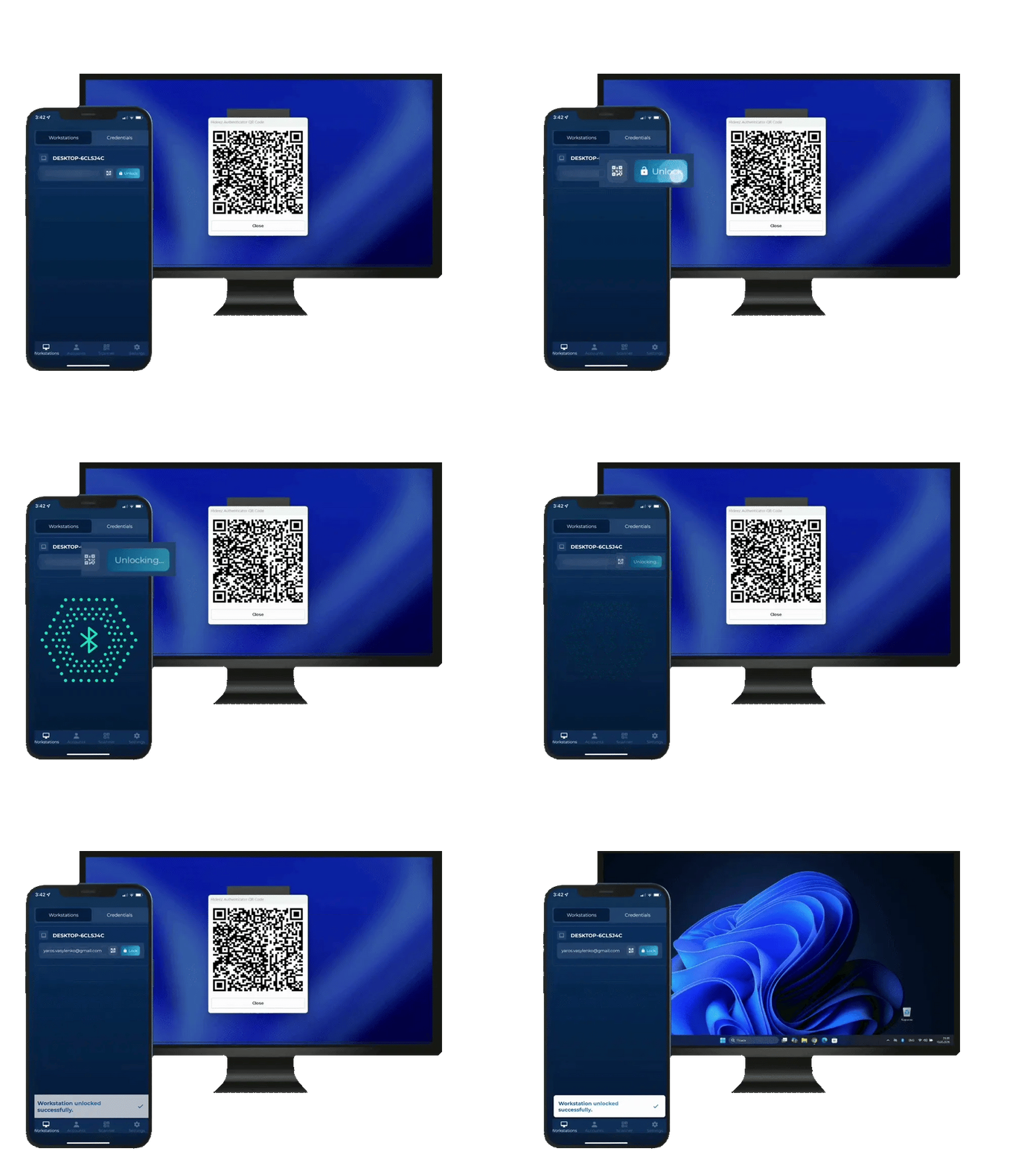
The employee opens the Hideez Authenticator app next to the machine, picks it from the list and taps the "Unlock" button. Both devices need Bluetooth 5.
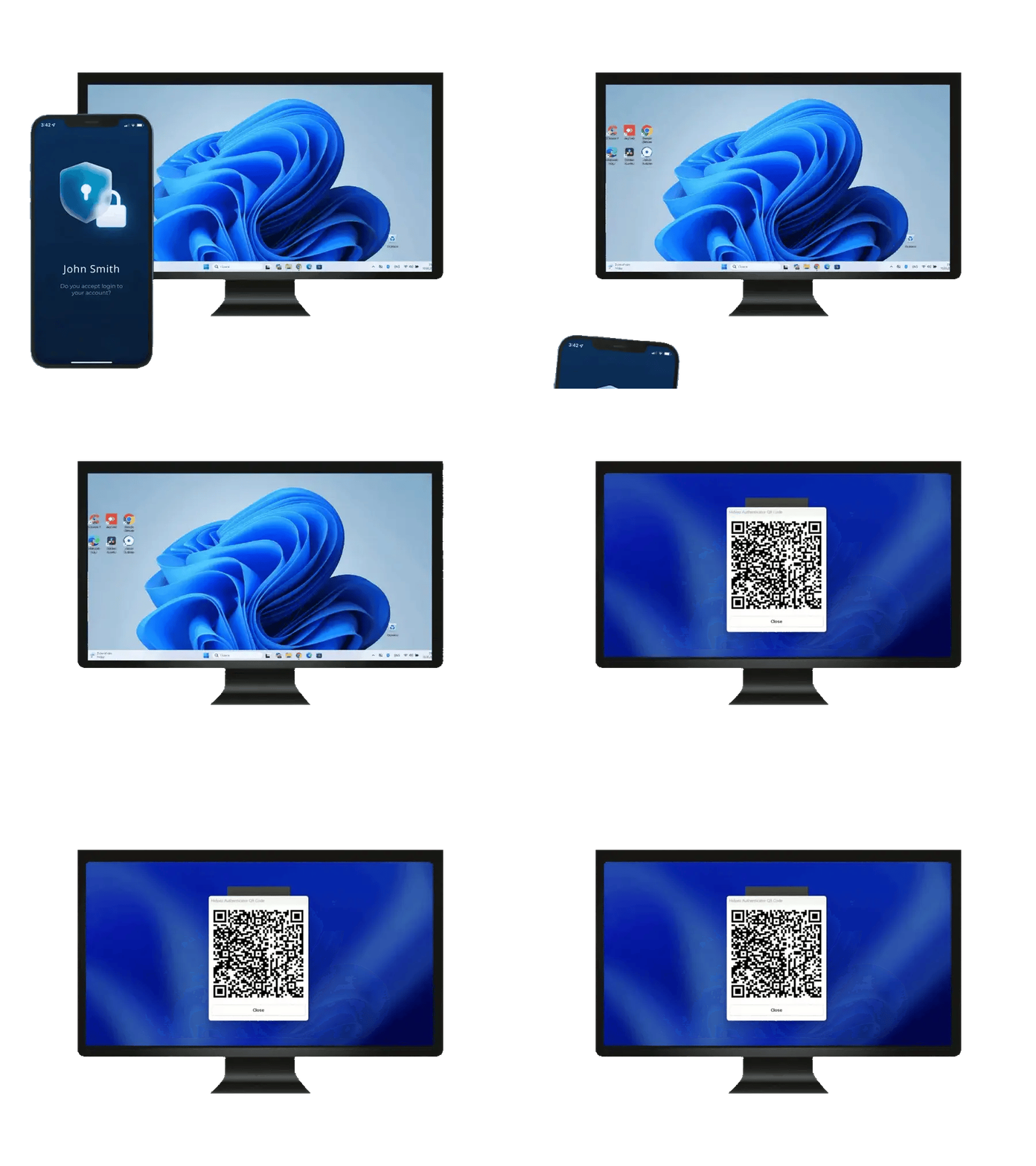
The phone in the user’s pocket automatically locks the PC when they walk away and the Bluetooth signal drops below the configured threshold.
Included for every user of the Hideez Workforce Identity.
SEE HIDEEZ AUTHENTICATOR →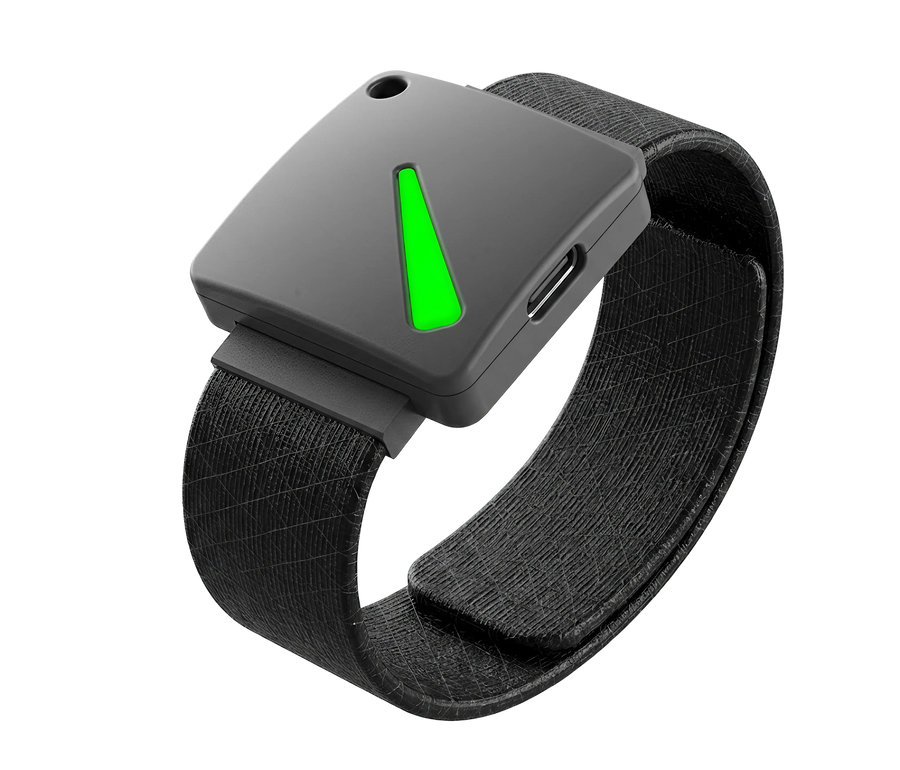
The key unlocks the workstation over Bluetooth as the person approaches, with an optional PIN on the lock screen as a second factor.
Designed for shared workstations used by multiple users. To prevent accidental unlocking, users tap their key on an external Bluetooth receiver plugged into the computer’s USB port.
The key automatically locks the PC when employees walk away and the Bluetooth signal drops below the configured threshold.
Optional component built for phone-free floors and staff wearing wearing personal protective equipment (PPE).
SEE HIDEEZ KEY →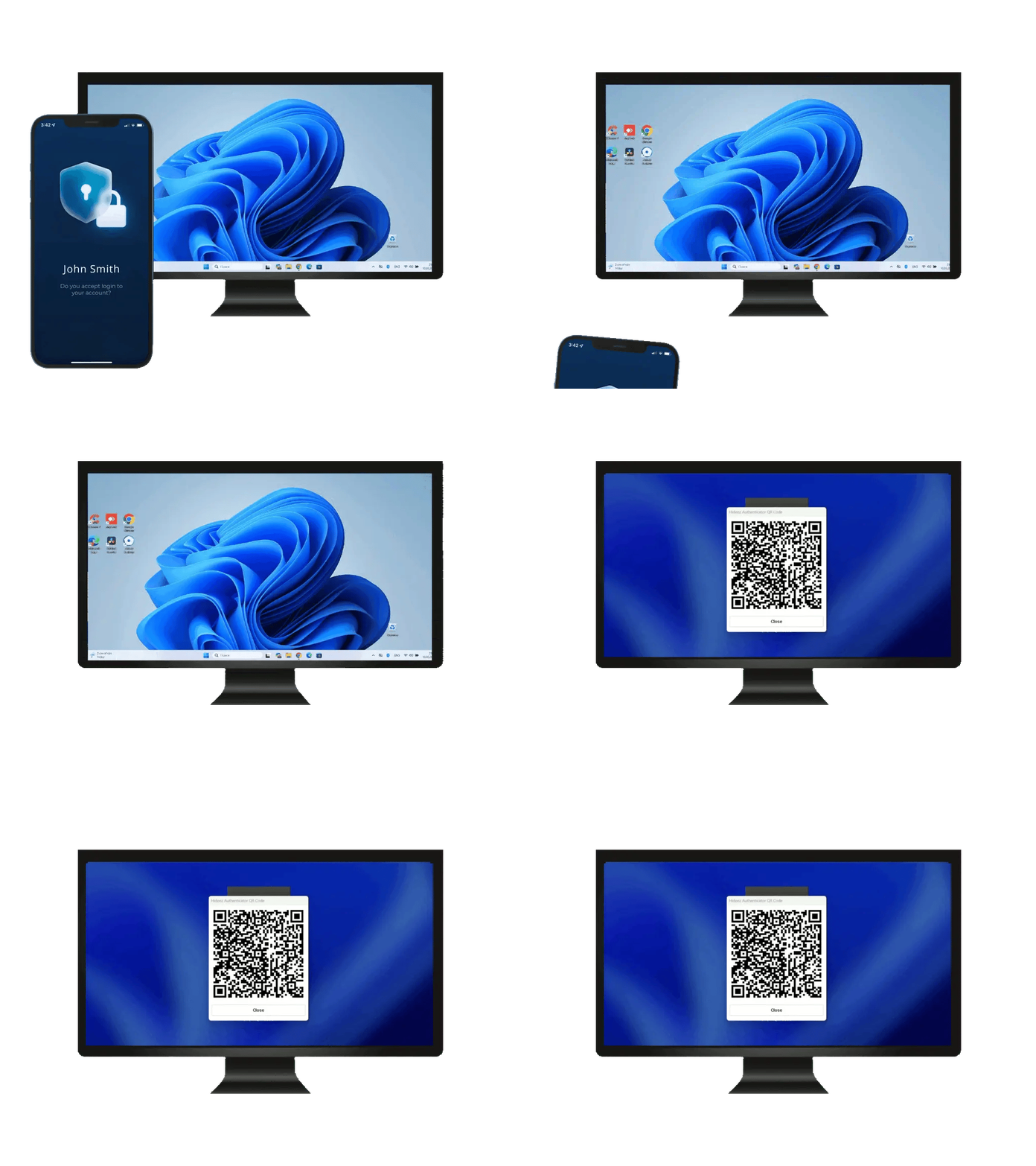
Automatic logoff that triggers on absence instead of a countdown
A screensaver timeout is a compromise nobody wins. Five minutes interrupts a technician standing two metres from the screen with their hands full; thirty minutes leaves a logged-in session open on the floor for half an hour. Teams solve it by stretching the timer until the control stops meaning anything.
Bluetooth proximity lock removes the countdown. The workstation locks when the person's phone or Hideez Key leaves the range IT has set, and it stays locked until someone with a credential comes back. Every lock event lands in the audit log with a name against it.
- Proximity lock on shared or personal workstations
- Bluetooth range set per user group, so dense benches and open floors get their own policy
- Automatic logoff evidence for HIPAA, PCI DSS 4.0 and NIS2 audits
Every lock and unlock tied to a real person
Hideez Desktop app streams every unlock and lock to Hideez Server, tied to the person's authenticator. The log answers who was at which workstation and when, whether they signed in to a shared profile or their own.
| Start Date↓ | End Date | Employee | Workstation | Session |
|---|---|---|---|---|
| 8/4/2026 9:14 AM | Active | Emma Wilson | WS-LINE-07 | e.wilson |
| 8/4/2026 8:52 AM | 8/4/2026 9:11 AM | James Carter | WS-LINE-07 | j.carter |
| 8/4/2026 8:40 AM | 8/4/2026 8:47 AM | Michael Brown | WS-LAB-11 | m.brown |
| 8/3/2026 6:26 PM | 8/3/2026 6:27 PM | Olivia Davis | WS-ICU-04 | nurse01 |
| 8/3/2026 1:05 PM | 8/3/2026 5:58 PM | Sophia Miller | WS-RECEPTION | reception01 |
| 8/3/2026 7:12 AM | 8/3/2026 12:44 PM | James Carter | WS-LINE-07 | j.carter |
- Every proximity lock and unlock recorded against the person's name
- One person across many workstations stays a single identity in the log
- Lock range set per user group, so dense rooms and open floors get their own policy
- Export-ready trail for HIPAA, PCI DSS and NIS2
Proximity that holds up on the floor
 |
Idle timeout (GPO) | Windows Dynamic Lock | |
|---|---|---|---|
| Locks on the person's absence | |||
| Signs the user back in on return | Windows Hello | ||
| Works without a smartphone | |||
| Per-user lock and unlock audit trail | |||
| Lock range tunable per user group |
Prove it on several machines
A 30-day proof of concept on your own workstations, starting with the mobile app so nothing waits on hardware.
How a healthcare provider consolidated three authentication tools into one
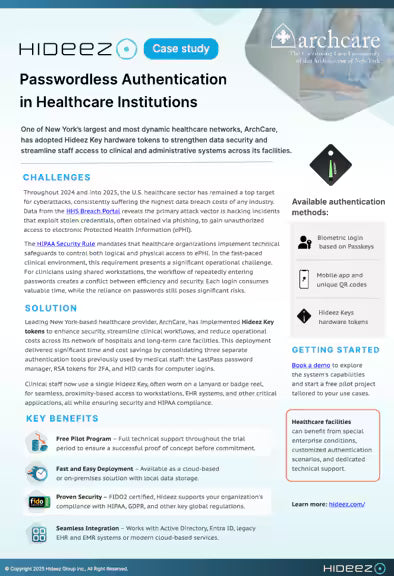
Hideez Key replaced three separate authentication tools we used before, giving our staff one simple way to access shared workstations and clinical systems.


Questions IT teams ask
What is proximity login, and how is it different from a screensaver timeout?
Proximity login uses the phone or Hideez Key the person already carries as the signal. The PC unlocks when that credential is in range and locks when it leaves. A screensaver timeout measures keyboard inactivity, so it fires while someone is still standing at the machine and it stays open after they have gone.
How does the lock distance work, and can we control it?
Yes. Today IT sets the threshold as a Bluetooth signal-strength level and tunes it per user group, which maps to distance with some fluctuation because that is how Bluetooth behaves. From autumn 2026 the Hideez Key 5 measures real distance, so the lock threshold can be set in metres.
Why not just use Windows Dynamic Lock?
Teams who have tried it report two problems. It sometimes fails to fire at all, even at a long distance from the PC. And after a long absence the Bluetooth link can fail to re-establish, at which point Dynamic Lock switches itself off silently and the next walk-away is not covered. Hideez reports lock state to the server, and Tap & Go gives a deliberate sign-in whenever a radio link is not wanted.
What stops someone leaving their Key or phone at the workstation?
Nothing technical stops it, and it does happen, which is why the Hideez Key can require a PIN at the lock screen. A credential left at the desk without its owner still needs that PIN, and the audit log shows which sessions it opened.
What if a key is lost, or a phone battery dies?
Username and password stays available as the fallback, and QR sign-in works whenever the server is reachable even if Bluetooth is not. Many teams issue a backup Key to the users who depend on it. Lost keys are revoked from the admin console immediately, across every workstation.
Does the workstation need special hardware?
For proximity with the mobile app, both the workstation and the phone need Bluetooth 5. For the Hideez Key, a small Bluetooth receiver plugs into the workstation, and that receiver also enables Tap & Go.
Is this Windows only?
Locking and unlocking the device runs on Windows 10 and 11. Signing in to web and cloud applications works from any operating system.
Does this work on personally assigned laptops, or only shared PCs?
Both. Engineering and production teams use it on assigned laptops, where the problem is walking away from an unlocked machine. Shared workstations use the same proximity lock plus Tap & Go for fast handover between people, which is covered in detail on our shared-workstation login page.
Does proximity lock satisfy automatic-logoff requirements for HIPAA, PCI DSS or NIS2?
It delivers the control those frameworks describe: the session ends when the workstation is left unattended, and the event is logged against a named person. Confirm your specific audit requirements with our team.
See proximity login on your own workstations
Book a demo or get a quote. Free 30-day proof of concept, starting with the mobile app.