

Passwordless Shared Workstation Authentication
Shared PCs, without the shared password. Staff tap in with a phone or a Hideez Key, so every login and lock ties to a named person, with a full per-user audit trail.

Built for the way shared PCs are really used

Every login is named
Each tap logs who signed in, when, and on which PC. Run it as a personal Windows login, or as named audit over a shared account.

No per-machine limits
Add unlimited users per workstation, with no fingerprint cap. Sign in with a phone or a Hideez Key.

Works where phones can't
For gloves, phone-free floors, or staff who won't carry a personal device. The Hideez Key signs in and locks the PC, no phone needed.

Works on any Windows account
Domain-joined or standalone, one shared profile or per-person logins. Hideez fits the Windows setup you already run, with no migration.
How staff sign in
Two ways to sign in, each with its own tap and no password to remember.
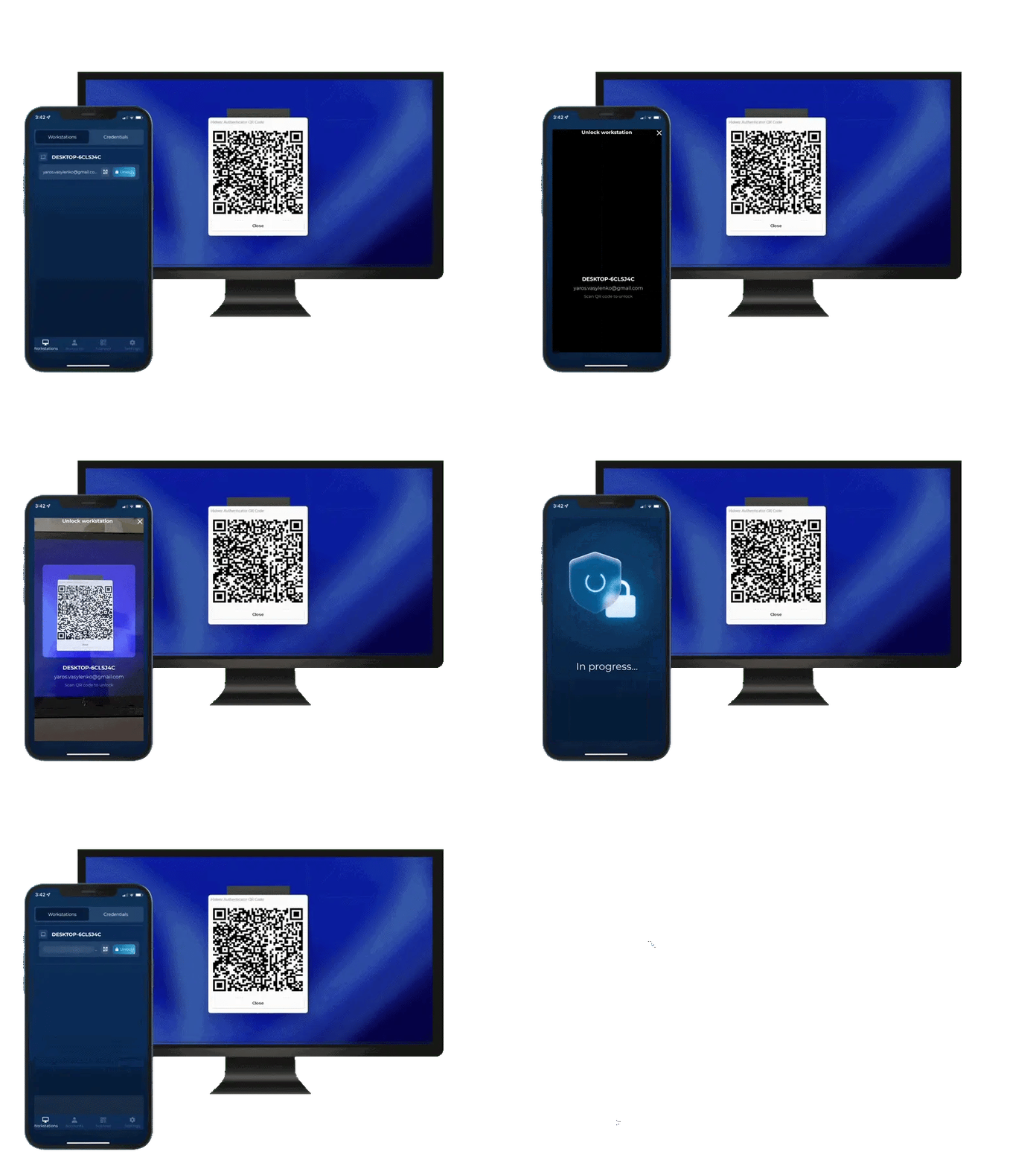
Scan the QR code on the lock screen with the phone camera. The right person is signed in within seconds, with no password typed.
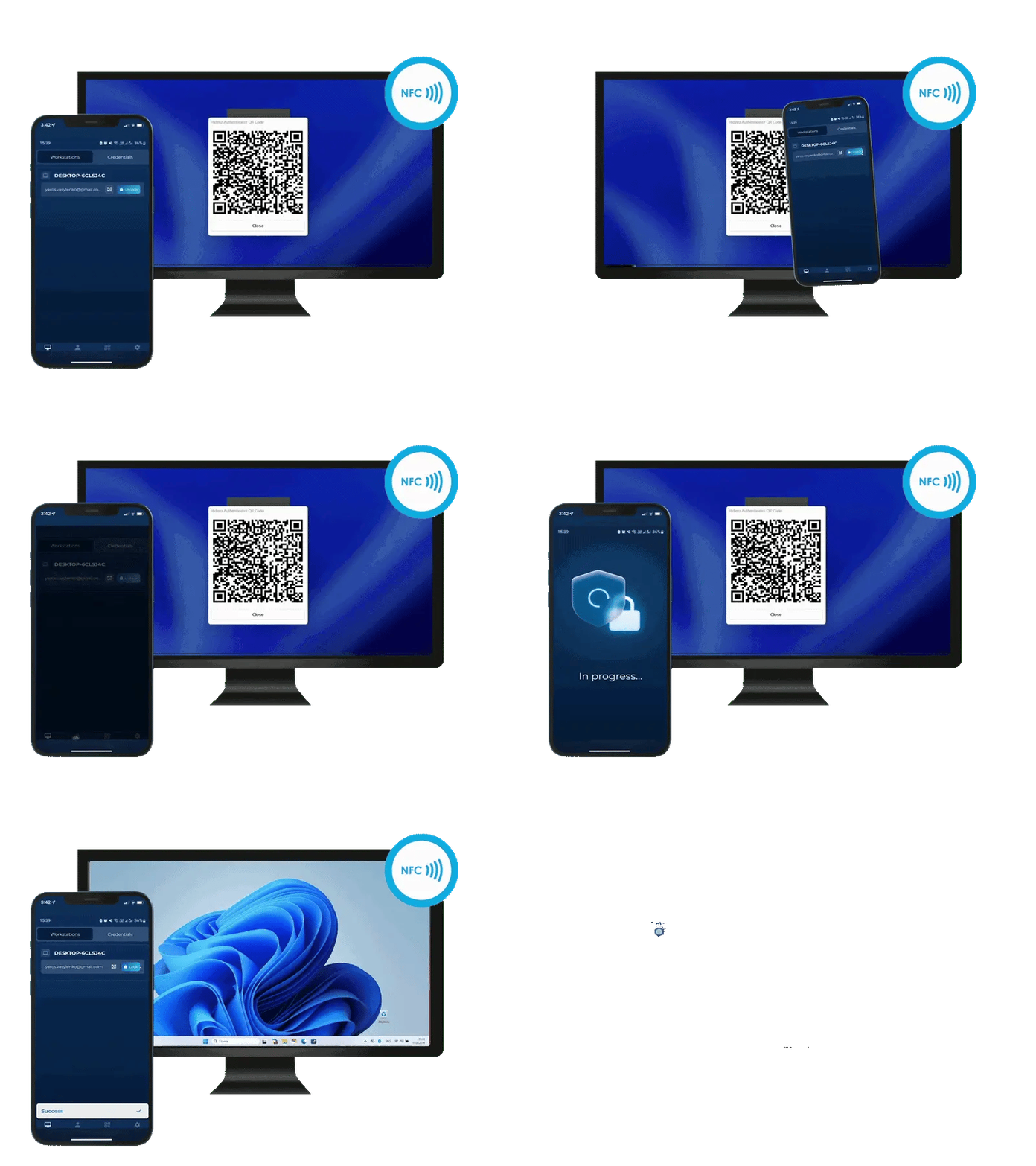
Tap the phone on an NFC sticker at the workstation for a contactless sign-in.
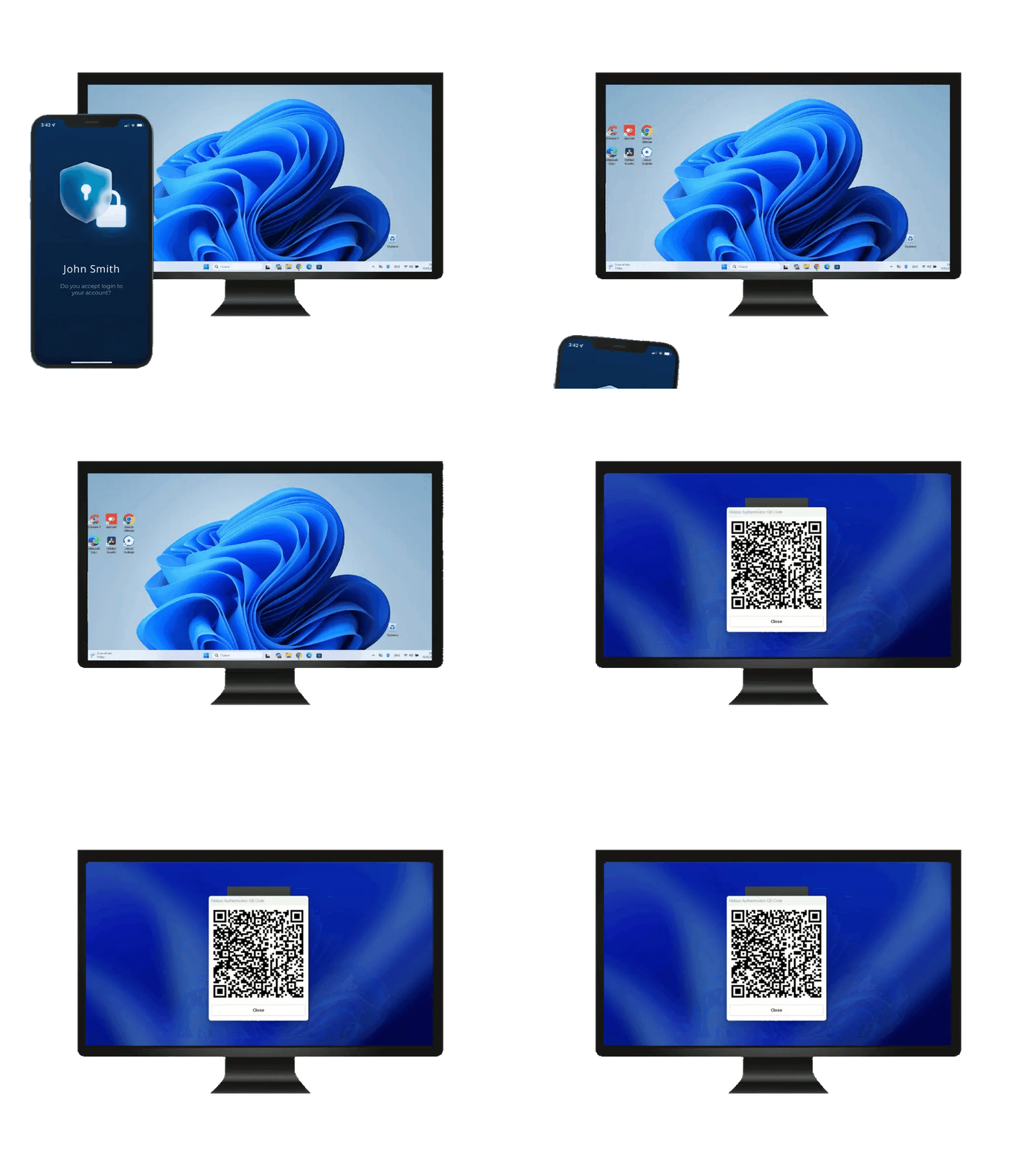
Step away and the PC locks itself by Bluetooth proximity, with no need to remember to lock the screen. Set the trigger distance to the meter, and tune it per user group for dense benches or open floors.
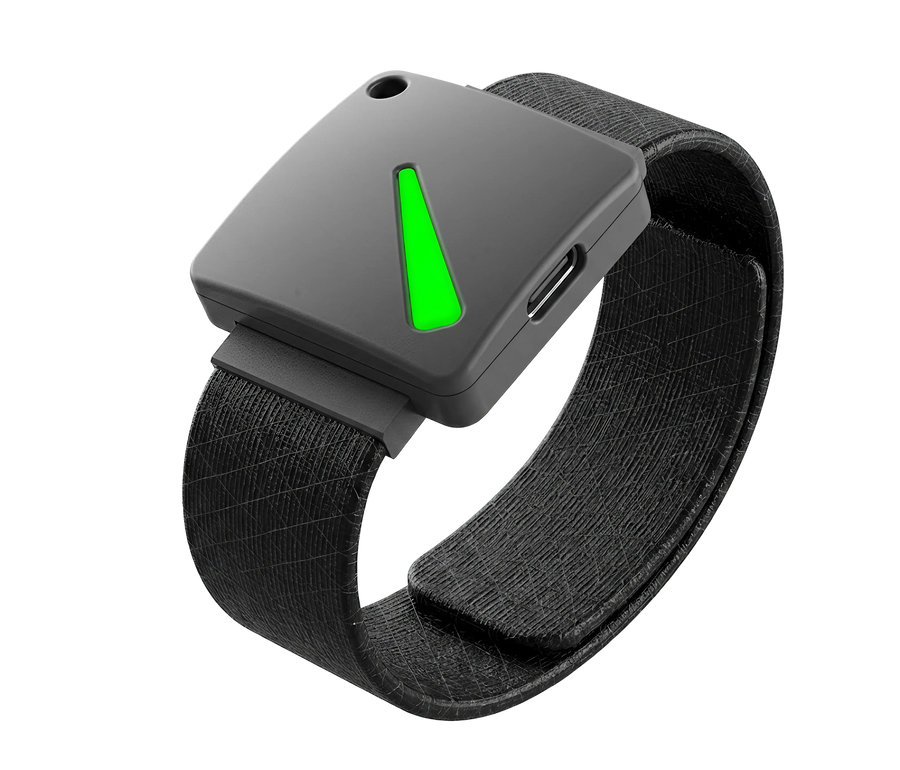
The Key unlocks the workstation by Bluetooth proximity as the person approaches, with an optional PIN on the lock screen for a second factor.
Tap the Key on a Bluetooth recevier plugged into the workstation for a deliberate unlock.
Step away and the PC locks itself by Bluetooth proximity, with no need to remember to lock the screen. Set the trigger distance to the meter, and tune it per user group for dense benches or open floors.
Built for gloves, phone-free floors, and staff who won't carry a personal device.
SEE HIDEEZ KEY →Every session tied to a real person, even on a shared account
A lightweight Hideez Desktop client on each PC streams every unlock and lock to Hideez Server, tied to the person's authenticator, not the Windows profile.
| Start Date↓ | End Date | Employee | Workstation | Session |
|---|---|---|---|---|
| 7/3/2026 8:21 AM | Active | Emma Wilson | WS-ICU-04 | nurse01 |
| 7/3/2026 7:12 AM | 7/3/2026 8:05 AM | James Carter | WS-ICU-04 | nurse01 |
| 7/3/2026 7:04 AM | 7/3/2026 7:48 AM | Michael Brown | WS-LAB-11 | m.brown |
| 7/2/2026 6:26 PM | 7/2/2026 6:27 PM | Olivia Davis | WS-ICU-04 | nurse01 |
| 7/2/2026 8:48 AM | 7/2/2026 6:16 PM | James Carter | WS-RECEPTION | reception01 |
| 7/1/2026 11:05 PM | 7/1/2026 11:09 PM | Sophia Miller | WS-RECEPTION | reception01 |
- One person across many shared PCs stays a single identity in the log
- Shared or individual Windows profile, the audit stays per-person
- Export-ready trail for HIPAA, PCI DSS, and NIS2
- Deploy in the cloud or fully on-premise
Tap-in access, without the six-figure rollout
 |
Shared password | Windows Hello | Imprivata | |
|---|---|---|---|---|
| Know who's on the PC, even on a shared account | ||||
| Bluetooth proximity auto-lock | ||||
| Audit trail (who signed in, when) | ||||
| Passwordless RDP & Citrix sign-in | Limited | |||
| Unlimited users per shared PC | 10 max |
See it on your own shared workstations
Book a 30-day proof of concept on your own machines. No rip-and-replace.
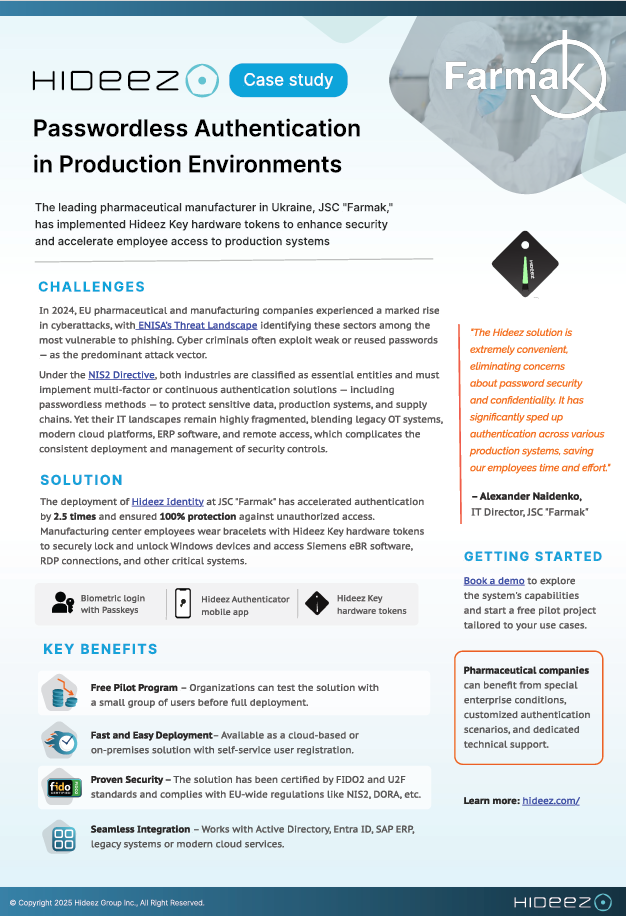
How a pharmaceutical manufacturer secured shared production workstations
The Hideez solution is extremely convenient, eliminating concerns about password security. It has significantly sped up authentication across our production systems.
Administration Engineer, Farmak JSC


Questions IT teams ask
Can this integrate with Active Directory or Microsoft Entra?
Yes. Hideez integrates with Active Directory and Microsoft Entra ID, so existing user accounts, groups, and policies carry over. There is no separate identity system to maintain.
Is it Windows-only?
Device lock and unlock run on Windows 10 and 11. Sign-in to web and cloud apps works across operating systems.
What's the real advantage over Windows Hello for shared workstations?
Windows Hello for Business tops out at 10 enrolled users per device and needs a TPM chip plus an IR camera or fingerprint reader that many workstations don't have. Microsoft's own Shared PC configuration disables Windows Hello by default for exactly this reason. Hideez has no per-machine enrollment cap and works on any Windows PC, using a phone or Key as the credential.
Do we have to give up our shared Windows account?
No. Per-person logins are the stronger setup for security and audit, so we recommend them, but they aren't required. You can keep one shared Windows account and have Hideez log a named identity on top of it. Either way, tap-in takes seconds with no profile-reload wait, so it stays as fast as the shared account it replaces.
How does proximity sign-in work, and can we control the distance?
The Key or phone talks to the workstation over Bluetooth. The PC unlocks when it comes into range and locks the moment it leaves. IT sets the range per user group, to the meter: tighter for dense seating like nursing stations, looser for open floor plans.
Does it work with our existing HID badges?
No. The Key replaces an HID badge rather than reading an existing one. Configured as the new badge, it also opens doors and clocks time, so IT issues one credential instead of three.
What if a key is lost, the network is down, or a phone battery dies?
Lost keys can be revoked and reissued from the admin console right away. If a phone battery dies, the Key or another provisioned credential still works as a backup where issued. Confirm your specific offline and fallback requirements with our team.
What happens when someone leaves the team?
Revoke the person's phone credential or Hideez Key from the admin console and their access is removed immediately, across every workstation. There is no shared password to rotate across the floor.
How does this help with HIPAA, PCI, or NIS2 compliance?
Every sign-in is tied to a named person with an exportable audit trail, and the workstation locks itself when unattended, the access controls those frameworks call for. Confirm your specific requirements with our team.
See shared-workstation login on your own PCs
Book a demo or get a quote. Free 30-day proof of concept, no rip-and-replace.