
Passwordless SSO for modern and legacy applications
Replace passwords and traditional MFA with passkeys or mobile authentication. Give employees one secure single sign-on experience across SSO-enabled, legacy, and custom web applications.
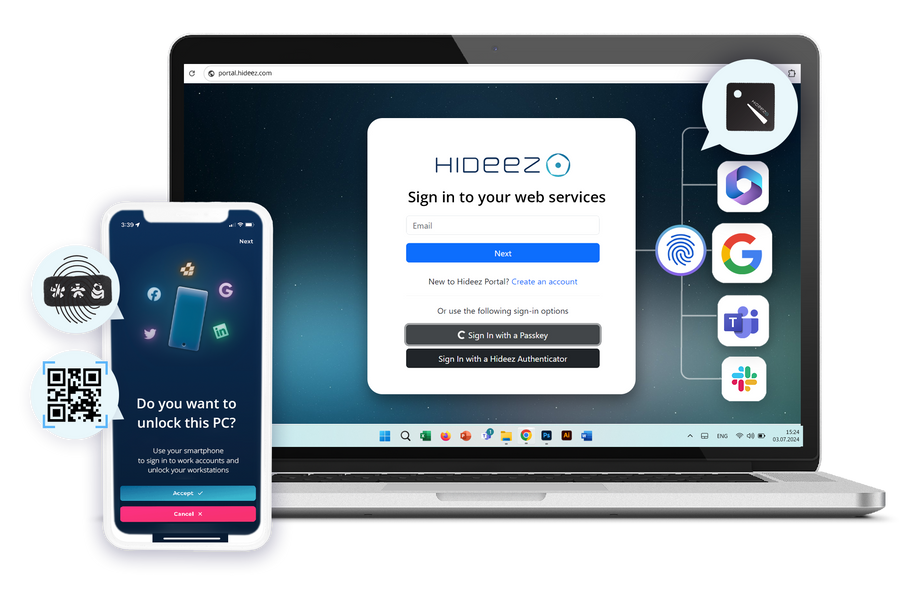

One single sign-on that reaches everything

One identity across every app
Microsoft 365, modern web apps, and legacy applications that don’t support SAML — all accessible through the same enterprise SSO experience.

Phishing-resistant by design
The private key stays protected on the user’s device and is never transmitted, leaving no password or code for attackers to steal through phishing.

Keeps the directory you already run
Hideez federates with Active Directory and Microsoft Entra ID, so your users, groups and policies carry over untouched.

Yours to host
Run the SSO solution in our cloud, in a private isolated cloud, or fully on-premise on your own login domain.
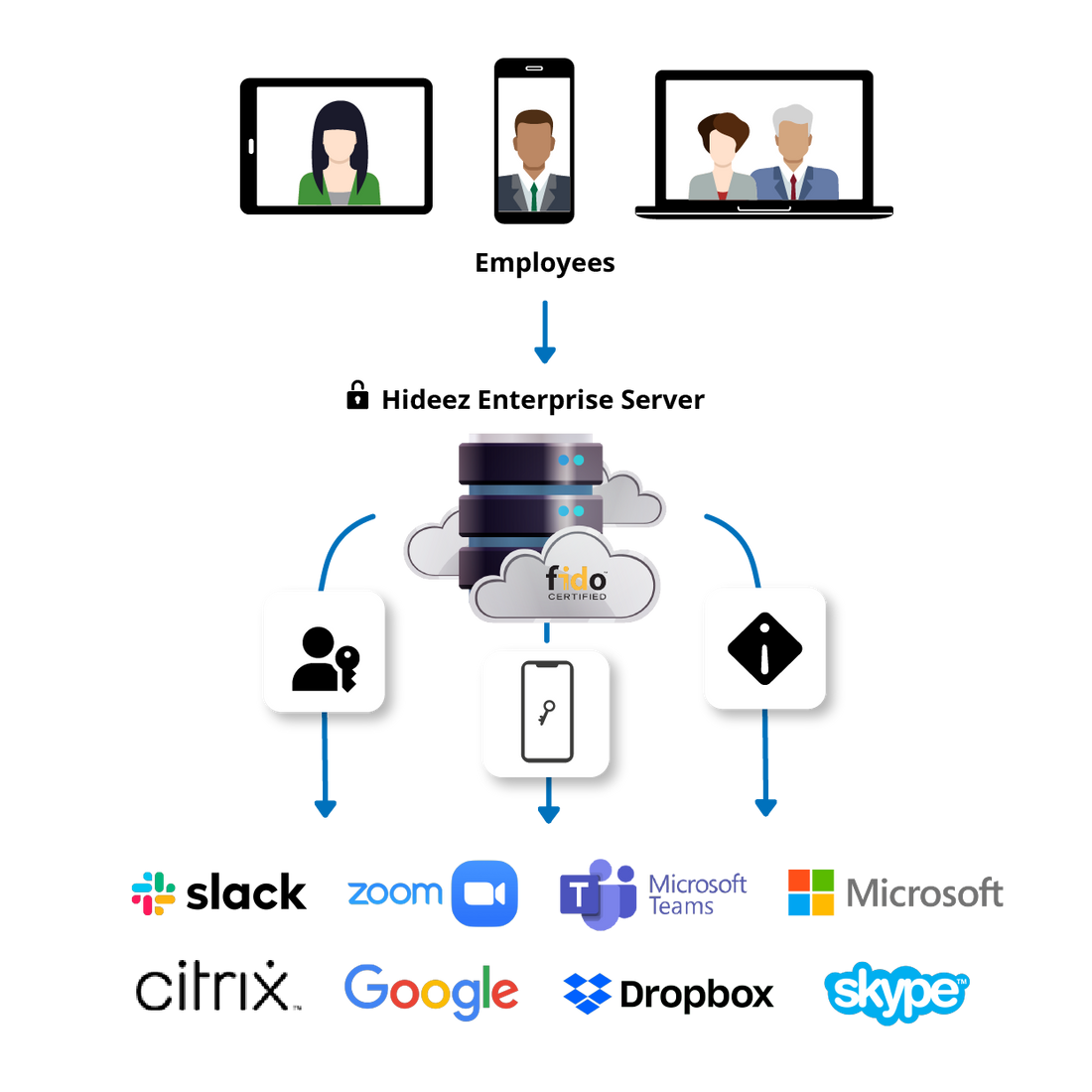
What single sign-on (SSO) actually does
Single sign-on means one verified identity opens every application a person is entitled to use. They authenticate once, and each application trusts that result instead of asking for its own password. The service that performs the check is the identity provider; everything that trusts it is a service provider.
Most single sign-on deployments still start that one sign-in with a password and a one-time code, which is where the friction and the phishing risk live. Hideez uses the same SAML and OpenID Connect federation flows, but initiates authentication with a passwordless credential stored on the user’s phone or hardware security key.
- Single sign-on federation with Active Directory and Microsoft Entra ID
- SAML 2.0 and OpenID Connect for modern applications
- Applications without SSO support covered through Hideez AuthShield
- One audit log across all of it
Benefits of passwordless SSO for enterprises
Passwordless SSO combines centralized access with phishing-resistant authentication for simpler enterprise access.
- Faster, lower-friction sign-in. Employees authenticate once and move between connected applications without typing a password or a one-time code.
- Phishing-resistant by design. The credential is bound to the device that holds it, so there is nothing to type, intercept, or reuse on a fake login page.
- Fewer password-related tickets. With no password in the sign-in flow, IT sees fewer resets, lockouts, and account-recovery requests.
- Centralized access control. The enterprise SSO platform applies consistent policies across cloud, on-premise, and legacy applications. Administrators revoke access centrally as roles change.
- Easier compliance and auditing. Every sign-in records the person, the application, and the method, in one exportable log.
Key Features of Hideez Enterprise Single Sign-On (SSO) Solution

Passwordless authentication with enterprise SSO
Users approve access with passkeys, device biometrics, Hideez Authenticator, or FIDO2 security keys instead of passwords and OTP codes.

Broad application integration
The enterprise SSO solution supports SAML 2.0 and OpenID Connect, while AuthShield extends access to legacy applications without federation support.
Flexible SSO deployment
Deploy the SSO software in the Hideez cloud, a private isolated cloud, or on-premise, with a custom login domain.

Directory federation & central management
Synchronize Active Directory or Entra ID users and groups, then manage SSO policies in one console.

Unified SSO monitoring
Track authentication methods and application access in one log for visibility across the SSO environment.
Passwordless single sign-on with unified authentication

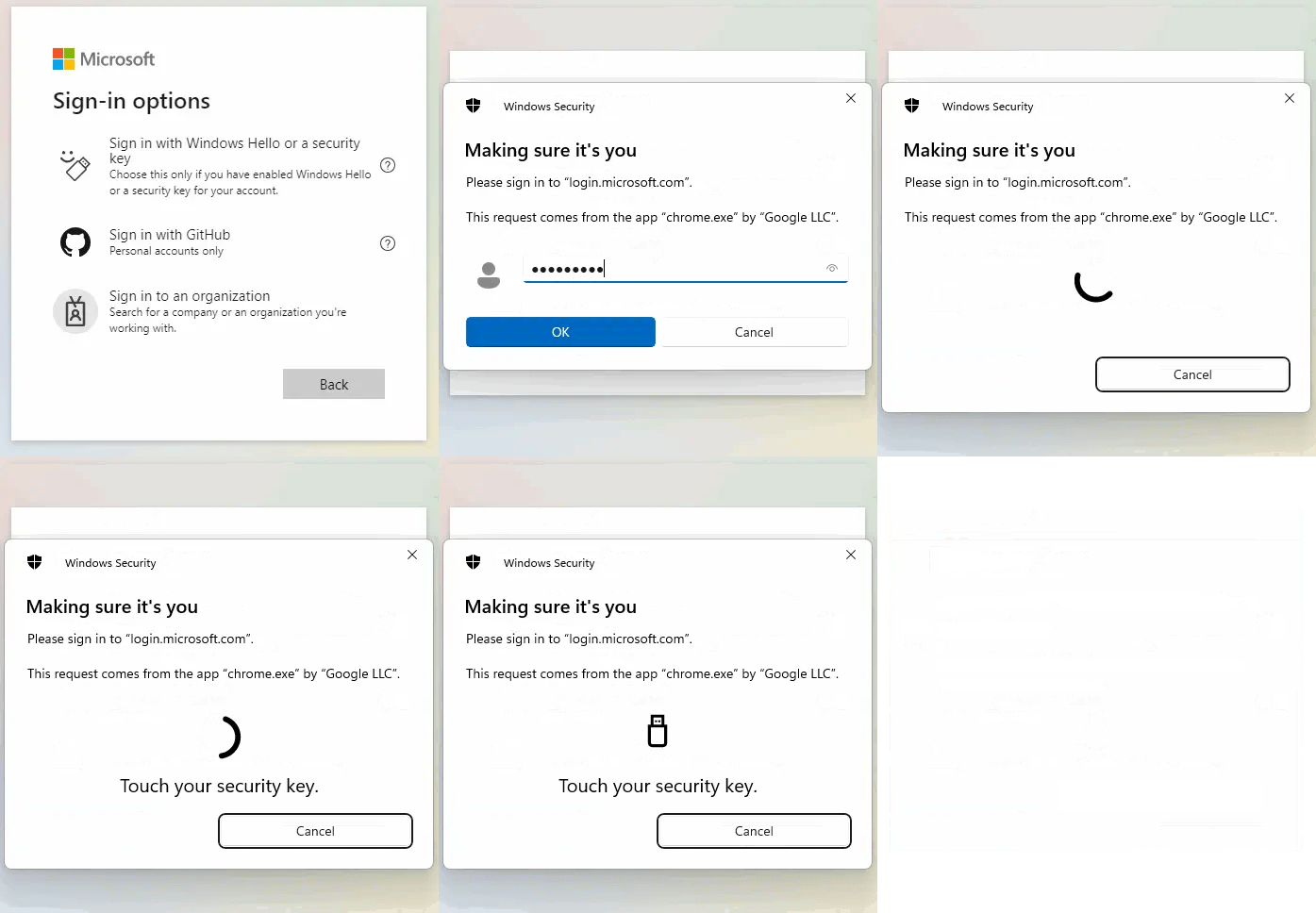
Passkeys use public-key cryptography instead of passwords. The private key stays protected on the user’s phone, tablet, computer, or security key and is unlocked with biometrics or a device PIN.
The cryptographic credential is stored on an external FIDO-certified security key (Hideez Key, Yubikey, etc.) rather than on the user’s phone or computer. The private key remains protected inside the device and is used to authenticate the user without exposing any reusable secret.
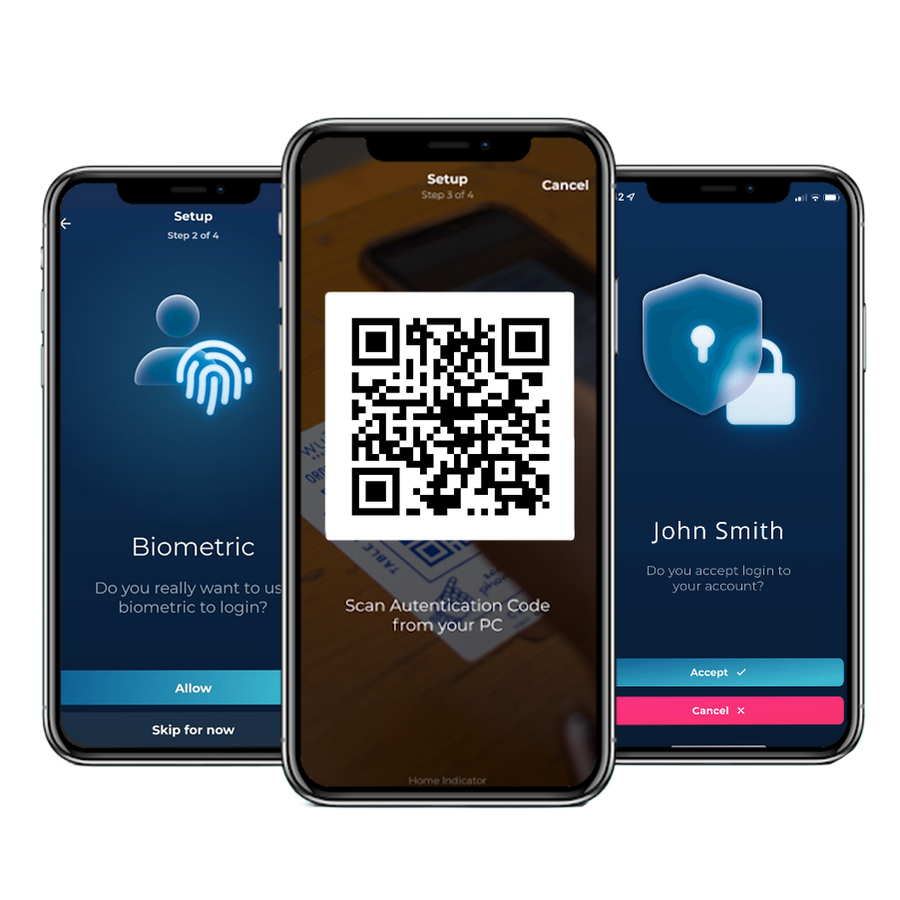
The lock screen shows a QR code. The employee scans it in the app and approves the request.
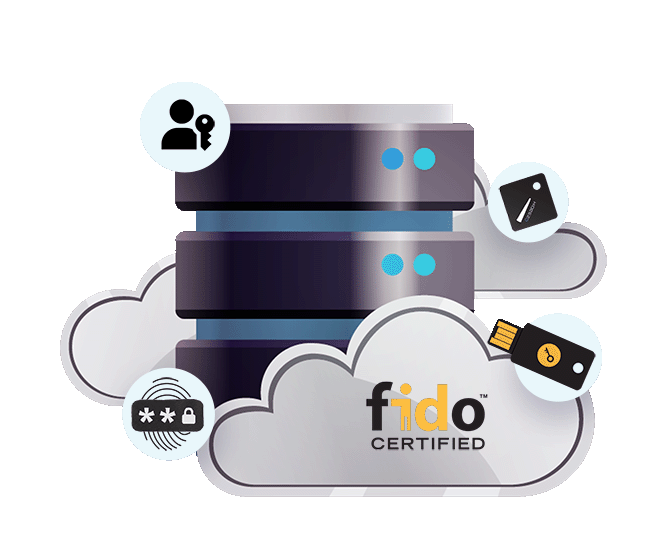
Enterprise SSO solution for the identity you already have
Hideez can act as the SSO identity provider for your applications or work alongside Microsoft Entra ID and Active Directory to add passwordless authentication to your existing environment. Users and groups are synchronized from your directory, so there is no separate user database to manage.
For organizations that need to keep SSO authentication within their own infrastructure, Hideez can be deployed on-premises or in a private isolated cloud, with a custom login domain under your own DNS.
- Synchronize users and groups from Active Directory or Entra ID
- Connect SSO applications through SAML or OpenID Connect
- Use a custom SSO login domain under your own DNS
- Deploy enterprise SSO in the cloud, a private isolated cloud, or fully on-premises
Every SSO sign-in, every application, one log
Hideez Server records each SSO authentication against the person, the application they opened, and the method they used. The same log covers modern apps behind SSO and older ones reached through AuthShield.
| Start Date↓ | End Date | Employee | Application | Method |
|---|---|---|---|---|
| 8/4/2026 9:14 AM | Active | Emma Wilson | Microsoft 365 | Passkey |
| 8/4/2026 9:02 AM | 8/4/2026 9:11 AM | James Carter | Microsoft 365 | Push approval |
| 8/4/2026 8:47 AM | 8/4/2026 8:58 AM | Michael Brown | Quality portal (AuthShield) | Hideez Key |
| 8/3/2026 5:26 PM | 8/3/2026 6:02 PM | Olivia Davis | Internal CRM | Passkey |
| 8/3/2026 1:05 PM | 8/3/2026 5:58 PM | Sophia Miller | Remote desktop | Hideez Key |
| 8/3/2026 7:12 AM | 8/3/2026 12:44 PM | James Carter | Quality portal (AuthShield) | Push approval |
- One person stays one identity across every SSO application
- Method recorded per SSO sign-in, so passwordless coverage is measurable
- Modern apps behind SSO and older ones behind AuthShield in the same log
- Export-ready trail for HIPAA, PCI DSS, NIS2 and DORA
Passwordless SSO beyond passwords and traditional MFA
 |
Password + OTP MFA | Cloud-only IdP | ADFS on-prem | |
|---|---|---|---|---|
| Sign-in with no password and no code to type | Limited | |||
| Phishing-resistant FIDO2 credentials | Limited | |||
| Covers applications with no SAML or OIDC support | ||||
| Runs fully on-premise or in a private cloud | ||||
| Windows desktop login included | Limited |
Start with one SSO application
A 30-day proof of concept, phone-only, on a single application you pick. Add the rest once the sign-in feels right.
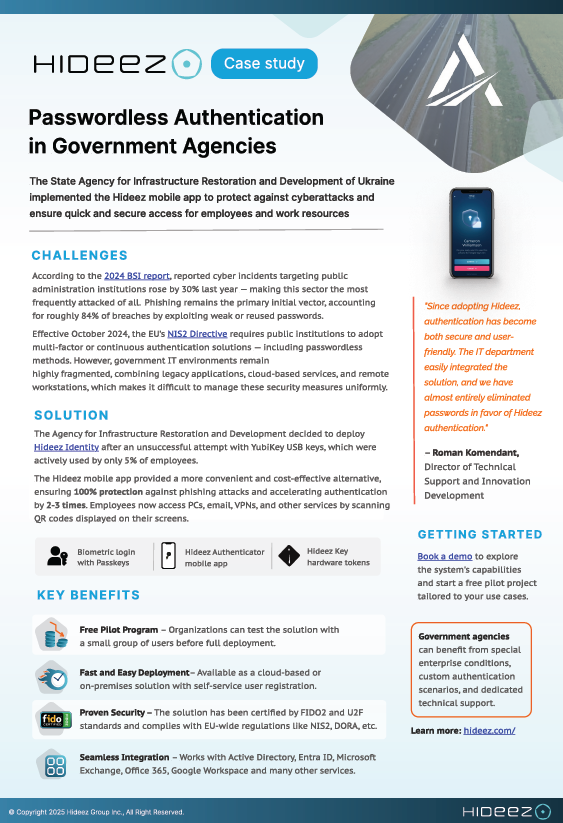
How a government agency replaced hardware keys with mobile SSO authentication
Since adopting Hideez, authentication has become both secure and user-friendly. We have almost entirely eliminated passwords in favor of Hideez authentication
State Agency for Restoration of Ukraine


Questions IT teams ask
What is single sign-on, and how is it different from a password manager?
Single sign-on removes the second password entirely: the application trusts an identity provider that already verified the person. A password manager still stores and types a password into each application, so every one of those passwords continues to exist and can still be phished or reused.
Is passwordless SSO actually more secure than a password plus a one-time code?
Yes, and the reason is specific. A one-time code can be read out over the phone, typed into a fake login page, or approved by a tired user. A FIDO2 credential is bound to the exact site that issued it and never leaves the device, so there is nothing to hand over. Many teams assume more steps means more security. What matters is whether any step can be intercepted.
Do we have to replace Microsoft Entra ID or Active Directory?
No. Hideez can act as your SSO identity provider, and it can also federate with Entra ID or Active Directory and add passwordless sign-in on top of them. Users, groups, and policies replicate from the directory you already run.
Which applications can the Hideez SSO solution cover?
Anything that speaks SAML 2.0 or OpenID Connect, which covers Microsoft 365 and most modern web applications. Applications with no modern SSO support are covered through Hideez AuthShield, which sits in front of them and signs users in without changes to the application itself.
Can we host the enterprise SSO solution ourselves?
Yes. The same SSO platform runs in our cloud, in a private isolated cloud, or fully on-premise inside your perimeter, on a login domain of your own. Organizations under data-residency rules generally choose one of the latter two.
What happens when someone loses their phone?
Revoke the credential from the SSO admin console and issue a new one. Teams that cannot tolerate any downtime give critical users a Hideez Key as a second credential, so the two work interchangeably.
Does this work on macOS and Linux?
Signing in to work accounts and web applications works from any operating system, including macOS, Linux and ChromeOS. Locking and unlocking the device itself is Windows 10 and 11 only.
How long does an SSO rollout take?
A single-application SSO proof of concept usually runs the same week, phone-only. Full rollouts are paced by how many applications you connect rather than by the authentication itself.
What does passwordless SSO do to our password-reset tickets?
When there is no password for an application, there is no reset for it either. Industry benchmarks put a single reset at roughly $70 once helpdesk time is counted, which is where most of the payback comes from. Confirm the numbers against your own ticket volume with our team.
See passwordless SSO on your own stack
Book a demo or get a quote. Free 30-day proof of concept, phone-only to start.