
Passwordless Identity and Access Management for Small Business
Identity and access management for small business without dedicated IT staff: replace passwords with easy-to-deploy authentication that protects against phishing.

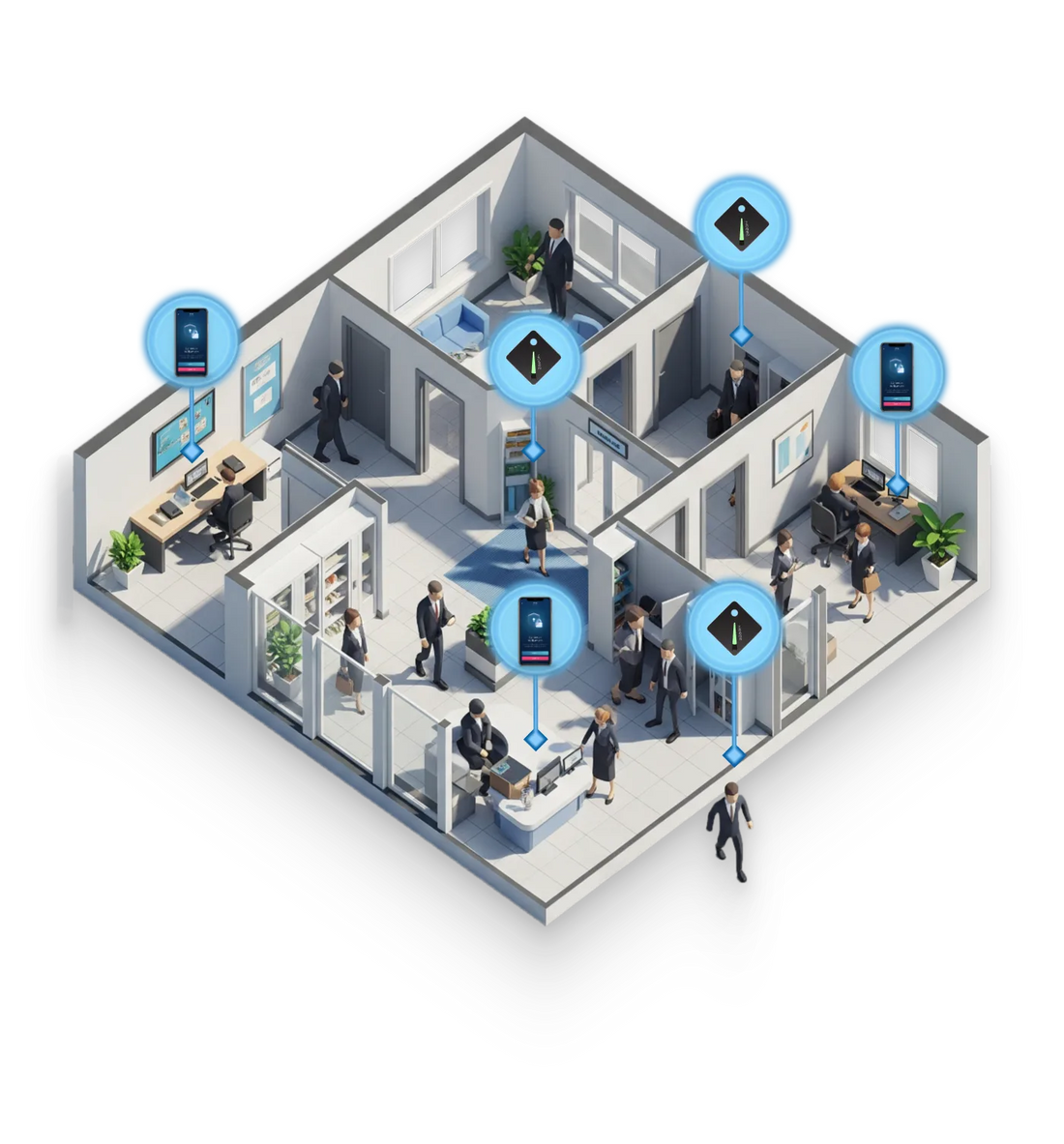
Simple, Secure Access Control for Small Business
Hideez small business IAM replaces passwords with simple, secure authentication across cloud apps, Windows devices, and shared workstations. Employees sign in with passwordless methods, with no complex setup and no dedicated IT team, which lowers phishing risk and keeps work moving.
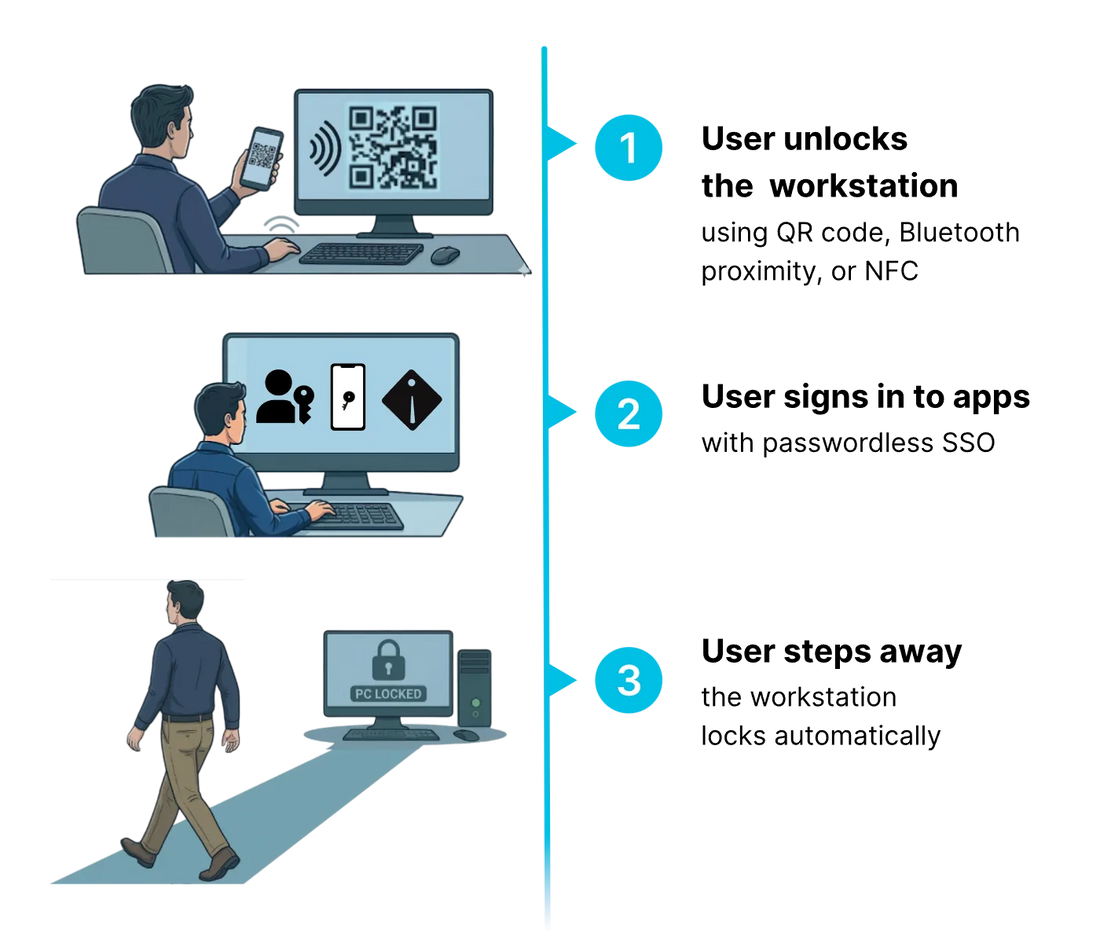
- Automatic presence detection
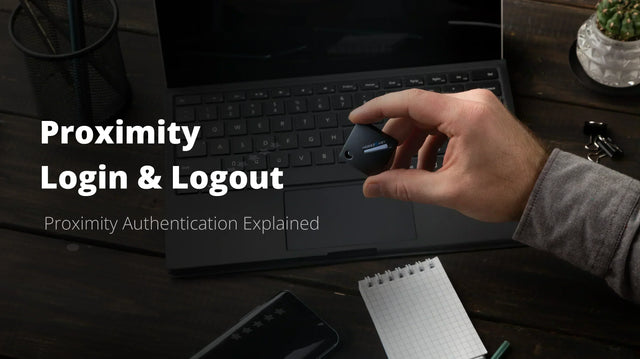
- Contactless endpoint login and logoff
- Audit logs for better traceability and compliance
Why Hideez?
Strong security that stays simple for teams without dedicated IT staff. Hideez covers access control management for small business: it reduces reliance on passwords and makes secure access easy to deploy and manage, so you lower support overhead and are better protected against targeted phishing attacks.
- Active Directory and Entra integration. Connect Hideez to AD or Entra ID in a few clicks to sync users automatically and centrally manage credential rotation across systems and workstations.
- Free trial and POC. Start with a free proof of concept to validate key access scenarios in your own environment.
- Regulatory compliance. Strong, phishing-resistant authentication and auditable access to business systems help small businesses protect sensitive customer and employee data and support GDPR obligations.

Access to shared workstations
Works in shared workstation environments, including closely located devices, offline scenarios, and RDP access.

Passwordless Single Sign-On
Passwordless SSO for web services, including applications that do not natively support SAML or OIDC protocols.

Flexible deployment
Deploy Hideez on premises, in a dedicated private cloud, or in a multitenant cloud environment hosted in the US or Europe.
Explore our passwordless authentication tools
Hideez supports several phishing-resistant methods, so you can match the right form factor to every role and environment:

Give employees one secure login for cloud apps, internal tools, and everyday business systems.
Protect employee accounts with phishing-resistant MFA that is easy to deploy and simple to use.
Enable fast login to shared Windows workstations using mobile authentication, even in environments with limited connectivity.
Automatically lock shared workstations when employees walk away with their phone.

Enable secure, passwordless access to web applications and business systems using hardware keys.
Allow employees to unlock Windows workstations quickly using Bluetooth-enabled hardware keys.
Store and use credentials securely for legacy applications and internal systems that still require passwords or OTP codes.
Automatically lock workstations when the user moves away with a hardware key.
Use the same hardware key for both workstation login and entry to offices or restricted areas.

Employees can sign in to web services using the mechanisms built into their smartphones or workstations, including fingerprint, Face ID, or a personal PIN.
Passkeys are phishing-resistant since authentication is tied to the user's device. Access is fast and straightforward, with no need to remember passwords or enter one-time codes.
Hideez supports FIDO2 security keys from other vendors, including Yubico. Combine different authentication methods without replacing your existing security stack.
Hideez vs Duo vs Yubico
| Hideez | Duo | Yubico | |
|---|---|---|---|
| On-prem / self-hosted deployment | Yes | Yes | Yes |
| Acts as IdP for passwordless SSO | Yes | Yes | Yes |
| Active Directory / Entra ID integration | Yes | Yes | Partial |
| Authentication methods | Passkeys, Hideez mobile app (QR, Bluetooth, NFC), Hideez Keys (USB, Bluetooth, NFC, RFID) | Passkeys, Duo Mobile, security keys | Passkeys, YubiKey, smart card/PIV, OTP |
| Passwordless web / app login | Yes | Yes | Yes |
| Passwordless Windows login | Yes | Yes | Yes |
| Automatic proximity-based logoff | Yes | Yes | Yes |
| Works without a mobile phone | Yes | Partial | Yes |
Our clients


Our certifications



Questions from small businesses
Do we need a dedicated IT team to run Hideez?
No. Hideez does not require a dedicated IT team to get started. Employees sign in without complex setup, and a free proof of concept lets you validate your key scenarios in your own environment before you commit to a rollout.
Should a small business choose cloud or self-hosted deployment?
Hideez offers three options: on premises, a dedicated private cloud, or a multitenant cloud hosted in the US or Europe. Choose the model that matches your data and network requirements; our team can help you compare them.
Do all employees need a hardware key?
No. The free Hideez Authenticator app on a phone works for sign-in to cloud apps and shared Windows workstations. Hideez Key is an option for people who prefer hardware, and passkeys let staff sign in with fingerprint, Face ID, or a PIN.
Can it work with the Microsoft accounts we already use?
Yes. Hideez connects to Active Directory or Microsoft Entra ID in a few clicks, syncs users automatically, and manages credential rotation centrally. Staff then use passwordless sign-in with the accounts you already have.
What about older apps that still need a password?
Hideez Key can securely store and enter credentials for legacy applications and internal systems that still require passwords or OTP codes. This reduces credential exposure for administrators and simplifies access.
Learn more about Hideez IAM solutions for SMBs
See how Hideez brings easy, passwordless access to small teams, without dedicated IT resources.