
Hideez FIDO Logon
Sign in to local, offline, and Active Directory Windows accounts with any FIDO2 security key instead of a password — no cloud identity provider required.
What Is Hideez FIDO Logon?
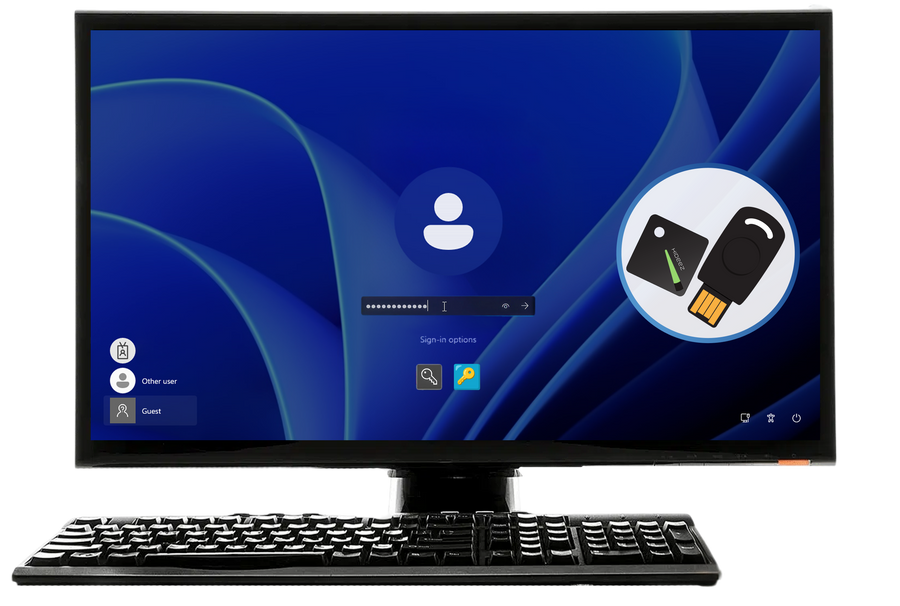
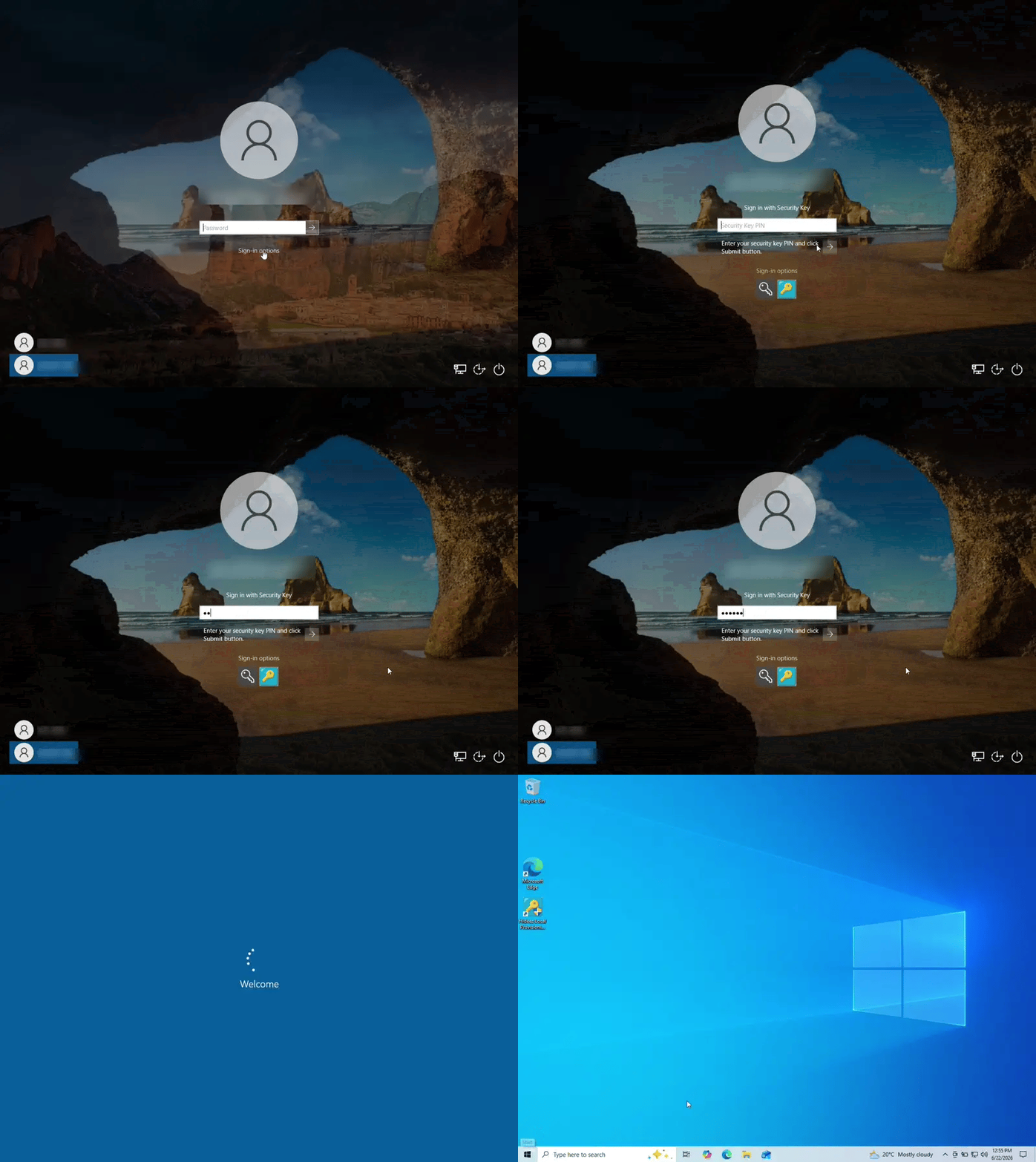
Hideez FIDO Logon is a Windows-native credential stack that plugs directly into the standard logon screen. The user sees a sign-in tile, taps a FIDO2 security key, enters the key's own PIN, and lands on the desktop, without typing a password or sending anything to a server or the cloud.
It is a fully custom stack that talks to the security key directly rather than through Windows Hello, which is why it also covers local, offline, and on-premises Active Directory accounts that Windows Hello and Entra ID cannot reach. It works with any conforming FIDO2 / CTAP2 security key, so IT teams can keep the hardware they already issued.

Why Businesses Need a Passwordless Windows Login for Local and Active Directory Accounts
Out of the box, Windows only supports FIDO2 security-key sign-in for devices joined to Microsoft Entra ID — even domain-joined Active Directory machines need an Entra ID Kerberos Trust in the loop. There is no native path to passwordless login for local Windows accounts or for environments with no cloud identity provider at all.
That is exactly where high-assurance operators live: classified and air-gapped networks, OT/ICS control rooms, shipboard and vehicle-embedded systems, and isolated plant floors, many of them already running shared workstation authentication across multiple operators. These machines are disconnected by policy or by design, so today they are forced back onto passwords.
How Hideez FIDO Logon Works
Provisioning Tool
A desktop app for one-time enrolment of a security key to a Windows account.
Credential Provider
Adds the FIDO sign-in tile to the Windows logon and lock screen and drives the tap-and-PIN flow.
Authentication Package
Runs inside the Windows security subsystem, verifies the key, and grants the session.
Enrol once
The Provisioning Tool creates a credential on the key and records only its public part against the account.
Sign in every time
A tap and the PIN sign a fresh, single-use challenge, so a captured login can never be replayed.
Enrol once: the Provisioning Tool creates a credential on the security key and records only its public part against the Windows account. Sign in every time: the key signs a fresh, single-use challenge after a physical tap and the PIN, and the login is granted only once user presence and user verification are cryptographically confirmed. Because each challenge is single-use, a captured login cannot be replayed.
Password-Only Windows Login vs. Hideez FIDO Logon
| Password-Only Login | Hideez FIDO Logon | |
|---|---|---|
| Stolen or guessed credential | May be sufficient for access | Requires physical possession of the FIDO2 key and its PIN |
| Works offline / air-gapped | Yes, but insecure | Yes, with no server, cloud, domain, or certificate authority required |
| Local & Active Directory accounts | Password is the only option | Fully supported, the primary use case |
| Phishing resistance | None | High, built on FIDO2 / CTAP2 |
| Replay resistance | None | Single-use challenge on every sign-in |
| Recovery | Password reset | Second enrolled key, or the standard Windows password as last resort |
Key Features of Hideez FIDO Logon

Truly passwordless for local and AD accounts
Sign in using only a FIDO2 security key and its PIN, without typing a Windows password.

Works fully offline and air-gapped
No server, cloud, domain, or certificate authority of any kind. Authentication happens entirely on the device.

Phishing-resistant by design
Built on open FIDO2 / CTAP2 with hardware-backed user presence and verification.

Hardware-agnostic
Compatible with any conforming FIDO2 / CTAP2 security key, including defence-grade keys already in service.

Non-disruptive to existing Windows accounts
Installs alongside standard Windows login; password sign-in stays available for administrators and recovery.

Certification-ready
Signed by Microsoft via the Hardware Partner Center and by an EV code-signing certificate, for hardened and accredited images.
Built for Offline and Air-Gapped Fleets
Because both core components register at the machine level, Hideez FIDO Logon can be baked directly into a Windows image alongside the OS, using a reference (golden) image with sysprep, an unattended installation, or a provisioning package applied from USB. Deploying it needs no Intune, SCCM, Group Policy, or network connectivity. Security-key enrolment is then done per workstation after deployment.
Works with any conforming FIDO2 / CTAP2 security key, including Hideez Key.
How Hideez FIDO Logon Protects Every Sign-In
No Windows password involved
The only knowledge factor is the security key's own PIN, enforced by the key rather than a Windows password.

Presence and verification, every time
Every login requires user presence (tap) and user verification (PIN), checked cryptographically.

Nothing stored on the PC
No password, PIN, or private key is ever stored on the PC. The private key never leaves the security key.

Standard, open cryptography
Built on well-established FIDO2 / CTAP2 standards with ECDSA P-256.

Replay-resistant
A single-use challenge on every sign-in means a captured login cannot be reused.

Never Get Locked Out
Resilience is built in. We recommend enrolling at least two FIDO2 keys per account: a primary key for daily use and a backup or administrator key kept in secure storage. Windows' own password provider is never disabled, so the account's standard Windows password remains an independent, last-resort recovery path. It is set at setup and kept under administrator control rather than shared with everyday users, and it needs no server, PKI, or help-desk involvement.
Who Hideez FIDO Logon Is For
Hideez FIDO Logon is built for organizations that need phishing-resistant, passwordless Windows login and cannot rely on a cloud identity provider to get it.

Defense and government
Operators running classified or air-gapped Windows workstations.

Industrial and OT/ICS
Control rooms, shipboard and vehicle-embedded systems, isolated plant floors.

Enterprises with a local-account exception
The last password in an otherwise passwordless, Entra ID-joined fleet.
Regulated on-premises environments
Cannot add a cloud dependency just to remove a password.
How Hideez FIDO Logon Fits Your Existing Identity Stack
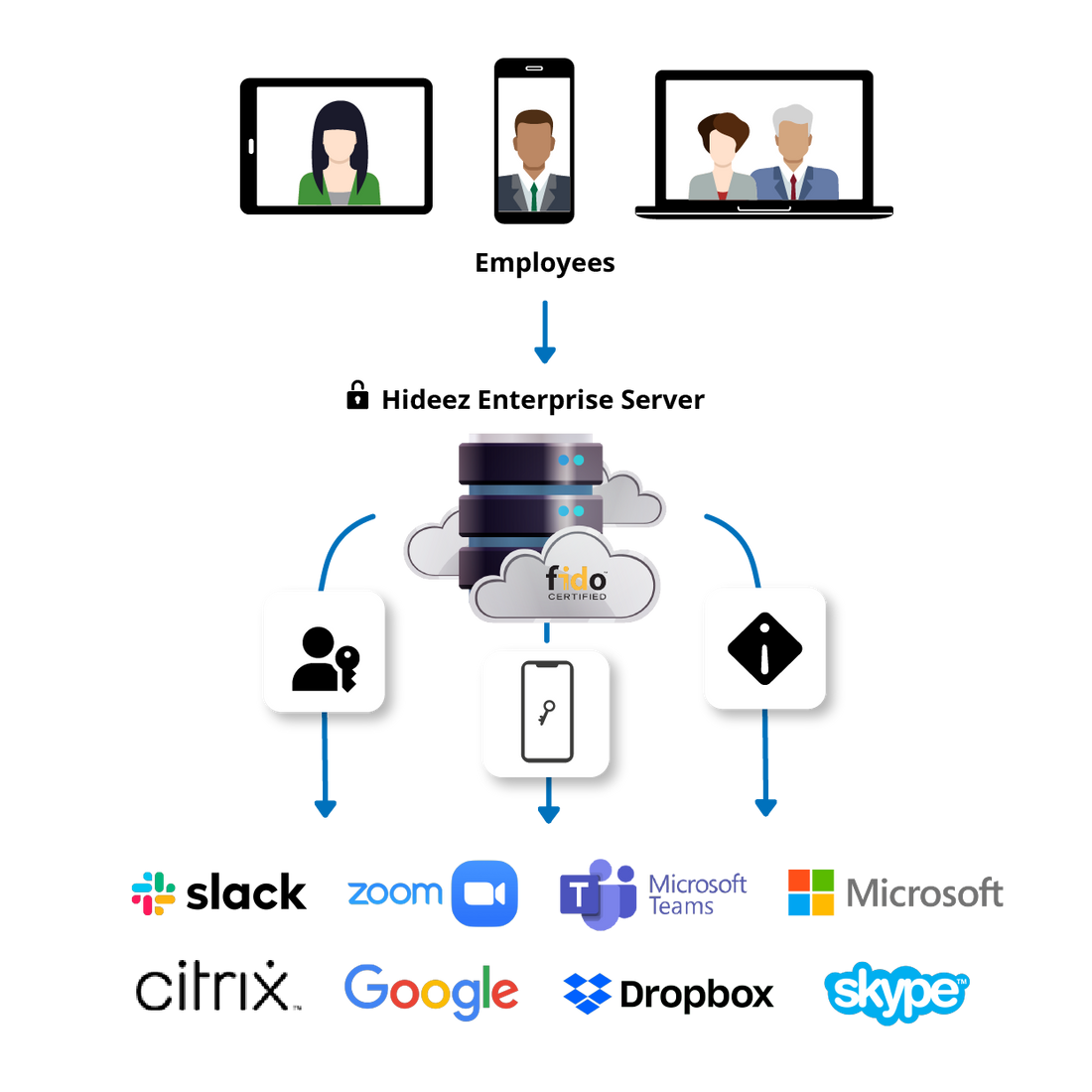
Hideez FIDO Logon targets exactly what Windows Hello for Business and Microsoft Entra ID leave uncovered today: local Windows accounts and on-premises Active Directory accounts, without any cloud identity provider in the loop. Entra ID (cloud) support for FIDO Logon itself is on the roadmap.
Organizations that already run, or want to run, passwordless single sign-on across Entra ID-joined devices and modern applications can cover that layer today with Hideez Workforce Identity, extend it into Passwordless SSO for the applications behind it, and protect shared and domain-joined Windows sessions with Desktop MFA. Hideez FIDO Logon extends the same passwordless principle to the accounts those tools cannot reach.
System Requirements for Hideez FIDO Logon

Operating system
Windows 11 x64/ARM and Windows 10 x64

Accounts
Local and on-premises Active Directory accounts (Entra ID on the roadmap)
Security keys
Any FIDO2 / CTAP2 key with a PIN, resident (discoverable) credentials, and ES256

Connection
USB and NFC (Bluetooth on the roadmap)
Verification
Security-key PIN plus a physical tap (on-key biometrics on the roadmap)
Infrastructure
None required: no server, cloud, domain, or certificate authority needed

Why Choose Hideez for FIDO Logon?
Hideez FIDO Logon brings the same FIDO2 / CTAP2 standard behind Phishing-Resistant MFA to local, offline, and air-gapped Windows accounts, which that standard has not reached until now. It installs without needing a domain or a network connection, and it leaves the Windows password itself in place: only the daily need to type it goes away.
Paired with Hideez Key hardware or any conforming FIDO2 security key already deployed, it gives IT teams one passwordless approach that covers every Windows workstation in the fleet, local or Active Directory, including the ones that are not joined to the cloud.
Frequently Asked Questions
What is Hideez FIDO Logon and how does it work?
Hideez FIDO Logon is a Windows-native credential stack that adds passwordless FIDO2 sign-in to the standard logon screen. A user taps their security key, enters its PIN, and signs in without typing a password. Local accounts need no server or network contact at all; Active Directory accounts complete the normal on-prem Kerberos exchange with your domain controller — never with Entra ID or the cloud.
Does Hideez FIDO Logon use Windows Hello?
No. It is a fully custom stack that talks to the security key directly, which lets it work with local, offline, and on-premises Active Directory accounts that Windows Hello and Entra ID cannot reach.
Which security keys are supported?
Any FIDO2 / CTAP2 key with a PIN set, support for resident (discoverable) credentials, and the ES256 algorithm, connected over USB or NFC.
Do we still have a Windows password?
Yes. Standard Windows password login stays available for administrators and as a recovery path; users simply never need it day to day.
Does Hideez FIDO Logon need the internet or a server?
No. Authentication happens entirely on the device and works fully offline, including air-gapped environments with no network at all.
What about Active Directory or Microsoft Entra ID accounts?
Hideez FIDO Logon works today with local Windows accounts and on-premises Active Directory domain accounts — AD sign-in completes a normal Kerberos exchange with your on-prem domain controller, never with Entra ID or the cloud. Entra ID (cloud) support for FIDO Logon itself is on the roadmap; for passwordless SSO across Entra ID-joined devices today, see Hideez Workforce Identity.
Can Hideez FIDO Logon be deployed without Group Policy or Intune?
Yes. Because both core components register at the machine level, it can be baked into a golden Windows image with sysprep, an unattended install, or a USB provisioning package, with no management infrastructure required.
See Hideez FIDO Logon on Your Own Fleet
Bring phishing-resistant, passwordless Windows login to the workstations your current tools leave behind. Request a demo, start a pilot, or talk to our sales team about your environment.