
Enterprise Passkeys for Secure Passwordless Authentication
Passwords remain a major risk for business systems. Enterprise passkeys replace reusable secrets with credentials protected by an approved device or security key. They reduce phishing and password-reuse risks while giving employees a faster sign-in experience. IT can introduce them without replacing the entire authentication infrastructure.

What Are Enterprise Passkeys?
A passkey is a FIDO2/WebAuthn credential based on public-key cryptography. The service stores a public key, while the private key remains protected by a device, credential manager, or security key and signs login challenges without being transmitted.
Passkeys may be device-bound or synchronized between trusted devices. Passkeys for the enterprise bring this technology under organizational control, including enrollment, recovery, and revocation rules.

How Enterprise Passkeys Secure Business Access
Password attacks depend on obtaining a reusable secret. Passkeys remove that secret. The authenticator signs requests only for the legitimate service, so a fraudulent domain cannot obtain a valid signature for it.
For a business, this reduces several common risks:
- Employees cannot reuse or reveal passwords they no longer have
- A breached service stores a public key rather than a reusable secret
- Local PINs and biometrics verify the user without being sent to the service
- Lost credentials can be revoked and replaced through a controlled process
- Password resets and related help desk work can be reduced
Enterprise Passkeys vs. Passwords and Traditional MFA
| Passwords | Traditional MFA | Enterprise Passkeys | |
|---|---|---|---|
| Phishing resistance | Low | Depends on the method | High with FIDO2/WebAuthn |
| Reusable secret | Yes | Often retains a password | No password or shared secret |
| Credential reuse | Common | Still possible | Not applicable |
| User experience | Password entry and recovery | Password plus another step | PIN, biometric check, or security key |
| Recovery | Password reset | Password and factor recovery | Controlled re-enrollment or backup authenticator |
Traditional MFA includes many methods. SMS, TOTP, and some push flows may still be phished, while FIDO2 security keys provide phishing-resistant protection similar to passkeys.
How Enterprise Passkeys Work
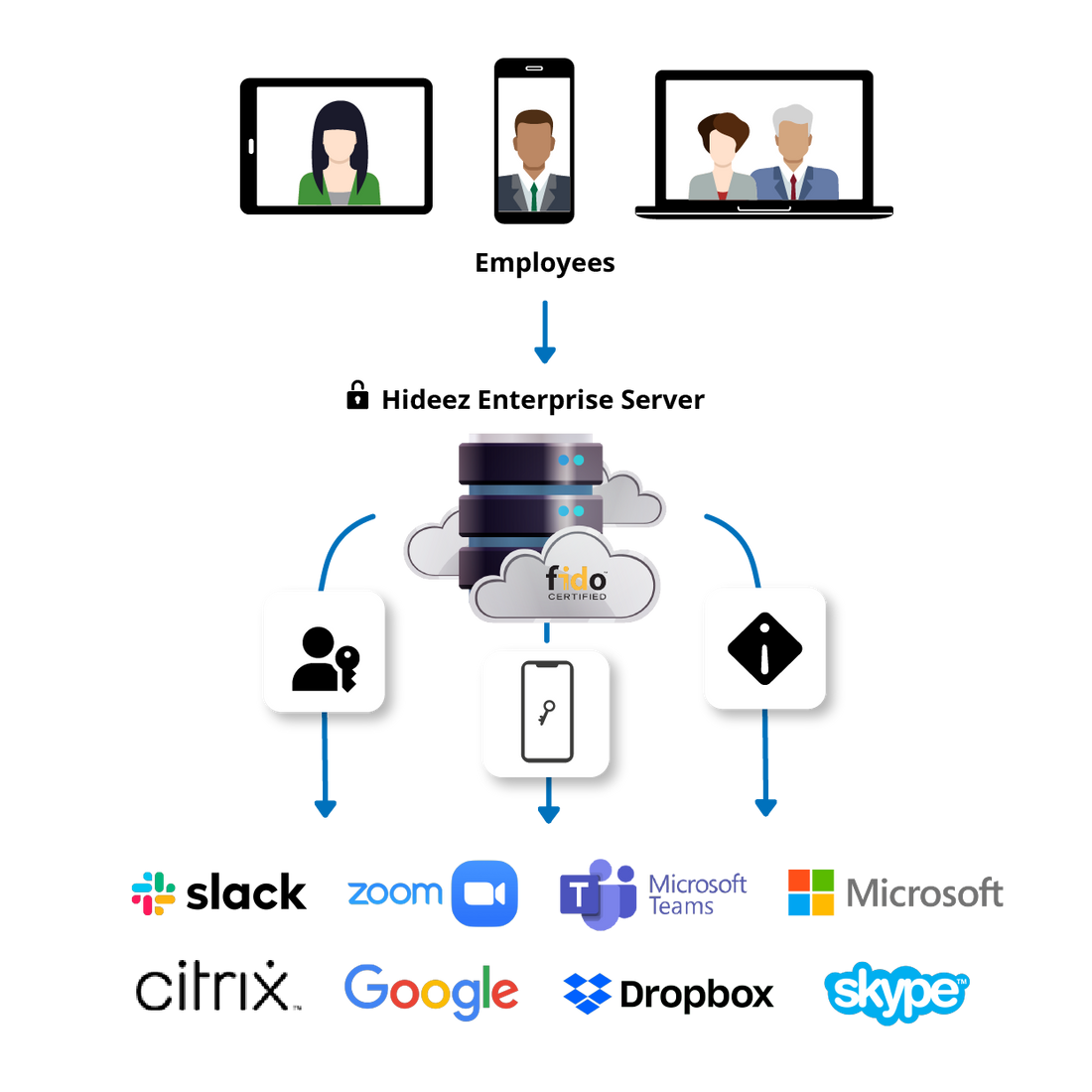
During registration, an approved authenticator creates a key pair for the application or identity provider. The public key is registered with the service, and the private key remains protected by the authenticator.
At login, the service sends a challenge. After local user verification, the authenticator signs it. The service checks the signature with the public key and grants access when policy requirements are met. Biometric data remains on the device.
Applications must support WebAuthn directly or rely on a compatible identity provider through SSO. Passkeys do not automatically work with every application without an appropriate integration.

How to Deploy Passkeys Across Your Enterprise
A rollout of passkeys for enterprise environments should follow a controlled process:
- Identify applications that support FIDO2/WebAuthn directly or through SSO.
- Select approved authenticators, such as managed devices or external FIDO2 keys.
- Define enrollment, recovery, revocation, and backup policies.
- Run a pilot with a representative group and test lost-device recovery.
- Connect passkeys to eligible users and applications through the identity provider.
- Expand deployment by department or risk level.
- Review password and OTP fallbacks that could weaken phishing resistance.
- Monitor enrollment, authentication, recovery, and access events.
Enterprise Passkeys for Workforce Authentication
Passkeys for business can support several workforce scenarios:
Remote employees
Users can authenticate from approved devices without sending passwords.
Shared workstations
Employees can use portable security keys or cross-device passkeys instead of a shared password.
Privileged users
Device-bound passkeys or security keys protect sensitive accounts.
Contractors
Credentials associated with managed identities can be revoked when access is no longer required.
Restricted workplaces
Hardware keys support sites where personal smartphones are prohibited.
Cloud applications
One passkey login to an identity provider can open approved services through SSO.
These scenarios make passkeys part of workforce access management, including lifecycle controls, application access, and audit visibility.
How Enterprise Passkeys Fit into Your Existing Identity Stack
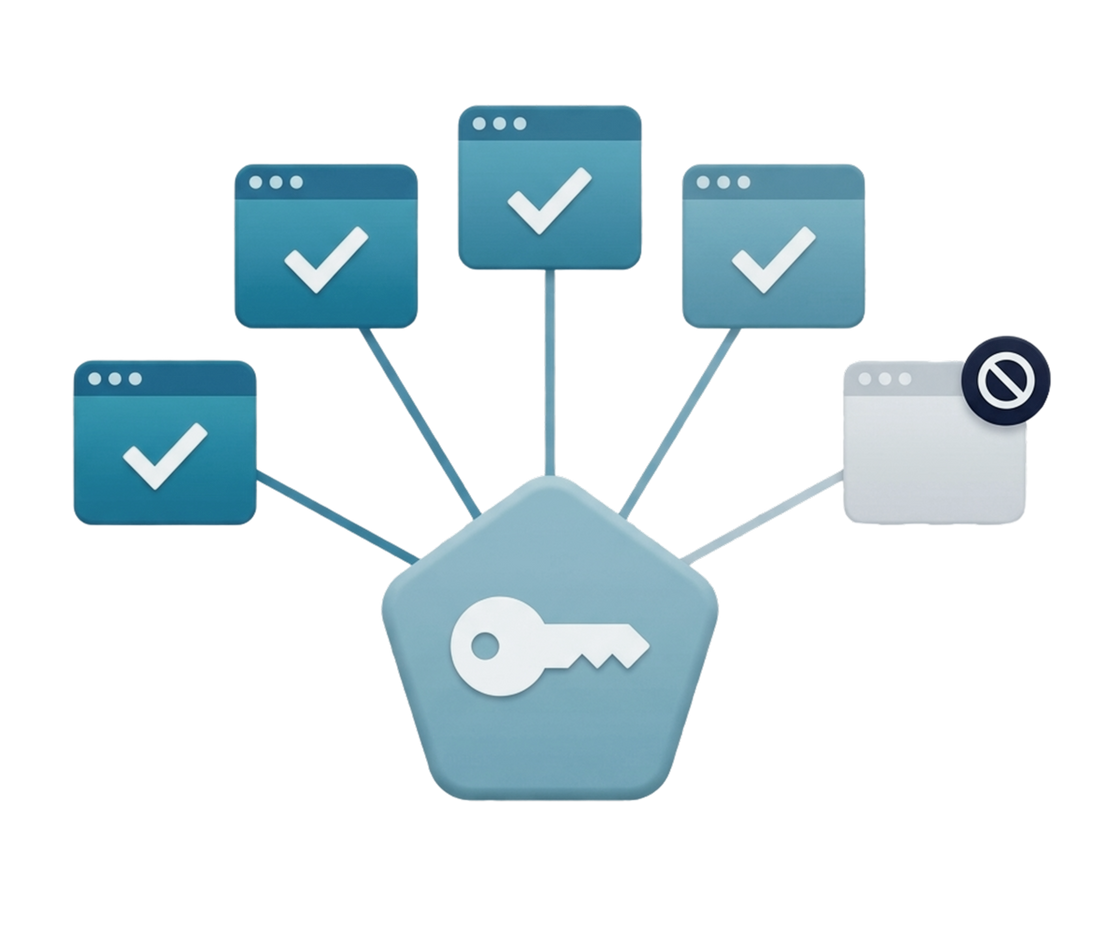
Passkeys do not necessarily require an organization to rebuild its IAM environment. Compatibility depends on the identity provider, applications, devices, and protocols already in use.
Many identity providers support FIDO2/WebAuthn. A user can authenticate with a passkey and open authorized applications through passwordless single sign on. SAML 2.0 or OpenID Connect allows applications to trust that result.
Passkeys can coexist with existing MFA and may satisfy MFA requirements when possession is combined with local user verification. They also work in supported Microsoft Entra ID scenarios.
Applications may support WebAuthn directly or receive identities through SSO. Legacy systems may need a gateway. Existing directories and group assignments can often remain, subject to compatibility and recovery planning.
Why Choose Hideez for Enterprise Passkeys?
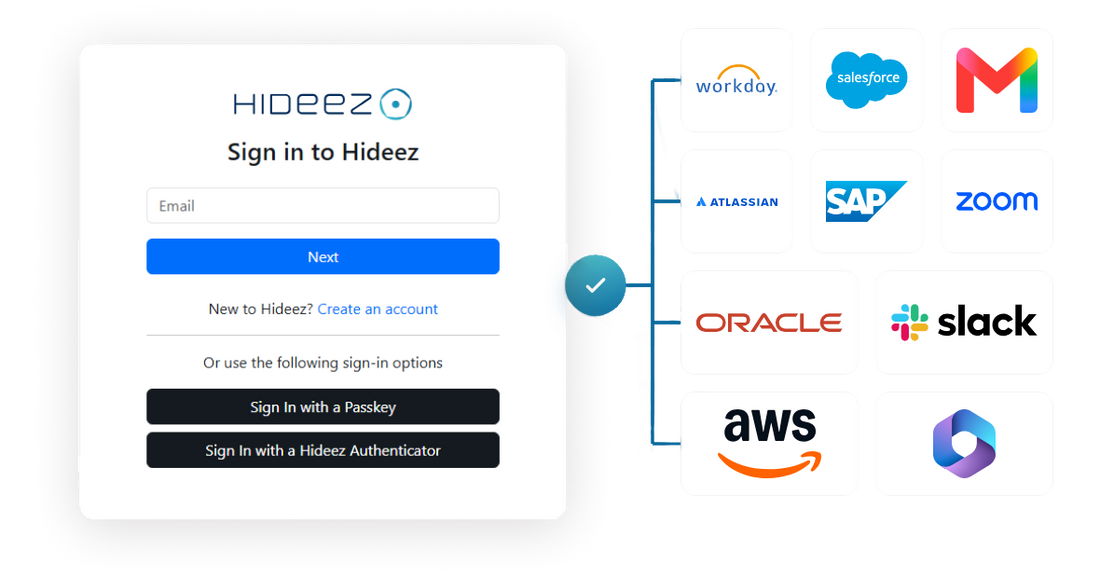
Hideez brings passkeys into a workforce identity platform. Hideez Server centralizes users, integrations, authentication policies, and audit visibility, with cloud, private-cloud, and on-premises deployment.
Employees can use approved device methods or FIDO-certified security keys. Hideez also supports SSO, mobile authentication, Windows access, and compatible legacy web applications. Organizations deploying passkeys for enterprise environments can therefore retain methods still required by existing systems.
FAQ
What are enterprise passkeys?
Enterprise passkeys are FIDO2/WebAuthn credentials used for workforce authentication under company policies. They replace passwords with public-key cryptography and can be managed through a compatible identity platform.
Are passkeys secure for businesses?
Yes, with appropriate enrollment, recovery, and revocation policies. Passkeys remove reusable passwords and keep private-key operations within an approved authenticator.
Are enterprise passkeys phishing-resistant?
Yes. FIDO2/WebAuthn authentication is bound to the legitimate website or service, so a fraudulent domain cannot obtain a valid signature for the real one.
Can enterprise passkeys work with SSO and existing identity providers?
Yes, if the provider supports FIDO2/WebAuthn or a compatible integration. The user authenticates with a passkey, and SSO provides access to authorized applications.
Can remote employees use passkeys?
Yes. Remote employees can use platform passkeys, cross-device authentication, or approved security keys. Their location does not change the cryptographic process.
Are passkeys suitable for small and large businesses?
Yes. Passkeys for business can protect a few critical accounts or a large workforce. Policies should match the organization’s size and risk profile.