
Безпарольний SSO для сучасних і застарілих застосунків
Замініть паролі та традиційну MFA на passkeys або мобільну автентифікацію. Дайте співробітникам єдиний безпечний досвід входу для застосунків із підтримкою SSO, застарілих систем і кастомних веб-застосунків.
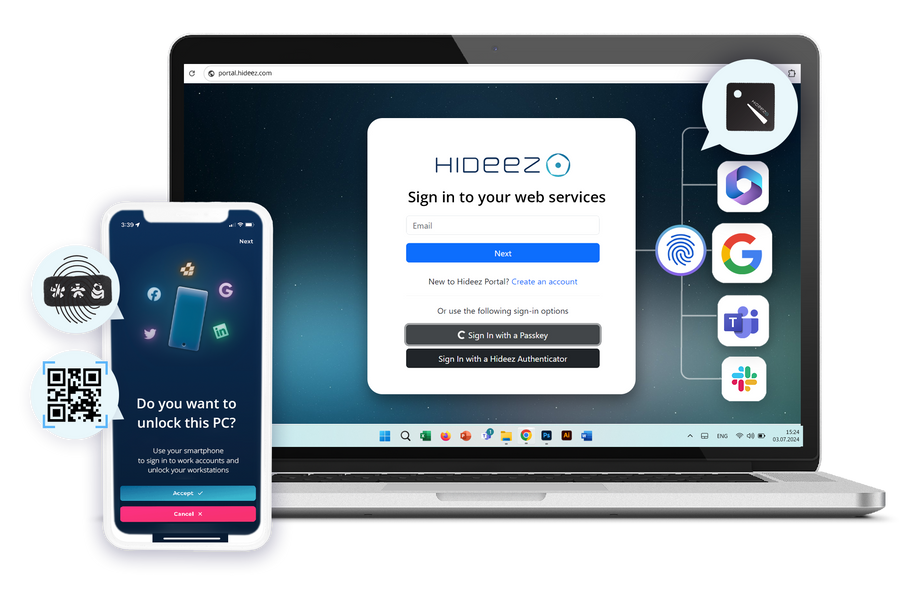

Один єдиний вхід, який охоплює все

Одна ідентичність для всіх застосунків
Microsoft 365, сучасні вебзастосунки та застарілі застосунки без підтримки SAML — усе доступне через однаковий корпоративний SSO-досвід.

Стійкість до фішингу за задумом
Приватний ключ залишається захищеним на пристрої користувача і ніколи не передається, тож зловмисникам немає ні пароля, ні коду, які можна вкрасти через фішинг.

Зберігає каталог, який Ви вже використовуєте
Hideez федерується з Active Directory та Microsoft Entra ID, тож Ваші користувачі, групи та політики переносяться без змін.

Хостинг на Ваш вибір
Запустіть SSO-рішення у нашій хмарі, у приватній ізольованій хмарі або повністю on-premise на власному домені входу.
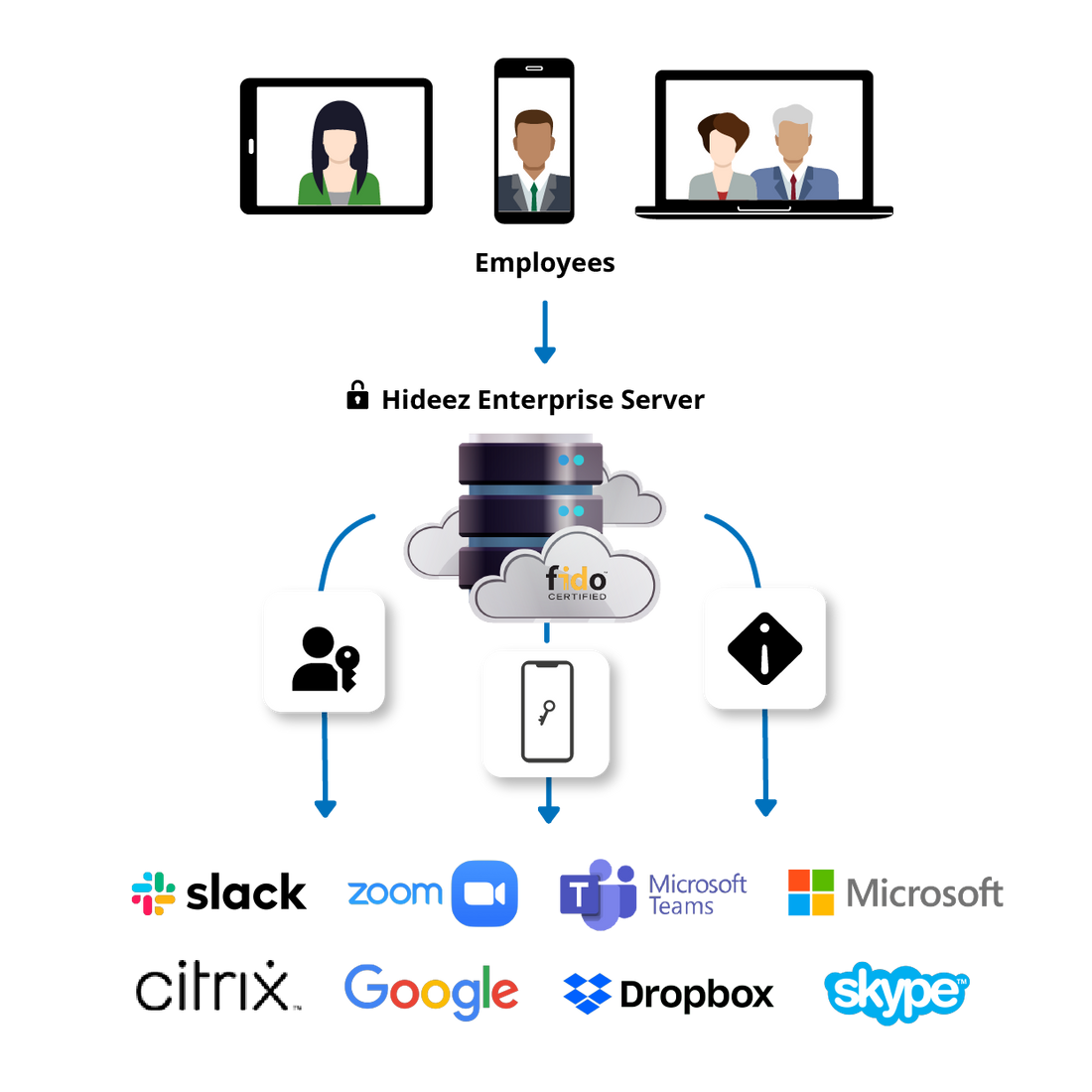
Що насправді робить єдиний вхід (SSO)
Єдиний вхід означає, що одна перевірена ідентичність відкриває всі застосунки, на використання яких людина має право. Вона автентифікується один раз, а кожен застосунок довіряє цьому результату замість того, щоб запитувати власний пароль. Службу, яка виконує перевірку, називають постачальником ідентичності; усе, що їй довіряє, — постачальник послуг.
Більшість реалізацій єдиного входу досі починають цей вхід із пароля та одноразового коду — саме там і виникають тертя та ризик фішингу. Hideez використовує ті самі процеси федерації SAML та OpenID Connect, але починає автентифікацію з безпарольних облікових даних, що зберігаються на телефоні користувача або апаратному ключі безпеки.
- Федерація єдиного входу з Active Directory та Microsoft Entra ID
- SAML 2.0 та OpenID Connect для сучасних застосунків
- Застосунки без підтримки SSO охоплені через Hideez AuthShield
- Один журнал аудиту для всього цього
Переваги безпарольного SSO для бізнесу
Безпарольний SSO поєднує централізований доступ зі стійкою до фішингу автентифікацією для простішого корпоративного доступу.
- Швидший, менш незручний вхід. Співробітники автентифікуються один раз і переходять між підключеними застосунками, не вводячи пароль чи одноразовий код.
- Стійкість до фішингу за задумом. Облікові дані привʼязані до пристрою, який їх зберігає, тож немає нічого, що можна ввести, перехопити чи повторно використати на фейковій сторінці входу.
- Менше тікетів, повʼязаних із паролями. Без пароля в процесі входу, ІТ-команда бачить менше скидань, блокувань і запитів на відновлення облікового запису.
- Централізований контроль доступу. Корпоративна платформа SSO застосовує узгоджені політики для хмарних, on-premise та застарілих застосунків. Адміністратори централізовано відкликають доступ у міру зміни ролей.
- Простіші відповідність вимогам та аудит. Кожен вхід фіксує особу, застосунок і метод у експортованому журналі.
Ключові можливості корпоративного рішення єдиного входу (SSO) від Hideez

Безпарольна автентифікація з корпоративним SSO
Доступ підтверджується за допомогою passkey, біометрії пристрою, застосунку Hideez Authenticator або апаратного ключа безпеки FIDO2 — замість пароля та OTP-кодів.

Широка інтеграція застосунків
Корпоративне рішення SSO підтримує SAML 2.0 та OpenID Connect, а Hideez AuthShield поширює доступ на застарілі застосунки без власної підтримки федерації.
Гнучке розгортання SSO
Розгорніть програмне забезпечення SSO в хмарі Hideez, у приватній ізольованій хмарі або on-premise, із власним доменом входу.

Федерація каталогів і централізоване керування
Синхронізуйте користувачів і групи з Active Directory або Entra ID, а потім керуйте політиками SSO з однієї консолі.

Єдиний моніторинг SSO
Відстежуйте методи автентифікації та доступ до застосунків в одному журналі для повної видимості середовища SSO.
Безпарольний єдиний вхід з уніфікованою автентифікацією

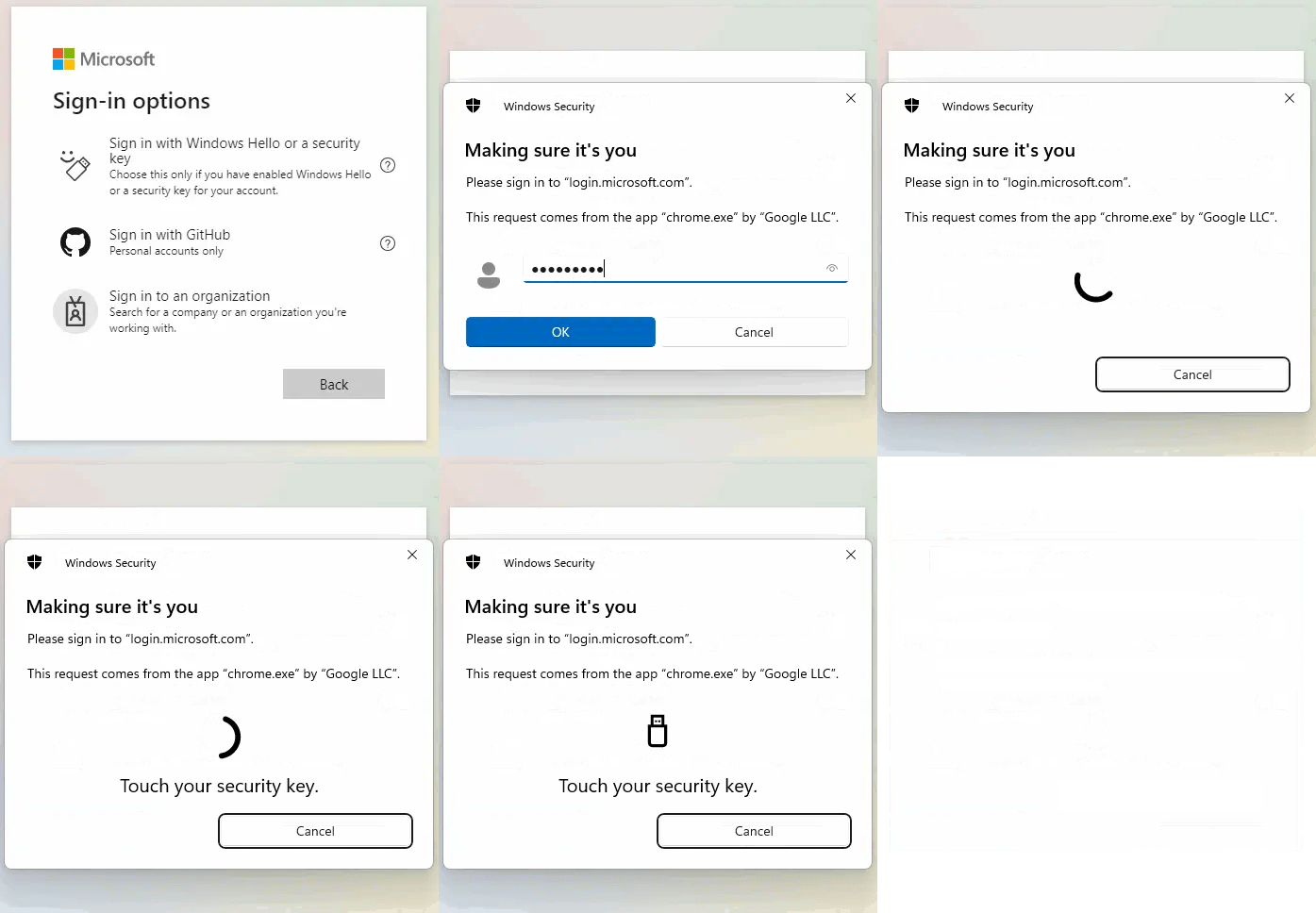
Passkeys використовують криптографію з відкритим ключем замість паролів. Приватний ключ залишається захищеним на телефоні, планшеті, компʼютері або ключі безпеки користувача і розблоковується біометрією або PIN-кодом пристрою.
Криптографічні облікові дані зберігаються на зовнішньому ключі безпеки із сертифікацією FIDO (Hideez Key, YubiKey тощо), а не на телефоні чи компʼютері користувача. Приватний ключ залишається захищеним усередині пристрою і використовується для автентифікації користувача без розкриття будь-якого повторно використовуваного секрету.
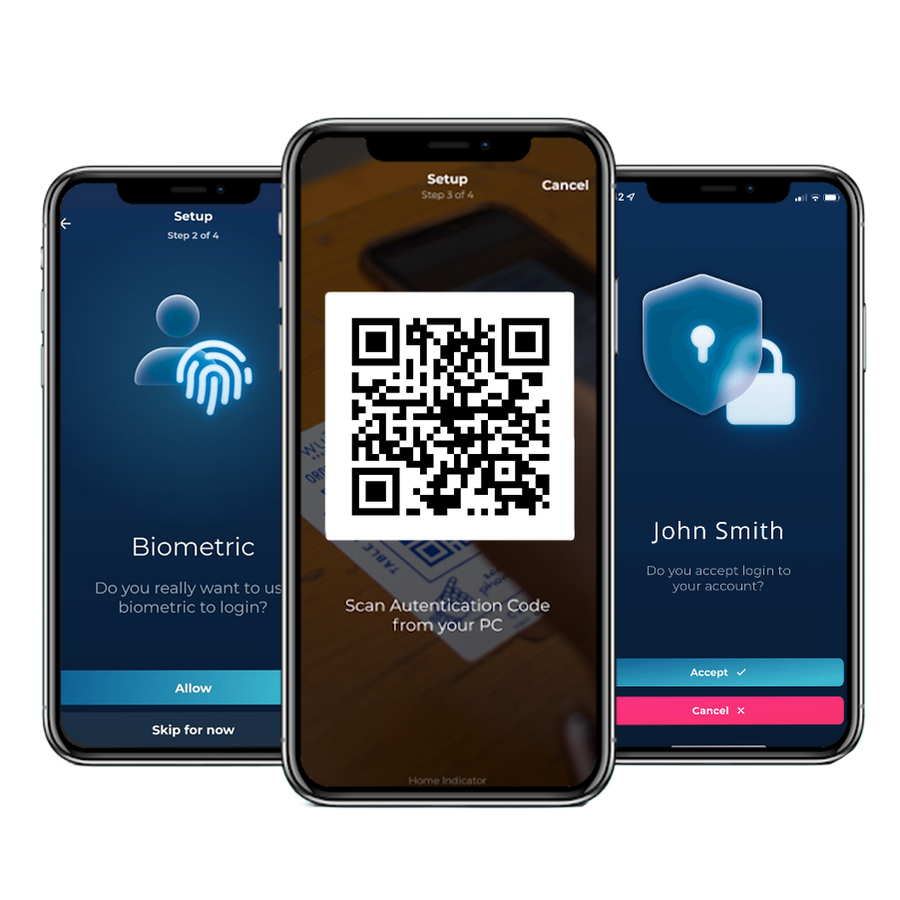
Екран блокування показує QR-код. Співробітник сканує його в застосунку і підтверджує запит.
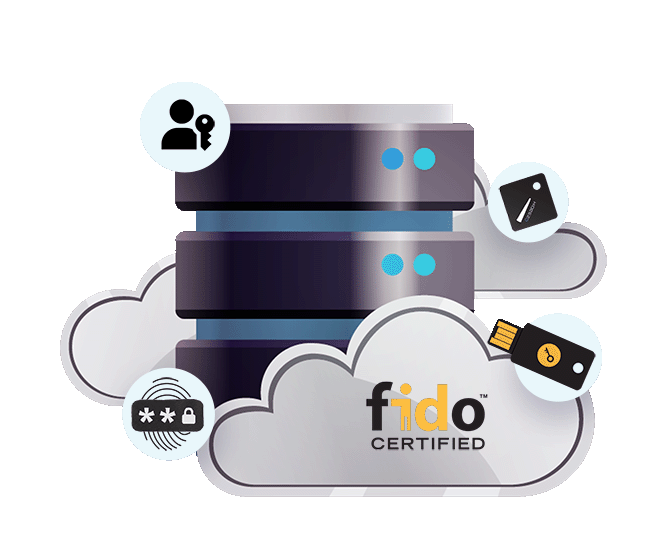
Корпоративне рішення SSO для ідентичності, яка у Вас уже є
Hideez може працювати як постачальник ідентичності SSO для Ваших застосунків або взаємодіяти з Microsoft Entra ID та Active Directory, щоб додати безпарольну автентифікацію до Вашого наявного середовища. Користувачі та групи синхронізуються з Вашого каталогу, тож окрему базу користувачів вести не потрібно.
Для організацій, яким потрібно тримати автентифікацію SSO в межах власної інфраструктури, Hideez можна розгорнути on-premises або у приватній ізольованій хмарі, з кастомним доменом входу під Вашим власним DNS.
- Синхронізуйте користувачів і групи з Active Directory або Entra ID
- Підключайте застосунки SSO через SAML або OpenID Connect
- Використовуйте кастомний домен входу SSO під власним DNS
- Розгортайте корпоративний SSO у хмарі, приватній ізольованій хмарі або повністю on-premises
Кожен вхід через SSO, кожен застосунок, один журнал
Hideez Server фіксує кожну автентифікацію SSO разом із людиною, застосунком, який вона відкрила, і методом, який вона використала. Той самий журнал охоплює і сучасні застосунки за SSO, і старіші, доступні через AuthShield.
| Дата початку↓ | Дата завершення | Співробітник | Застосунок | Метод |
|---|---|---|---|---|
| 04.08.2026 09:14 | Active | Emma Wilson | Microsoft 365 | Passkey |
| 04.08.2026 09:02 | 04.08.2026 09:11 | James Carter | Microsoft 365 | Підтвердження push |
| 04.08.2026 08:47 | 04.08.2026 08:58 | Michael Brown | Портал якості (AuthShield) | Hideez Key |
| 03.08.2026 17:26 | 03.08.2026 18:02 | Olivia Davis | Внутрішня CRM | Passkey |
| 03.08.2026 13:05 | 03.08.2026 17:58 | Sophia Miller | Віддалений робочий стіл | Hideez Key |
| 03.08.2026 07:12 | 03.08.2026 12:44 | James Carter | Портал якості (AuthShield) | Підтвердження push |
- Одна людина залишається однією ідентичністю в усіх застосунках SSO
- Метод фіксується для кожного входу через SSO, тож безпарольне покриття можна вимірювати
- Сучасні застосунки за SSO і старіші за AuthShield — в одному журналі
- Журнал, готовий до експорту, для HIPAA, PCI DSS, NIS2 і DORA
Безпарольний SSO — далі за паролі й традиційну MFA
 |
Пароль + MFA з OTP | IdP лише в хмарі | ADFS on-prem | |
|---|---|---|---|---|
| Вхід без пароля і без коду для введення | так | ні | Обмежено | ні |
| Стійкі до фішингу облікові дані FIDO2 | так | ні | так | Обмежено |
| Охоплює застосунки без підтримки SAML чи OIDC | так | так | ні | ні |
| Працює повністю on-premise або у приватній хмарі | так | так | ні | так |
| Вхід на Windows-компʼютер включено | так | ні | Обмежено | ні |
Почніть з одного застосунку SSO
30-денний пілотний проєкт, лише за допомогою телефону, на одному застосунку за Вашим вибором. Додайте решту, коли вхід виявиться зручним.
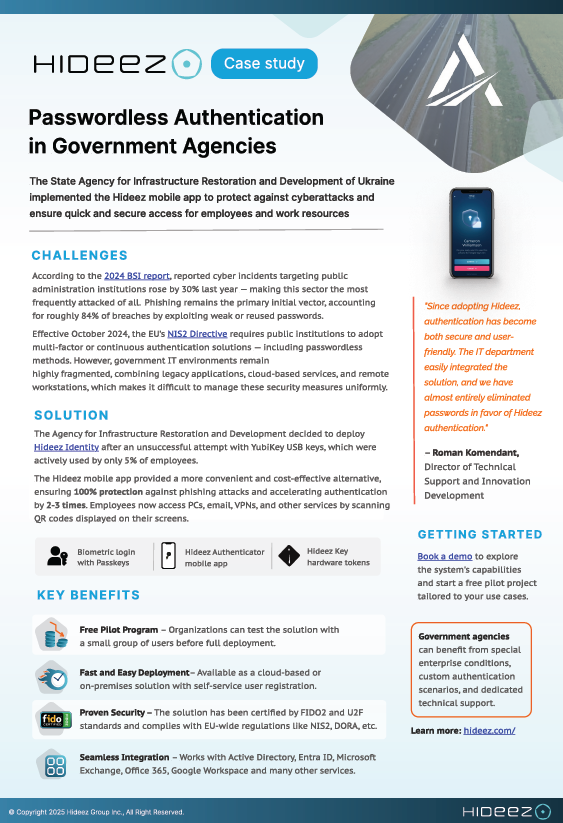
Як державна установа замінила апаратні ключі мобільною автентифікацією SSO
Відколи ми впровадили Hideez, автентифікація стала і безпечною, і зручною для користувачів. Ми майже повністю відмовилися від паролів на користь автентифікації Hideez
State Agency for Restoration of Ukraine


Питання, які ставлять ІТ-команди
Що таке єдиний вхід і чим він відрізняється від менеджера паролів?
Єдиний вхід повністю усуває другий пароль: застосунок довіряє постачальнику ідентичності, який уже перевірив людину. Менеджер паролів усе одно зберігає й вводить пароль у кожен застосунок, тож кожен із цих паролів продовжує існувати і його все ще можна вкрасти через фішинг або використати повторно.
Чи справді безпарольний SSO безпечніший, ніж пароль плюс одноразовий код?
Так, і причина конкретна. Одноразовий код можна продиктувати по телефону, ввести на фейковій сторінці входу або підтвердити втомленим користувачем. Облікові дані FIDO2 привʼязані саме до того сайту, який їх видав, і ніколи не залишають пристрій, тож немає нічого, що можна було би передати. Багато команд вважають, що більше кроків означає більше безпеки. Насправді важливо, чи можна перехопити хоч один із цих кроків.
Чи потрібно замінювати Microsoft Entra ID або Active Directory?
Ні. Hideez може працювати як Ваш постачальник ідентичності SSO, а також федеруватися з Entra ID або Active Directory і додавати безпарольний вхід поверх них. Користувачі, групи та політики реплікуються з каталогу, який Ви вже використовуєте.
Які застосунки може охопити рішення SSO від Hideez?
Усе, що підтримує SAML 2.0 або OpenID Connect, а це охоплює Microsoft 365 і більшість сучасних вебзастосунків. Застосунки без підтримки сучасного SSO охоплюються через Hideez AuthShield, який працює перед ними і входить за користувачів без будь-яких змін у самому застосунку.
Чи можемо ми самостійно хостити корпоративне рішення SSO?
Так. Та сама платформа SSO працює в нашій хмарі, у приватній ізольованій хмарі або повністю on-premise у межах Вашого периметра, на власному домені входу. Організації, на які поширюються вимоги резидентності даних, зазвичай обирають один із двох останніх варіантів.
Що відбувається, якщо людина втрачає телефон?
Відкличте облікові дані з консолі адміністрування SSO і видайте нові. Команди, які не можуть дозволити собі жодного простою, видають критично важливим користувачам Hideez Key як другі облікові дані, тож обидва варіанти працюють взаємозамінно.
Це працює на macOS і Linux?
Вхід у робочі облікові записи та веб-застосунки працює з будь-якої операційної системи, включно з macOS, Linux і ChromeOS. Блокування і розблокування самого пристрою — тільки для Windows 10 і 11.
Скільки часу займає впровадження SSO?
Пілотний проєкт SSO для одного застосунку зазвичай запускається того самого тижня, лише за допомогою телефону. Темп повного впровадження визначається кількістю підключених застосунків, а не самою автентифікацією.
Що безпарольний SSO робить із нашими тікетами на скидання пароля?
Якщо у застосунку немає пароля, немає і його скидання. За галузевими оцінками, одне скидання коштує приблизно $70 з урахуванням часу служби підтримки — саме звідси й береться більшість окупності. Уточніть ці цифри з нашою командою відповідно до обсягу Ваших власних тікетів.
Побачте безпарольний SSO на власному стеку
Забронюйте демо або отримайте ціну. Безкоштовний 30-денний пілотний проєкт, спочатку лише за допомогою телефону.