
Workforce Identity Management Platform
Hideez Workforce Identity is a workforce identity management platform that delivers fast, phishing-resistant login across employee workstations, enterprise applications, and legacy systems that modern SSO can't reach.

The Workforce Identity Management Challenge: Why Traditional Access Fails
Legacy authentication and manual access controls increase helpdesk workload, security exposure, and compliance friction across enterprise environments.

High Risk of Credential-Based Breaches
Stolen credentials remain a major enterprise attack vector. Passwords and phishable MFA can expose workforce accounts to phishing, credential theft, and adversary-in-the-middle (AiTM) attacks.

Exhausting Helpdesk & IT Overhead
Password resets and manual access changes consume valuable IT support time, creating repetitive work for helpdesk teams and delaying employee productivity.

Slow Onboarding & Offboarding Gaps
Manual access provisioning can delay day-one productivity for new hires, while inconsistent offboarding can leave unnecessary accounts and permissions active after employees leave.

Complex Compliance & Audit Friction
Proving access controls across hybrid environments, shared workstations, and legacy applications requires consistent policies, centralized visibility, and detailed audit trails.
How Hideez Simplifies Workforce Identity Management

Passwordless Everywhere
Extend passwordless login beyond modern SSO apps. Hideez helps secure cloud services, workstations, VPNs, RDP, and legacy systems that do not support FIDO or standard SSO.

Centralized Identity & Audit
Manage users, access rights, and workstations from one admin console. Track every login, unlock, logout, and service access event with detailed audit logs for security and compliance.

Smart Endpoint Security
Secure shared and personal Windows workstations with fast passwordless login, proximity lock, and session visibility. Know who accessed each device, when, and prevent unattended sessions.

Flexible Deployment
Deploy Hideez in the cloud, private cloud, or fully on premises. Keep identity data under your control while supporting secure workforce access across different industries and infrastructure models.
What Is the Hideez Workforce IAM Solution?
Hideez Workforce Identity brings passwordless authentication, SSO, MFA, and workstation access into one secure identity layer for Workforce Identity and Access Management (WIAM). It helps enterprises eliminate passwords across modern cloud apps, shared PCs, and legacy environments while improving login speed, reducing credential-sharing risks, and giving IT teams full visibility into who accessed what, when, and from which device.


Start Your Workforce Identity Transformation on One Workforce IAM Platform
Our Workforce IAM system enables passwordless access for both legacy and modern services using a range of phishing-resistant tools:

Hideez Server
Hideez Server is the central control layer for workforce IAM. It brings passwordless login methods, application integrations, workstation access policies, user management, and audit visibility into one admin console.
IT teams can use it to secure access to modern apps, legacy services, and Windows workstations while integrating with existing IAM environments. Hideez Server supports cloud, private cloud, and on-premises deployment in single-tenant or multi-tenant configurations.
LEARN MORE
Mobile Authenticator
Hideez Authenticator is a pocket-sized identity key for the modern workforce. Always with the employee, it combines possession of a trusted smartphone with biometric verification to provide fast, passwordless access to workstations and business accounts.
Employees can unlock computers, approve sign-ins, and access work applications without typing passwords, while proximity-based protection helps secure open sessions when users step away from their devices.
LEARN MORE
Passkeys
Passkeys enable secure passwordless access to web services using FIDO/WebAuthn cryptographic authentication. Users can verify their identity with built-in device methods such as fingerprint, face recognition, or a device PIN, or use an external security key such as YubiKey, Hideez Key, or any other FIDO-certified device.
Instead of transmitting shared secrets, Passkeys use a private cryptographic key that stays protected on the user’s device. This makes authentication phishing-resistant and helps prevent credential theft and password reuse.
LEARN MORE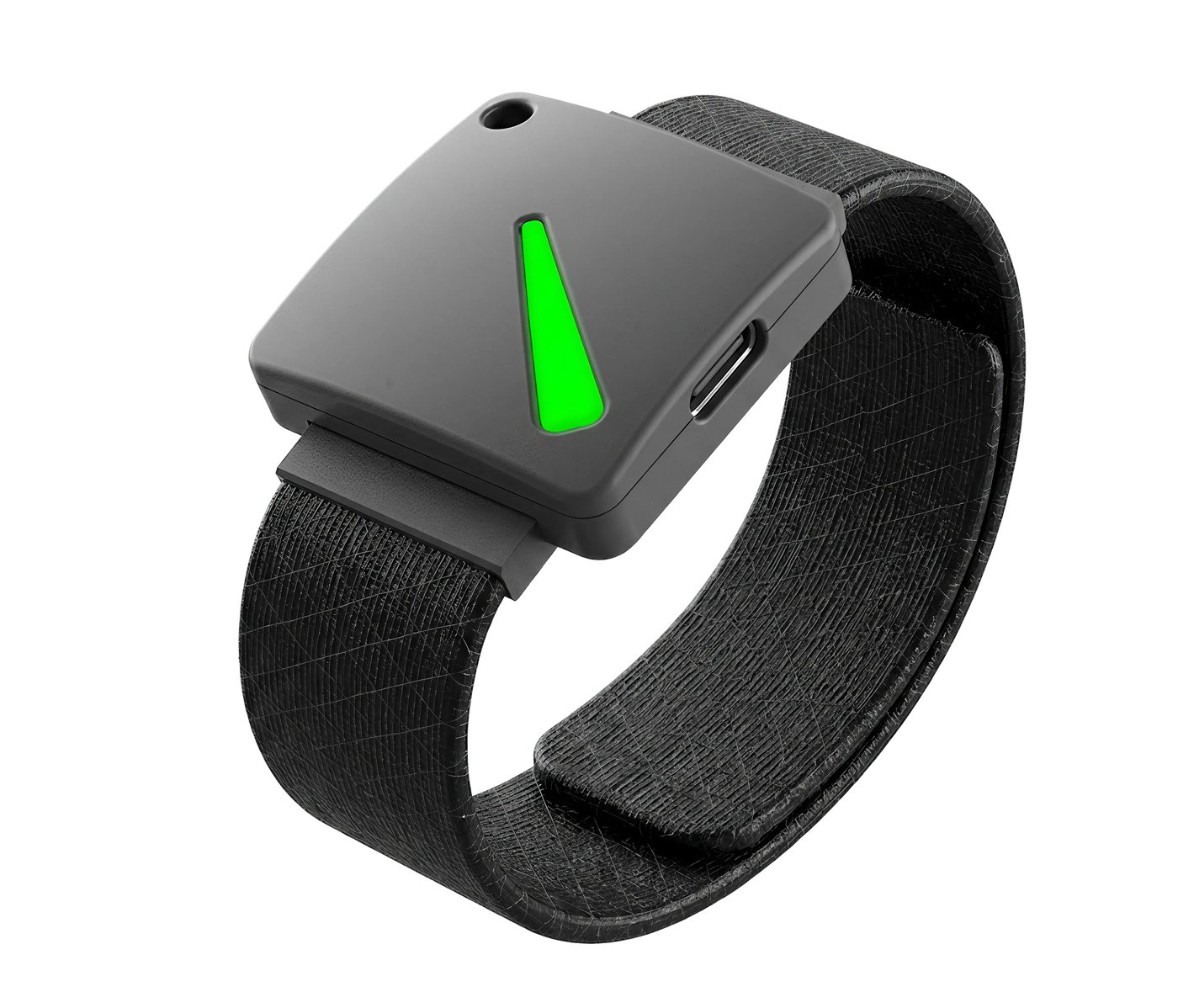
FIDO2 Security Keys
Hideez Key is a hardware authenticator for workforce access management in environments with demanding security requirements. Worn on a wristband or lanyard, it gives employees a dedicated physical identity key for passwordless access to workstations, business accounts, and office doors.
With support for Bluetooth, NFC, RFID, and USB, Hideez Key helps organizations secure both digital and physical access in one compact device, making it especially useful for restricted workplaces where smartphones are not allowed or stronger hardware-based authentication is required.
LEARN MORE
MFA & SSO for Legacy Applications
Hideez AuthShield extends passwordless authentication and MFA to supported legacy web applications that were never designed for modern IAM or SSO, extending workforce IAM coverage to these applications. It helps organizations modernize authentication without rebuilding or replacing critical applications.
LEARN MORE
Passwordless Workforce IAM Beyond the Cloud
Modern workforce IAM protects what is ready for SSO. Hideez Workforce Identity helps secure everything else too — bringing fast, passwordless access to legacy services, workstations, VPNs, RDP, and critical business systems.
Our FIDO2/WebAuthn server allows users to sign in to accounts using Passkeys, a mobile app, or physical FIDO tokens. Here are just a few examples of supported services:
- Collaboration: Google Workspace, Microsoft 365, Dropbox, DocuSign
- Legacy apps: EHR, ERP, MES, SCADA, payroll, etc.
- Remote Work: TeamViewer, AnyDesk, Citrix Workspace
- CRM: Zoho, Salesforce, HubSpot, Zendesk
- Project Management: Trello, Jira, Asana, Miro
- Video conferencing: Zoom, MS Teams, Skype

Hands-Free Authentication With Full Audit Visibility
Manual screen locking is easy to forget — especially in fast-moving environments with shared PCs, shift-based teams, and frequent workstation handoffs. But every unattended session creates a risk of unauthorized access, weak accountability, and incomplete audit trails.
Hideez Workforce Identity adds proactive workstation security to workforce IAM through proximity authentication. Employees log in passwordlessly, and the system can automatically lock access when the authorized user moves away, helping IT teams protect endpoints without slowing people down.
Business Impact & Helpdesk Cost Reduction
Reduce helpdesk workload by replacing password-based login with passwordless FIDO2 authentication, eliminating password-related lockouts and reducing repetitive support requests.
Accelerate new-hire access with automated provisioning workflows that connect user identity, FIDO2 credentials, and SSO access — reducing manual IT administration.
Consolidate fragmented identity tools — including MFA apps, password managers, and desktop login solutions — into a centralized workforce identity platform.
Reduce administrative overhead with centralized access control, role-based policies, self-service workflows, and automated identity lifecycle management.




Compliance & Regulatory Readiness: Meet Security Requirements Without Sacrificing Productivity
Support compliance efforts for frameworks and regulations such as PCI DSS, HIPAA, GDPR, NIS2, ISO 27001, and SOC 2 with stronger authentication and access controls:

Phishing-Resistant MFA
Enforce FIDO2/WebAuthn authentication to protect against phishing, credential theft, and man-in-the-middle attacks.

Proximity Session Lock
Automatically lock workstations when users walk away, helping enforce access control policies and prevent unauthorized access.

Shared Workstation Accountability
Tie workstation activity to individual users and provide secure logins on shared PCs instead of generic local accounts.
Hideez Partner Program
Designed for VADs, system integrators, and managed service providers in IT security
BECOME A PARTNERFAQs
How is passwordless authentication better than traditional MFA?
Traditional MFA usually combines a password with a one-time code, or OTP. While it improves security, it can still be inconvenient for users and vulnerable to phishing, interception, and MFA fatigue attacks. Hideez uses passwordless authentication based on public-private key cryptography. The private key always stays on the user’s device and is never shared or transmitted, making phishing ineffective: even if a user lands on a fake website, there are no credentials to steal. Passwordless login is also faster and more convenient for everyday work.
What's included in the free version?
The multi-tenant cloud offering for workforce IAM is free for up to 5 users. It includes the same core functionality as other deployment options, including passwordless SSO, MFA, workstation lock and unlock, Active Directory and Entra ID integration, and support for multiple authentication methods.
Can I self-host Hideez?
Yes. Hideez supports workforce IAM deployments on your own infrastructure. It is also available as a dedicated private cloud deployment isolated for your organization.
Do we need to replace our existing MFA/SSO systems?
No. Hideez works with your existing security infrastructure and workforce identity access management tools, so there is no need to replace your current systems. It integrates with Entra ID, Active Directory, other identity providers, and any FIDO2-certified security keys, and can be used alongside other security solutions already in place.
How long does it take to deploy Hideez?
It depends on the chosen setup model. The fastest option is the multi-tenant cloud version, which can be deployed independently in minutes, with core integrations configured in a few hours. On-prem deployments take more effort, but our support team assists throughout the process.
How many users can authenticate on a shared device with Hideez platform?
There is no fixed limit. Hideez is built for shared-device environments where many employees use the same workstation. It can also operate in offline environments and in workplaces where mobile phone use is restricted.
How does proximity authentication work, and can distance limits be configured?
Proximity authentication works through a Bluetooth connection between the user’s authenticator and the workstation. IT administrators can configure the required proximity range in our desktop application, with distance settings available down to ~ 0.5 meters. For shared workstations, Hideez also supports touch-based login methods, such as NFC tag authentication and Tap-and-Go access. This gives organizations more flexibility in environments where employees need fast, secure access without typing passwords.
Bring Passwordless Access to Every Workstation and App
Book a demo with our team, or start with the free multi-tenant cloud for up to 5 users and connect your first workstations today.