Verizon's 2024 DBIR attributes 68% of breaches to a human element, with stolen credentials still ranking as the top initial access vector. Single Sign-On was supposed to reduce that surface, yet password-based SSO concentrates the risk: compromise one credential, expose every connected app.
Passwordless SSO rewrites that equation. By pairing a federated identity provider with FIDO2 authenticators, biometrics, or device-bound passkeys, you remove the shared secret entirely. The user authenticates once, cryptographic proof flows to every SAML or OIDC application, and phishing kits have nothing left to steal.
This guide covers the architecture, regulatory mapping (NIS2, DORA, GDPR), a vendor comparison, and a deployment playbook for IT decision-makers planning a 2026 rollout, including shared workstations, legacy apps, and account recovery.
What Is Passwordless SSO and Why It Matters Now
Single Sign-On vs. Passwordless SSO: Clarifying the Difference
Traditional SSO centralizes authentication behind one master credential, then federates that session through SAML or OIDC assertions. Compromise the initial password and the attacker inherits the entire application portfolio. Passwordless SSO replaces that credential with a cryptographic key bound to a device or hardware authenticator. The identity provider validates a signed challenge, never a shared secret, before issuing the same federated tokens.
Why 80% of Breaches Still Trace Back to Passwords
Verizon's DBIR consistently attributes over 80% of intrusions to stolen, reused, or phished credentials. Password-based SSO concentrates that risk rather than removing it. Eliminating the credential at the IdP layer, through FIDO2 keys or passkeys, closes the phishing vector for every downstream app.
How Passwordless SSO Works: The Authentication Flow
From Desktop Login to Downstream App Access
An employee taps a Hideez Key against their workstation. The local client validates the cryptographic challenge, unlocks the Windows session, and asserts the user's identity to the IdP. Every SAML or OIDC request from a downstream app is then answered with a signed token, no password prompt. The biometric or hardware factor stays on the device; only assertions travel.
SAML, OIDC and WebAuthn: Which Protocol Handles What
WebAuthn governs the user-to-authenticator exchange: the browser verifies the FIDO2 credential against the relying party. SAML carries the authenticated identity to legacy enterprise apps via signed XML assertions, while OIDC handles modern cloud and mobile workloads through JSON Web Tokens. The IdP orchestrates all three, translating one passwordless authentication event into federated access across your portfolio.
Passkeys, FIDO2 and WebAuthn: Clarifying the Terminology
Buyers often confuse three terms vendors use interchangeably. Each describes a distinct layer of the same stack.
The Relationship Map: FIDO2 = WebAuthn + CTAP
FIDO2 is the umbrella standard combining WebAuthn (the W3C API exposed to browsers) and CTAP2 (the Client-to-Authenticator Protocol that lets an external device like a hardware key communicate with the client). Passkeys are a UX layer built on FIDO2 credentials, making discoverable credentials portable across devices.
Synced Passkeys, Device-Bound Passkeys and Hardware Keys: When to Use Each
Synced passkeys (iCloud Keychain, Google Password Manager) suit consumer apps and BYOD. Device-bound passkeys fit corporate laptops with TPM attestation. Hardware keys such as the Hideez Key remain the strongest option for regulated industries, shared workstations, and any environment requiring auditable, phishing-resistant authentication independent of the user's mobile.

Authenticator Comparison: Biometrics, Mobile Push and FIDO2 Hardware Keys
Each method carries trade-offs in security posture, user experience, and operational cost that surface only at scale.
Phishing Resistance, Auditability and Portability Scorecard
| Criterion | Platform Biometrics | Mobile Push | FIDO2 Hardware Key |
|---|---|---|---|
| Phishing resistance | High | Medium | Maximum |
| Audit trail | Device-local | App-dependent | Centralized via IdP |
| Portability across endpoints | Low | Medium | High |
| Offline use | Yes | No | Yes |
| Shared workstation fit | Poor | Poor | Excellent |
Mobile push remains vulnerable to MFA fatigue attacks documented by CISA. Hardware keys bound to WebAuthn challenges neutralize this attack class.
3-Year Total Cost of Ownership per Authenticator Type
Biometric enrollment appears free but carries hidden hardware refresh costs. Mobile push requires MDM licensing near $6 per user/month. A FIDO2 key amortized over 36 months drops below $1.50 per user/month, recovery spare included.
Regulatory Compliance: NIS2, DORA, GDPR, HIPAA, PCI-DSS
Compliance teams buy authentication because regulators demand phishing-resistant MFA, signed audit trails, and provable credential lifecycle management. Passwordless SSO answers these requirements when paired with FIDO2 hardware factors — including obligations that fall on financial services organizations under DORA and PCI-DSS.
Compliance Mapping Table: Which Control Each Capability Addresses
| Capability | NIS2 Art. 21 | DORA | GDPR Art. 32 | HIPAA §164.312 | PCI-DSS 4.0 |
|---|---|---|---|---|---|
| Phishing-resistant MFA | ✓ | ✓ | ✓ | ✓ | Req. 8.4 |
| Credential elimination | ✓ | ✓ | ✓ | ✓ | Req. 8.3 |
| Signed audit logs | ✓ | ✓ | ✓ | ✓ | Req. 10 |
| Session revocation | ✓ | ✓ | — | ✓ | Req. 8.2 |
EU-Specific Requirements: NIS2 Article 21, DORA and ANSSI Guidance
NIS2 Article 21(2)(j) mandates MFA or continuous authentication for essential entities. ANSSI's Recommandations relatives à l'authentification multifacteur explicitly cites FIDO2 keys as the preferred method. DORA Article 9 extends identical obligations to financial entities and their ICT third parties.
Integrating Passwordless SSO With Okta, Entra ID, AD FS and PingFederate
Your existing identity provider stays in place. Hideez plugs into the federation layer as an external authenticator, not as a replacement IdP.
Federation Patterns: Claims Provider Trust, SAML Delegation and OIDC Bridging
Three patterns cover 95% of deployments. With Okta, Hideez registers as an Identity Provider routing through inbound SAML; Okta retains policy orchestration. With Entra ID, External Authentication Methods (EAM) or claims provider trust delegates the FIDO2 ceremony to Hideez while Entra issues the final token. AD FS uses claims provider trust over WS-Federation; PingFederate accepts OIDC bridging via an IdP Adapter.
Avoiding Rip-and-Replace: Preserving Your IAM Investment
You keep your SAML app catalog, conditional access policies and provisioning workflows. Hideez sits upstream of the IdP, handling the authentication ceremony with hardware keys or passkeys. No migration of user attributes, no re-federation of downstream apps.
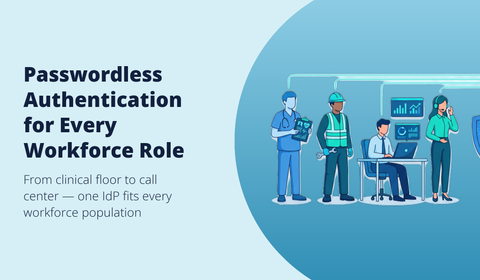
Handling Legacy Apps, Shared Workstations and Frontline Workers
Bridging Thick Clients, RDP and Mainframes via Reverse Proxies and RADIUS
Cloud-native passwordless SSO stops at the SAML boundary. Thick clients, RDP gateways and AS/400 terminals speak neither OIDC nor WebAuthn. Hideez bridges this gap through a RADIUS proxy for VPNs and network appliances, credential injection for legacy Windows apps, and reverse-proxy publishing for internal web tools without modern federation. Your IAM architect maps each app to the right shim before rollout.
Tap-to-Login for Healthcare, Manufacturing and Retail Kiosks
Biometrics fail when nurses wear gloves, factory operators share a terminal across shifts, or retail staff rotate at a POS every hour. A portable hardware key tapped against an NFC reader logs the user in under two seconds, then logs them out on removal. The same Hideez Key works offline, on Windows 10 LTSC kiosks, and across BYOD-restricted floors where mobile authenticators are banned. Hideez maintains dedicated solutions for healthcare and clinical environments and manufacturing and factory floors.
Account Recovery and Fallback Strategy
The "what happens when the user loses their key" question kills more passwordless SSO projects than any technical limitation. A credible recovery plan must match the user's risk profile.
Recovery Patterns by User Role: Executive, Frontline, Contractor
Executives need pre-enrolled backup hardware keys stored in a sealed envelope, with admin-witnessed recovery. Frontline staff benefit from supervisor-issued temporary credentials valid for a single shift, tied to the shared workstation policy. Contractors should rely on time-boxed re-enrollment through the IdP, with manager attestation and automatic expiry after the engagement.
Backup Keys, Bypass Codes and Self-Service Re-Enrollment
Issue a second FIDO2 key at onboarding for every privileged account. Bypass codes remain acceptable for break-glass scenarios when logged and rotated every 90 days. Self-service re-enrollment requires identity proofing through a verified device or video check before any new authenticator is bound.
The True Cost of Passwordless SSO: TCO and ROI Breakdown
Vendor pricing pages rarely reflect what a project actually consumes over three years. The real budget sits in four buckets.
Hidden Cost Drivers: Licensing, Hardware, Deployment, Change Management
IdP licensing scales per user and per premium feature (conditional access, risk signals). Hardware authenticators range from $25 to $60 per key, doubled if you issue a backup. Deployment hours cover IdP federation, app onboarding, directory sync and policy authoring. Change management, training, documentation, helpdesk ramp-up, typically equals 15% of the total project cost.
A Transparent ROI Model for 100, 500 and 5,000 Users
| Users | 3-yr TCO | Helpdesk savings | Breach risk reduction |
|---|---|---|---|
| 100 | $18k | $22k | $40k |
| 500 | $72k | $110k | $200k |
| 5,000 | $540k | $1.1M | $2M |

Vendor Comparison: Hideez, Beyond Identity, Duo, Okta FastPass and Entra
Selecting a passwordless SSO provider depends on three variables: authenticator portfolio, IdP federation depth, and on-premise support. Hideez stands apart by treating FIDO2 hardware keys as the primary credential rather than a fallback.
Side-by-Side Matrix: Authenticators, IdP Compatibility, On-Prem Support, Pricing
Hideez supports hardware keys, biometric, mobile push and passkey methods, federates with Okta, Entra and AD FS through SAML and OIDC, and runs fully on-premise. Competing solutions concentrate on cloud-only deployments and platform authenticators, with limited tap-to-login coverage for shared endpoints.
SMB, Mid-Market and Regulated-Enterprise Selection Criteria
SMB buyers should prioritize pricing transparency and deployment under 30 days. Mid-market organizations need IdP flexibility and legacy app bridging. Regulated enterprises require FIDO2 certification, on-prem control planes and audit-grade logging to satisfy NIS2 and DORA mandates.
Deployment Playbook: From Pilot to Full Rollout in 30/60/90 Days
Phase 1 & 2: Pilot Group, Policy Hardening and Authenticator Distribution
Start with a 15-to-25-user pilot covering one IT team and one business unit. During days 1-30, connect your IdP (Okta, Entra ID, AD FS or PingFederate), define a passwordless authentication policy and ship FIDO2 hardware keys to pilot users. Days 31-60 focus on hardening: enforce phishing-resistant MFA on critical apps, configure session lifetimes and validate audit log ingestion into your SIEM.
Phase 3: Enterprise Rollout, Change Management and Pre-Deployment Checklist
Days 61-90 extend coverage to all employees, including shared workstations and legacy apps bridged via RADIUS or reverse proxy. Before rollout, verify:
- Backup authenticator issued to every user
- Helpdesk recovery procedure documented
- Legacy app inventory mapped to SAML or password vaulting
- Communication plan and short training video distributed
Ready to eliminate credential-based risk across your application portfolio? Book a demo to see how Hideez integrates with your existing IdP in hours, or explore the partner program to deploy passwordless SSO for your clients.
Frequently Asked Questions About Passwordless SSO
How does passwordless SSO integrate with Okta or Microsoft Entra ID?
Hideez connects to your existing identity provider through SAML 2.0 or OIDC federation. The IdP delegates authentication to the Hideez Authentication Service, which validates the FIDO2 assertion from the user's key or passkey, then returns a signed token. No directory migration is required.
How much does passwordless SSO cost for a mid-sized business?
For a 200-employee organization, expect $15 to $35 per user per year for the software layer, plus a one-time hardware cost of $40 to $70 per security key. Helpdesk savings on password resets typically offset 60% of that spend within 12 months.
What happens when a user loses their hardware key or phone?
Each user is enrolled with a backup authenticator. If both are lost, the helpdesk issues a time-limited recovery credential after identity proofing, and the lost key is revoked from the admin console immediately.