Password-based SSO concentrates credential risk — one breach exposes every connected app. This guide covers passwordless SSO architecture, FIDO2 authenticator trade-offs, NIS2/DORA/HIPAA compliance mapping, a transparent TCO model, and a 30/60/90-day deployment playbook that works alongside your existing Okta, Entra ID, or AD FS setup.
Proximity authentication replaces passwords by verifying the physical presence of a paired hardware key or device near a workstation — and locks the session automatically when the user steps away. This guide covers BLE, NFC, RFID, and FIDO2 protocols, maps walk-away security to HIPAA and NIS2 compliance, and walks through Windows, RDP, and VDI deployment.
This CISO-ready playbook covers the real architecture of passwordless MFA — FIDO2 security keys vs. synced passkeys, hybrid Active Directory deployment, and shared-workstation patterns for healthcare, manufacturing, and retail. Includes a 3-year TCO model, NIS2/DORA/PCI DSS v4.0 compliance mapping, lifecycle management runbooks, and a concrete 90-day rollout plan with rollback criteria.
Phishing-resistant MFA — defined by CISA as FIDO2/WebAuthn or PKI only — is the only mechanism that blocks AiTM proxy attacks, push fatigue exploits, and helpdesk social engineering at the protocol level. This guide covers the full deployment blueprint for European enterprises: authenticator selection, legacy AD integration, lifecycle management, and a 3-year TCO model for mid-market organizations. NIS2 Article 21 and DORA Article 9 compliance context included.
Verizon's 2025 DBIR shows 22% of breaches start with stolen credentials and 88% of web-app attacks rely on them — and standardizing on a single authenticator never works across the modern workforce. This guide gives DSI, RSSI, and IAM architects a deployment-ready framework for passwordless: a mobile-first authentication mix mapped to populations, a 6-phase rollout with lifecycle and recovery built in, a TCO model from 500 to 50,000 employees, NIS2/DORA/eIDAS 2.0/NIST AAL compliance mapping, and a vendor-neutral evaluation checklist.
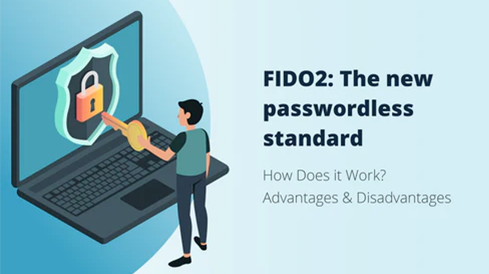
Logging into a website or service using the traditional username and password combination isn’t the best or safest way of going about it anymore. As cybercriminals become more technologically advanced, data protection methods must also move forward. This is where new authentication standards such as FIDO2 can become a useful tool in battling the issue.
Passwordless authentication replaces vulnerable passwords with secure, user-friendly methods like biometrics and cryptographic passkeys (FIDO2). This approach eliminates phishing, credential theft, and password fatigue by removing the weakest link in digital security — shared secrets. Instead, users authenticate through possession-based (devices, keys) or inherence-based (biometric) factors, providing true phishing-resistant protection. Compared to traditional MFA, passwordless systems remove the password entirely, offering both stronger security and a smoother login experience. Businesses benefit from reduced IT helpdesk costs, simplified compliance, and improved user satisfaction. Leading technology companies like Apple, Google, and Microsoft are already standardizing passkey support, signaling the global shift toward a password-free future. Platforms like Hideez enable organizations to adopt this transformation securely and efficiently, integrating hardware keys and centralized management for enterprise-wide protection.
Windows 10 auto login can save time by bypassing passwords at startup, but traditional methods like netplwiz or Microsoft’s Autologon tool have limitations, such as breaking after updates or introducing security risks. Hideez offers a proximity-based authentication solution that automatically locks and unlocks workstations using Bluetooth or NFC, ensuring security without manual logins. Users can authenticate via the Hideez Key or the mobile app, using Bluetooth auto-unlock, QR code scanning, or NFC tap methods. Hideez also enables seamless automatic login to web services or local applications with the same credentials. The system automatically locks the workstation when users step away, with customizable lock distances for shared environments. Key benefits include support for older workstations without special hardware, logging of user activity for accountability, and easy deployment in shared workstations with multiple users. The cloud version is free for up to 20 users, with demos and customizable setups available for integrating with Active Directory or Entra ID.
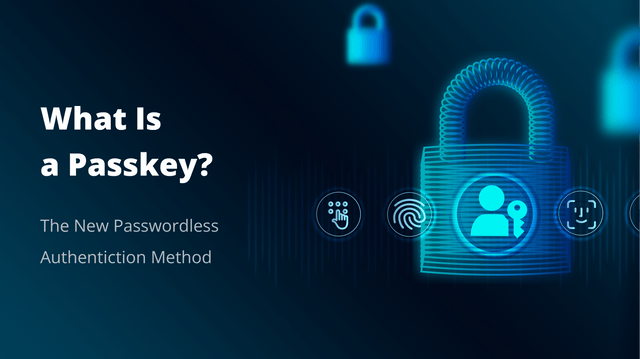
Passkeys offer an innovative approach, eliminating many of the vulnerabilities associated with passwords while enhancing user convenience. This shift marks a significant step forward in securing online accounts against modern attacks. In this article, we will explore what passkeys are, how they work, and why they're poised to revolutionize the way we access our online accounts.
Hideez Group has rolled out a new 3.8.6 version of the Hideez Authentication Server, which allows passwordless access with different types of FIDO authenticators. A demo version of the updated server is now available for businesses and anyone interested in implementing Hideez Authentication Service to protect their infrastructure.
Apple has finally introduced its new passkeys technology in a move to foster the development of passwordless authentication. With passkeys in iCloud Keychain, macOS and iOS users will get the option to log in to their accounts with just a username and a Face ID or Touch ID scan, which is promised to be easier, faster, and much more secure than traditional password-based logins and MFA.
The FIDO Alliance recently made a significant move towards a passwordless world, announcing new FIDO2 standards and its first user experience (UX) guidelines. The latter is a major step towards even broader FIDO adoption, as it provides consumers with helpful information on how they can benefit from adopting FIDO.
·4 min read
Choosing a selection results in a full page refresh.