What Is Bluetooth Authentication and Why It Matters in 2026
Bluetooth authentication covers two different security problems that vendors routinely conflate. The first concerns how a Bluetooth device proves its identity to another device during pairing. The second concerns how a user proves their identity to an endpoint using a Bluetooth-enabled token or smartphone. Treating these as one subject leads to flawed deployments.
From Device Pairing to User Identity Verification
The original Bluetooth specification defined authentication as a challenge-response procedure between two radios, validating possession of a shared link key derived during pairing. Modern workforce identity goes further: the Bluetooth channel becomes a transport for a cryptographic credential, often a FIDO2 assertion, binding a user to a session on a workstation. The radio link itself no longer carries the security guarantee; the credential does.
Two Distinct Problems: IoT Device Trust vs. Workforce Authentication
IoT scenarios rely on SSP or CBAP to establish trust between constrained peripherals. Workforce authentication demands centralized revocation, audit logging, and phishing resistance. The threat models diverge, and so should the technology stacks deployed by your security teams.
How Bluetooth Authentication Works: Pairing, Bonding, and Encryption
Bluetooth authentication unfolds across three phases that practitioners often conflate. Pairing establishes a shared secret between two devices. Bonding stores that secret for future reconnections without user interaction. Encryption then protects the data exchanged over the radio link using a derived session key.
The Five Bluetooth Security Features and How They Interact
The Bluetooth specification defines five interlocking security features: pairing, bonding, device authentication, encryption, and message integrity. Pairing produces a long-term link key. Bonding persists it. Authentication verifies, through challenge-response, that each device still holds that key. Encryption derives a per-session key from it. Message integrity protects against tampering. Removing any one feature collapses the protocol's guarantees.
Cryptographic Foundations: ECDH, Link Keys, and Challenge-Response
Modern SSP relies on Elliptic Curve Diffie-Hellman (ECDH) over the P-256 curve to negotiate a shared secret without exposing private material. From this secret, the protocol derives the link key, then an encryption key per session. Authentication uses a random nonce-based challenge-response, ensuring an adversary cannot replay captured traffic to impersonate a legitimate user.
Secure Simple Pairing (SSP) and Its Four Association Models
Just Works, Numeric Comparison, Passkey Entry, and Out-of-Band Explained
SSP defines four association models, each tied to the IO capabilities of the paired devices. Just Works skips user verification entirely: the ECDH exchange occurs, but no integrity check confirms the absence of an adversary on the channel. Numeric Comparison displays a six-digit value on both screens; the user confirms identity by matching them, which closes the MITM window. Passkey Entry asks the user to type a passkey shown on one device into the other, suitable when only one party has a display. Out-of-Band (OOB) transmits pairing material through a separate channel, typically NFC or a QR code, providing strong assurance when the secondary channel is itself authenticated.
Choosing the Right Pairing Mode Based on IO Capabilities and Threat Model
| Pairing mode | MITM protection | Required IO | Recommended use |
|---|---|---|---|
| Just Works | None | None | Low-risk peripherals only |
| Numeric Comparison | Strong | Display + Yes/No | Enterprise endpoints |
| Passkey Entry | Strong | Keyboard + Display | Headless provisioning |
| OOB | Strongest | NFC/QR | Regulated environments |

Certificate-Based Authentication and Pairing (CBAP) for BLE
How Digital Certificates Replace Manual Pairing
CBAP, developed by Silicon Labs, removes the manual passkey step by anchoring device identity in a chain of trust. Each bluetooth device stores a private key generated on-chip, a CA-signed device certificate, and the root CA certificate. At connection time, peers exchange certificates over the BLE link, verify the CA signature, then sign the OOB pairing data with their private key to prove possession. The result: an authenticated, encrypted channel without human intervention, and no static identifier an adversary can clone.
CBAP Implementation and Its Limits for Workforce Use Cases
CBAP scales well for IoT fleets, but it authenticates devices, not users. For workforce IAM, you need to bind a credential to a person, enforce revocation through a central directory, and meet phishing-resistance criteria under NIST SP 800-63B. CBAP alone does none of that. This is where FIDO2-over-BLE takes over, combining certificate-grade cryptography with user verification and centralized lifecycle management.
Is Bluetooth Authentication Secure? Vulnerabilities and Mitigations
Bluetooth security depends entirely on the pairing mode selected and the cryptographic discipline applied on top of it. A correctly configured BLE stack using Secure Connections with Numeric Comparison resists most passive eavesdropping, but misconfiguration or legacy fallback opens the door to documented exploits.
Major Attacks: MITM, KNOB, BLURtooth, Passkey Reuse, and iBeacon Cloning
Five attack classes matter for any enterprise deployment. KNOB (Key Negotiation of Bluetooth) downgrades the encryption key entropy to a single byte, making brute-force trivial. BLURtooth abuses cross-transport key derivation to overwrite authenticated keys. Passkey reuse during Passkey Entry leaks bits to an adversary observing multiple sessions. Just Works pairing offers zero MITM protection by design. iBeacon cloning copies the broadcast identifier in seconds, since beacons transmit static data with no challenge-response.
Why Static Identifiers (MAC, UUID) Cannot Authenticate Users
A MAC address, a service UUID, or Major/Minor beacon values are public broadcast fields. Any nearby radio captures and replays them. Authentication requires proof of possession of a private key bound to a verified identity, not the presence of a readable string.
Bluetooth Authentication vs. FIDO2, Smart Cards, and Mobile Push MFA
Procurement teams comparing authentication factors need a clear scoring grid. Raw BLE proximity, a FIDO2 security key, a PIV smart card, and a mobile push notification do not address the same threat model, and conflating them leads to misaligned deployments.
Comparison Matrix: Security, UX, Cost, and Phishing Resistance
| Method | Phishing Resistance | MITM Resistance | UX | TCO (3 years) |
|---|---|---|---|---|
| Raw Bluetooth proximity | No | Weak | Passive | Low |
| FIDO2 security key | Yes | Strong | Active tap | Medium |
| Smart card (PIV) | Yes | Strong | Insert + PIN | High |
| Mobile push MFA | No | Weak (push fatigue) | Active confirm | Low |
When Bluetooth Becomes Enterprise-Grade: The FIDO2-over-BLE Combination
Bluetooth becomes a defensible authentication channel only when it carries a FIDO2-over-BLE exchange: the BLE link transports a cryptographic challenge-response, the device holds the private key in secure hardware, and proximity acts as a contextual signal rather than the credential itself. This is the architecture Hideez deploys for workforce login.
Can Bluetooth Be Used as a Second Factor (2FA/MFA)?
Bluetooth as a Possession Factor: Conditions and Limitations
Bluetooth qualifies as a possession factor only when the paired device proves cryptographic ownership of a private key bound to the user's identity. A discoverable phone broadcasting its MAC address does not satisfy this requirement: any adversary within range can spoof identifiers or replay advertising payloads. To act as a legitimate second factor, the BLE endpoint must execute a challenge-response procedure tied to a non-exportable key stored in a secure element. Without this, proximity is convenience, not authentication.
NIST AAL Levels and When BLE Alone Falls Short
Under NIST SP 800-63B, generic BLE proximity reaches AAL1 at best. Phishing-resistant authentication at AAL2 and AAL3 requires cryptographic verifier impersonation resistance, which raw Bluetooth pairing cannot provide. BLE meets these levels only when it transports a FIDO2 assertion: the authenticator signs a server-issued challenge, the relying party verifies the signature, and the Bluetooth radio is reduced to a transport. Deployed this way, Hideez keys satisfy AAL2 requirements while preserving the passive user experience security teams expect.
Proximity-Based Login: Auto-Lock and Auto-Unlock Workflows
Architecture for Windows, macOS, and Active Directory
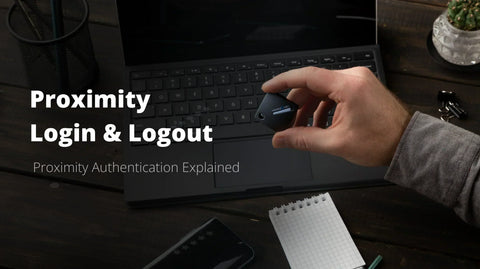
Proximity login binds a user's session state to the presence of an enrolled Bluetooth device. A local agent runs as a credential provider on Windows or a PAM module on macOS, communicates with the Hideez Client, and brokers authentication against Active Directory or Azure AD. When the key approaches, the agent retrieves a stored credential or triggers a FIDO2 assertion, then issues the logon ticket. When the signal drops, the workstation locks within seconds. No password leaves the endpoint, and revocation propagates through the central server.
RSSI Thresholds, Anti-Relay Protections, and Real-World Use Cases
RSSI alone is unreliable: walls attenuate signal, and relay attacks can extend range artificially. Production deployments combine a calibrated RSSI window (typically −70 to −60 dBm), signed challenge-response over GATT, and short session tokens to defeat relays. Hospitals use this pattern so clinicians like a radiologist moving between rooms unlock shared terminals without retyping credentials. Manufacturing floors and retail back-offices apply identical workflows to shift workers sharing endpoints.
Bluetooth Authentication in a Zero Trust Architecture
Proximity as a Contextual Signal, Not a Standalone Trust Anchor
Zero Trust assumes no implicit confidence based on network location or physical presence. A Bluetooth proximity signal alone tells your policy engine that a registered token sits near an endpoint, nothing more. Without cryptographic identity binding, that signal can be replayed, relayed, or spoofed by an adversary with off-the-shelf hardware. Treat BLE proximity as one input among many feeding the access decision, weighted lower than verified possession of a FIDO2 credential.
Combining Device Posture, Identity, and Continuous Verification
A defensible architecture binds the Bluetooth signal to a certificate-backed identity, then re-evaluates trust continuously. The policy engine correlates user authentication (FIDO2 over BLE), device posture (patch level, disk encryption, MDM compliance), and contextual factors (location, time, behavior) before granting or revoking session access.
| Signal | Trust weight | Verification frequency |
|---|---|---|
| BLE proximity (RSSI) | Low | Continuous |
| FIDO2 cryptographic assertion | High | Per session |
| Device posture | Medium | Every 15 min |
| User behavior baseline | Medium | Continuous |
Compliance: NIS2, HIPAA, GDPR, PCI-DSS, and SOC 2
Regulators do not certify Bluetooth as an authentication factor. They evaluate the cryptographic strength, auditability, and lifecycle controls wrapped around it. A raw BLE pairing exchange will fail an audit; a FIDO2-over-BLE deployment governed by a central identity server can satisfy most controls.
Which Regulatory Controls Bluetooth Authentication Can Satisfy
When the bluetooth device acts as a possession factor backed by a certificate and a hardware-bound private key, it maps cleanly to NIS2 Article 21 (strong authentication), HIPAA §164.312(d) (person or entity authentication), GDPR Article 32 (technical safeguards), PCI-DSS 8.4 (MFA for admin access), and SOC 2 CC6.1 (logical access). The link key and encryption procedure protect the wireless segment, while the FIDO2 assertion delivers phishing-resistant proof of identity.
Closing Audit, Revocation, and Least Privilege Gaps with an Enterprise Overlay
Standalone BLE pairing offers no audit trail, no revocation, and no least-privilege enforcement. The Hideez Enterprise Server adds centralized logging, instant key revocation, and role-based access: three controls auditors will always request.

Enterprise Deployment Guide: Rolling Out Bluetooth Authentication at Scale
Pilot Planning, Enrollment, and MDM Integration
Start with a 90-day pilot covering 50 to 200 users from a single business unit. Define success metrics upfront: enrollment completion rate above 95%, authentication latency under two seconds, helpdesk ticket volume below five per 100 users per week. Provision FIDO2 BLE keys through your MDM (Intune, Jamf, Workspace ONE) and bind each device certificate to the user identity in Active Directory or Entra ID. Document the RSSI threshold, the fallback PIN policy, and the session-binding rules before any production rollout.
Operations, Incident Response, and Lost-Device Procedures
Operational maturity depends on three workflows: key lifecycle, lost-device response, and offboarding. A lost BLE key must be revoked from the Hideez Enterprise Server within minutes, not hours. Configure automated deprovisioning when an HR event triggers account disablement. Run quarterly tabletop exercises simulating stolen keys, relay attacks, and helpdesk social engineering attempts to validate your incident response playbook.
How Hideez Combines Bluetooth Convenience with FIDO2 Cryptographic Strength
Proximity alone never authenticates a user. Hideez treats Bluetooth as a transport layer for FIDO2 assertions, binding the convenience of presence-based login to phishing-resistant cryptography. The Hideez Key holds private credentials in a secure element; the BLE channel signals proximity and triggers a challenge-response exchange that cannot be replayed or cloned.
The Hideez Key and Centralized Server for Policy, Audit, and Revocation
The Hideez Enterprise Server acts as the policy plane. Administrators provision keys, push RSSI thresholds, enforce passwordless policies across Windows, AD, and web SSO, and revoke credentials instantly. Every authentication event is logged for SOC 2 and NIS2 audit trails.
Sample ROI: From Helpdesk Tickets to Authentication Latency
A 1,200-seat deployment typically reduces password-reset tickets by 70%, cuts average login time to under 2 seconds, and eliminates shared-workstation credential leakage. Helpdesk savings alone often cover licensing within twelve months.
Frequently Asked Questions About Bluetooth Authentication
How do I set up Bluetooth authentication for automatic Windows login and lock?
Install the Hideez Client on the workstation, enroll a Bluetooth-enabled token or smartphone via the management console, and configure RSSI thresholds for proximity unlock and auto-lock. The workstation binds the session to the bonded device, so stepping out triggers an automatic lock within seconds. Active Directory and Entra ID integration handle identity mapping centrally.
Is Bluetooth authentication HIPAA and NIS2 compliant?
Yes, when the deployment includes centralized audit logging, MFA enforcement, and revocation controls. Proximity alone is not enough; you must pair the Bluetooth factor with FIDO2 cryptography and a managed server that records every authentication event. Hideez Enterprise Server produces the audit trail required for HIPAA §164.312 and NIS2 Article 21 controls.
Bluetooth authentication vs. FIDO2 security keys: which is more secure for enterprise login?
FIDO2 keys offer stronger phishing resistance because the cryptographic challenge is bound to the origin. Bluetooth proximity adds convenience but should not stand alone. The strongest configuration combines both: a FIDO2-over-BLE credential delivering phishing resistance with proximity-based session control.
Hideez combines Bluetooth proximity with FIDO2 cryptographic strength to deliver phishing-resistant, audit-ready authentication for enterprise teams. Request a demo tailored to your environment, or explore the partner program if you're evaluating Hideez for your clients.