Highlights
- Learn why compromised credentials remain the #1 attack vector — and why workforce IAM is the highest-leverage response.
- Build a modern WIAM stack on five pillars: SSO, phishing-resistant MFA, lifecycle automation, policy-based access, and audit.
- Combine mobile authenticators with FIDO2 hardware keys to cover every worker — knowledge worker, frontline, or shared-device.
- Implement in 90 days: from current-state audit through legacy elimination to measurable ROI on tickets and breach risk.
Workforce Identity and Access Management (Workforce IAM, WIAM) is the discipline that governs how employees, contractors, and partners authenticate to enterprise resources — across cloud, on-prem, and hybrid environments. The passwordless-first variant replaces shared secrets (passwords, OTPs, push approvals) with cryptographic credentials bound to a verified identity, eliminating the largest workforce attack surface in modern security incidents.
The Verizon 2025 DBIR confirms that compromised credentials remain the top initial access vector — present in 22% of all breaches and 88% of attacks against basic web applications. The report also notes that 2.8 billion passwords were posted on criminal marketplaces in 2024 alone. Yet most enterprises still treat workforce identity as a password problem to manage rather than a vector to eliminate. That gap is where attackers operate, and where every credential-stuffing, phishing, and MFA-fatigue campaign finds traction.
Workforce IAM is the discipline of granting employees, contractors, and frontline staff the right access to the right resource at the right moment, without relying on shared secrets that can be intercepted, replayed, or socially engineered. A passwordless-first architecture, anchored on a phishing-resistant mobile authenticator with optional FIDO2 hardware key fallback, removes the credential entirely from the authentication flow.
This guide details the components, deployment patterns, and compliance drivers of a workforce IAM strategy built to neutralize credential-based attacks across cloud, on-premises, and shared-device environments — adaptable to the operational realities of healthcare, manufacturing, financial services, and retail.
What Is Workforce Identity and Access Management?
Workforce IAM is the framework that governs how employees, contractors, and partners authenticate and access enterprise resources across every application and device.
Core Definition: Workforce IAM vs. CIAM vs. Traditional IAM
Workforce IAM secures internal users with strict provisioning, role-based authorization, and audit trails tied to HR systems. CIAM, by contrast, optimizes self-registration and consent for external customers at scale. Traditional IAM was built for static, on-premises directories; modern WIAM extends governance to cloud SaaS, hybrid environments, and shared-device scenarios where legacy password flows collapse.
The Five Core Components of a Modern WIAM Stack
A complete workforce IAM stack rests on five pillars:
- SSO: one authenticated session across every application
- Phishing-resistant MFA: cryptographic verification via a mobile authenticator app or FIDO2 security key, bound to the legitimate origin
- IGA: access certification, segregation of duties, and continuous audit
- Privileged access hardening: step-up authentication and just-in-time elevation for admin sessions
- Lifecycle management: automated joiner-mover-leaver provisioning tied to HRIS
Why Credential-Based Attacks Make Workforce IAM the #1 Security Investment
The 2025 DBIR Reality: Credentials Are Still the #1 Attack Vector
The Verizon DBIR 2025 is unambiguous: stolen or reused credentials remain the dominant entry vector in enterprise breaches, used in 22% of intrusions and 88% of basic web-application attacks. IBM's Cost of a Data Breach Report puts the average incident at $4.88M, with credential-driven intrusions taking the longest to contain. Workforce IAM is, in practical terms, credential attack elimination. Every password removed from your environment is one fewer asset for attackers to harvest, replay, or sell.
Real-World MFA Bypass Lessons: Uber, Cisco, and MGM
Uber (2022), Cisco, and MGM share a common pattern: attackers defeated MFA through push fatigue, social engineering of helpdesks, and SIM-swap attacks. Push-based and SMS factors are structurally bypassable. Only phishing-resistant authentication — whether via a FIDO2 hardware security key or a properly bound mobile authenticator — blocks these scenarios cryptographically, because the credential never leaves the device and is bound to the legitimate origin. That distinction reshapes how you should evaluate any workforce IAM roadmap.

Workforce IAM as the Foundation of Zero Trust Architecture
Zero Trust collapses without a strong identity layer. Every access decision starts with a verified user, a trusted device, and a contextual policy evaluation, which makes workforce IAM the operational backbone of any Zero Trust program.
Mapping NIST SP 800-207 Pillars to Concrete IAM Capabilities
NIST SP 800-207 defines seven tenets that translate directly into IAM controls. Resource-based authentication maps to per-application SSO with phishing-resistant factors. Dynamic policy maps to ABAC and conditional access. Asset integrity maps to device posture signals fed into the authorization engine. Continuous monitoring maps to session telemetry and risk scoring. Without cryptographic identity, these pillars remain theoretical.
Continuous Verification, Device Posture, and Conditional Access in Practice
Continuous verification means re-evaluating trust at every sensitive action, not just at login. Conditional access policies combine user role, device compliance, geolocation, and behavioral signals to grant, step-up, or deny access in real time across your cloud and on-premises resources.
Building a Passwordless-First Workforce IAM for Every Worker Type
A passwordless-first architecture treats credentials as cryptographic assets, not memorized secrets. This shift is the only way to align workforce IAM with Zero Trust at scale — and the deployment model has to match the operational reality of each workforce segment.
Mobile Authenticators, Hardware Keys, and Frontline/Deskless Worker Scenarios
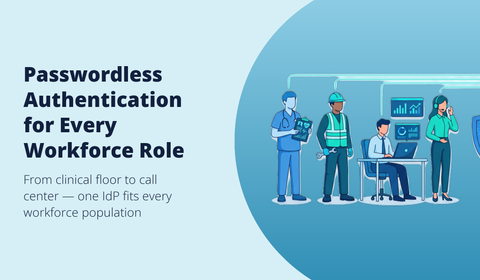
Knowledge workers authenticate dozens of times a day across SaaS apps; frontline employees rarely have a personal laptop and need to log in to shared workstations in seconds. A mobile authenticator app — like Hideez Authenticator — covers both: it handles passwordless login on personal devices and acts as a proximity factor on shared endpoints, with the underlying Active Directory or Entra ID password rotated automatically in the background. Employees never see, type, or know the domain password.
For environments with strict security policies that prohibit personal mobile devices on the floor — clean rooms, regulated trading floors, classified facilities — the Hideez Key 4 FIDO2 hardware token is a drop-in alternative. Tap-to-login on shared workstations satisfies HIPAA, PCI DSS, and DORA audit trails while removing password reset tickets and shoulder-surfing risk. Centralized provisioning, lost-key replacement, and backup enrollment must be governed from a single console to keep TCO predictable.
Securing Non-Human Identities: Service Accounts, RPA Bots, and AI Agents
Machine identities now outnumber human users 45:1. Service accounts, RPA bots, and AI agents need cryptographic credentials, automated rotation, and least-privilege scopes. Extending workforce IAM governance to non-human actors closes the blind spot legacy IAM tools leave wide open.
Implementation Roadmap: From Audit to ROI in 90 Days
Step-by-Step Deployment and Common Pitfalls to Avoid
A pragmatic rollout starts with an identity audit: inventory accounts, map applications, and classify privileged roles. Weeks 3 to 6 cover HRIS integration, SCIM provisioning, and SSO connectors. Weeks 7 to 10 deploy phishing-resistant MFA — mobile authenticator for the broad workforce, FIDO2 keys for high-risk users and policy-restricted environments, then extend to the full workforce. Weeks 11 to 13 enable conditional access policies and access reviews.
Avoid four recurring pitfalls: role explosion from over-engineered RBAC, big-bang cutovers that trigger user revolt, ignoring frontline employees on shared devices, and poor HRIS data hygiene that breaks automated provisioning.
Compliance Mapping: NIS2, DORA, eIDAS 2.0, GDPR, and SOC 2
NIS2 Article 21 mandates strong authentication for essential entities. DORA requires continuous access logging for financial services. eIDAS 2.0 reshapes identity proofing, while GDPR Article 32 and SOC 2 demand auditable least-privilege controls. Phishing-resistant authentication — delivered via mobile authenticator or hardware key — satisfies all five frameworks simultaneously, and the same platform deployment works across regulated healthcare, manufacturing, and retail environments.

How to Choose a Workforce IAM Vendor
Vendor selection determines whether your workforce IAM program delivers measurable security gains or becomes shelfware. The decision goes beyond feature checklists.
Evaluation Criteria: Deployment Model, Passwordless Maturity, and Lock-In Risk
Assess four dimensions before signing. Deployment model: cloud-only, on-premises, or hybrid; your data residency and sovereignty needs dictate the answer — Hideez supports all three from a single console. Passwordless maturity: does the platform support a phishing-resistant mobile authenticator natively, with FIDO2 hardware keys as a parallel option? Integration depth across your existing identity providers, HRIS, and cloud applications. Finally, lock-in risk: proprietary protocols and opaque pricing trap you long-term. Favor vendors aligned with open standards (OIDC, SAML, SCIM) and transparent licensing.
Cost Benchmarks and ROI Expectations for Mid-Sized Enterprises
Mid-market deployments typically range from $8 to $15 per user per month, with hardware keys adding $25–60 one-time per employee for the subset of users who need them. Expect ROI within 90 days through helpdesk reduction and breach prevention.
Frequently Asked Questions
What is the difference between workforce IAM and customer IAM (CIAM)?
Workforce IAM secures internal identities (employees, contractors, partners) accessing corporate resources, with strict governance, role-based provisioning, and lifecycle automation tied to HR systems. CIAM manages external customer accounts, prioritizing self-registration, scalability to millions of users, and frictionless UX over granular access control.
How does passwordless authentication strengthen workforce identity management?
Passwordless methods built on cryptographic keys — held inside a mobile authenticator app or a FIDO2 hardware token — eliminate phishing, credential stuffing, and replay attacks at the protocol level. Each authentication is bound to the legitimate domain, so stolen credentials simply do not exist to be reused. The result: stronger security, faster login on shared devices, and reduced helpdesk volume.
How long does it take to implement workforce IAM step by step?
A pragmatic mid-market rollout takes 8 to 14 weeks: discovery and HRIS integration (weeks 1–3), pilot group with the mobile authenticator and SSO (weeks 4–7), phased deployment by department with hardware keys for restricted environments, then governance tuning. Hideez typically reaches first-user activation within an hour of installation, regardless of whether the back-end runs in the cloud, on-premises, or hybrid.
Book a Hideez demo — or, if you're an MSSP, IT services provider, or reseller looking to deliver passwordless workforce IAM to your clients, explore the Hideez Partner Program.