

Hideez Authenticator
Hideez Authenticator
Part of Hideez Workforce Identity. Most authenticator apps stop at the web login — Hideez Authenticator carries passwordless MFA all the way to the desk: staff unlock a shared Windows workstation with a QR code, a Bluetooth tap or an NFC sticker, and the screen locks itself the moment they step away.
Every employee’s own phone becomes their corporate credential, so there are no tokens or cards to buy, ship or replace. Passwordless Windows login keeps a named person in the audit trail even on shared accounts, and offline codes keep a disconnected site working.
Employee download


Requirements
On the employee’s phone
- iOS 14 or later · Android 8 or later
- Bluetooth 5 for proximity sign-in, walk-away lock and NFC Tap & Go
- A PIN is set on first use; biometric unlock is recommended
On the workstation
- Windows 10 (build 1709+), Windows 11 or Windows Server 2022, 64-bit
- The Hideez Client app for Windows
- An HTTPS connection to the Hideez tenant
- NTAG216 NFC tags for Tap & Go — ordinary stickers, no card readers
Watch a sign-in end to end
One phone, and passwords stop being part of the working day. Staff reach Windows workstations and the web applications behind them with a tap, which removes both the credential an attacker would phish and the reset ticket that follows a forgotten password.
Even systems that never learned single sign-on come along: Hideez AuthShield puts the same passwordless login in front of legacy web applications, so the move away from passwords does not stop at the modern half of the estate.

How employees sign in and out

1. Unlock the workstation
A QR code on the lock screen, a Bluetooth tap in range, or an NFC sticker on the machine.

2. Sign in to web services
SAML and OIDC applications open after one confirmation on the phone.

3. Add a one-time code
When a service asks for a one-time code, it comes from the same app.

4. Walk away, it locks
The screen locks itself as soon as the phone leaves Bluetooth range.
Older web systems that never supported single sign-on are covered too — Hideez AuthShield puts the same passwordless login in front of them.
How each login method works
How staff unlock Windows with a phone, reach the web applications behind it, and keep working when the network does not.


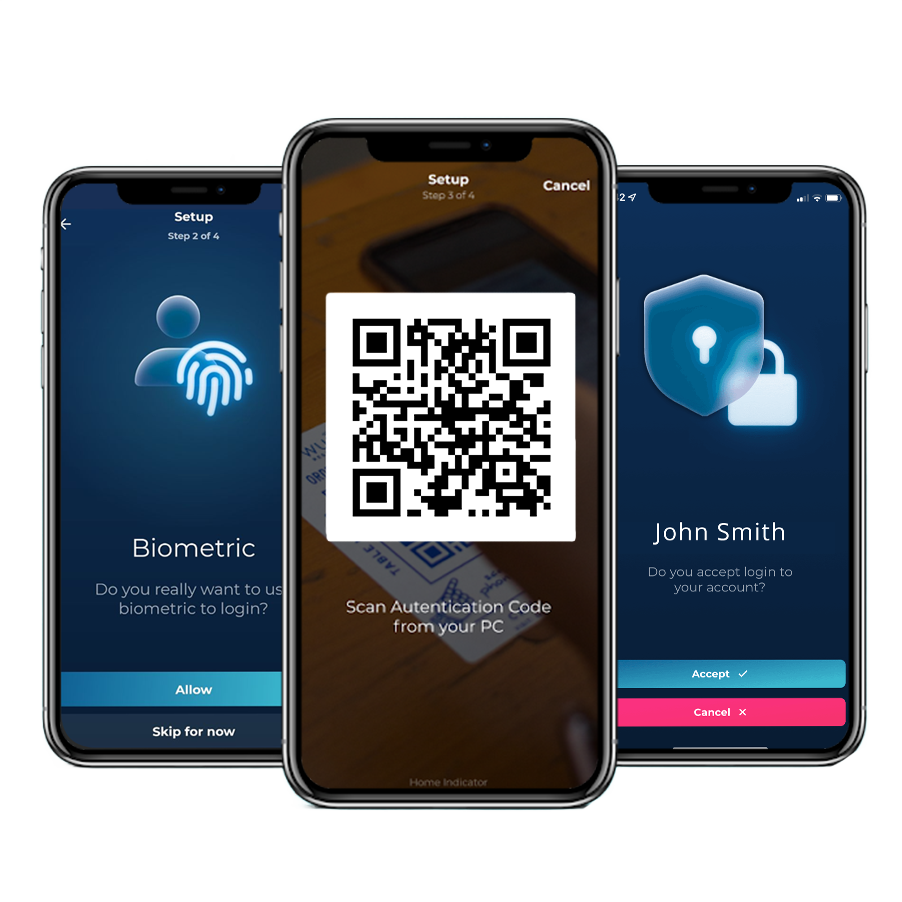
The lock screen shows a QR code. The employee scans it in the app and approves the request. This route works on any workstation running the Hideez Client app.
The employee opens the app next to the machine, picks it from the list and taps the Bluetooth icon. Both devices need Bluetooth 5.
An NFC tag on the workstation. Unlock the app with a fingerprint, hold the phone to the tag, and the session opens. Built for machines that change hands many times a day.


SAML and OIDC applications offer “Sign in with Hideez Authenticator”. The employee scans the code on screen and approves on the phone.
Where a password still applies, the confirmation happens on the employee’s own device instead of in a field on the page.
Where a team shares a service account, the app lists the accounts that employee may open and records who used it.


No connection to the server, no blocked employee: the app produces a one-time code tied to that workstation.
Where a workstation is not joined to Active Directory or Entra ID, the app still signs the employee in. The password stays inside the app on the phone.
Every sign-in has a name on it
One console approves the workstations, hands out login methods and cuts off a lost phone. What it returns is the record below — every workstation session tied to the employee who opened it, shared accounts included.
| Start Date↓ | End Date | Employee | Workstation | Session |
|---|---|---|---|---|
| 8/14/2026 9:02 AM | Active | Emma Wilson | WS-LINE-07 | shift01 |
| 8/14/2026 7:41 AM | 8/14/2026 8:58 AM | James Carter | WS-LINE-07 | shift01 |
| 8/14/2026 7:15 AM | 8/14/2026 7:39 AM | Michael Brown | WS-STOCK-02 | m.brown |
| 8/13/2026 6:20 PM | 8/13/2026 6:22 PM | Olivia Davis | WS-TILL-11 | till01 |
| 8/13/2026 8:48 AM | 8/13/2026 6:16 PM | Sophia Miller | WS-BACKOFFICE | office01 |
- Workstation and web sign-ins land in one log, under the person rather than the shared Windows profile
- Walk-away locks are recorded too, so every session has an end as well as a start
- Export-ready accountability for the rules that apply by sector and by region
What changes for IT teams

No passwords on shared workstations
Staff sign in with the phone they already carry. Nothing to rotate, nothing taped to a monitor, nothing to reset at 7 a.m.

No hardware to buy or replace
No tokens, no cards, no readers. Joining and leaving becomes a console entry instead of a hardware handover.

Named access on shared accounts
Several people, one Windows account, and a log that still says who opened the session and when.

Sessions that close themselves
The workstation locks when the phone leaves Bluetooth range. Unattended sessions stop being an audit finding.
How it compares
Three authenticator apps, and the differences show up at the workstation. Teams moving off Okta Verify or Duo Mobile usually arrive for the second half of this list.
| Hideez Authenticator | Microsoft Authenticator | Duo Mobile | |
|---|---|---|---|
| Signs in at the Windows lock screen | Yes — QR code, Bluetooth or NFC tag | No — Windows sign-in uses Windows Hello | Yes — second factor, or Passwordless for OS Logon |
| Bluetooth proximity sign-in | Yes | No | No |
| Locks the workstation on walk-away | Yes, over Bluetooth | No | No |
| Tap-to-login with an NFC tag on the machine | Yes, with an NFC sticker | No | No |
| Shared-account sign-in on shared machines | Yes, recorded per employee | No | No |
| Sign-in when the workstation is offline | Yes, offline codes | Codes only, no workstation login | Yes, offline access codes |
| Keeps a legacy password for the workstation | Yes, stored in the app on the phone | Autofill retired in 2025 | No |
| TOTP generator for third-party services | Yes | Yes | Yes |
| SAML / OIDC single sign-on | Yes, Hideez acts as the IdP | Through Microsoft Entra ID | Yes, Duo Single Sign-On |
Compared in August 2026 against publicly documented capabilities. Duo adds a second factor to the Windows password login and also offers passwordless OS logon; the proximity, NFC and shared-account behaviour above is what Hideez adds on top.
Proof
Where Hideez already runs
Government bodies, manufacturers and critical-infrastructure operators run Hideez Workforce Identity — with the app, with hardware keys, or with both.
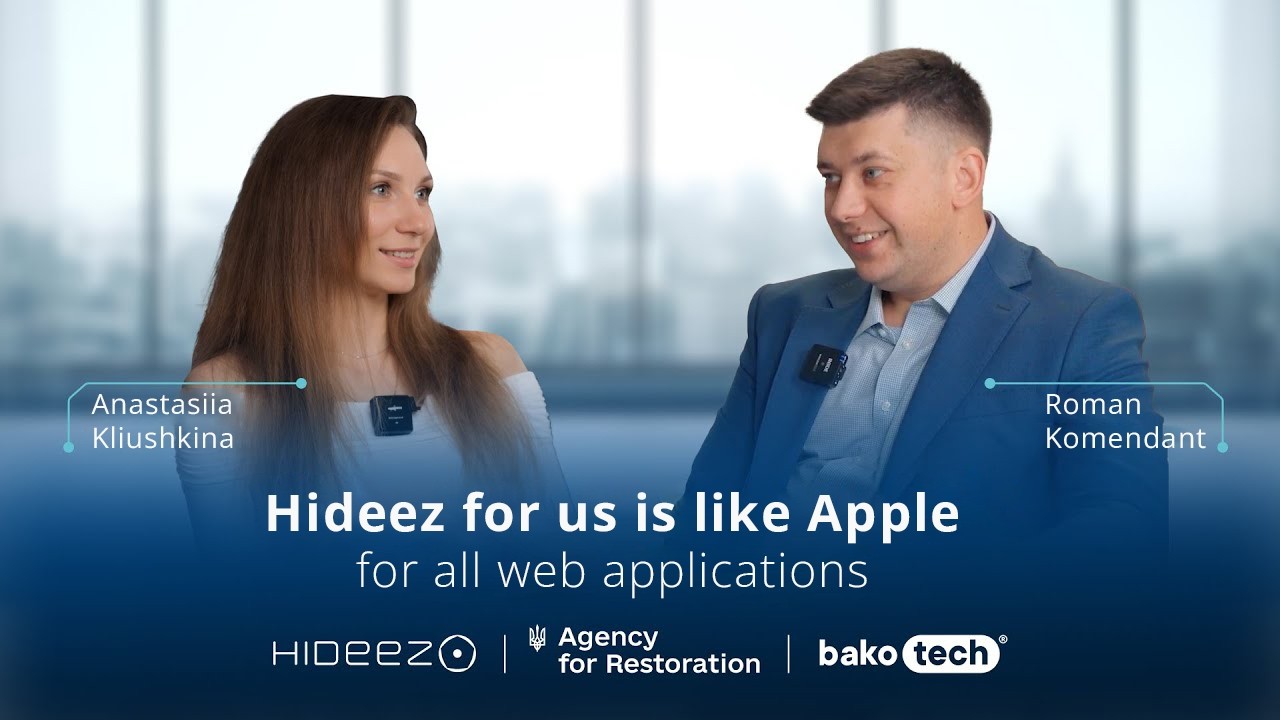

Our team has extensive hands-on experience with the Hideez system, which allowed us to integrate it into a wide range of products. Over time, the integration process has become increasingly straightforward, and the system continues to evolve by adding new functionalities.

The technical implementation of Hideez was smooth. We especially liked the automatic workstation lock and unlock, fast document handling in Siemens EBR, and the convenient use of the password manager for RDP connections with a large number of logins.

Hideez proved to be an efficient 2FA solution for critical infrastructure, and we see strong potential for further improvement as compatibility and stability continue to evolve. It helps us secure video surveillance and video analytics systems used daily by thousands of employees.


Questions IT teams ask
Is Hideez Authenticator free?
The app is free to download from both stores. Using it across an organisation is part of a Hideez Workforce Identity subscription, which starts with a free trial.
Does it work without Hideez Workforce Identity?
No. The app authenticates against the organisation’s Hideez tenant, so the tenant is what makes it work. It is a component of the platform rather than a standalone authenticator, and the tenant is where the passwordless MFA policy, workstation approvals and audit records live.
Which phones are supported?
iOS 14 or later and Android 8 or later. Proximity sign-in, walk-away lock and NFC Tap & Go additionally need Bluetooth 5 on the phone and the workstation.
What has to be installed on the workstation?
The Hideez Client app, on Windows 10 (build 1709 or later), Windows 11 or Windows Server 2022, 64-bit. It ships as an .exe, or as an .msi for Group Policy deployment.
Can employees sign in when a workstation has no connection to the server?
Yes. The app produces a one-time offline code for that machine and the employee enters it at the lock screen.
How does the walk-away lock work?
The workstation watches for the phone over Bluetooth and locks the session when the phone leaves range or Bluetooth goes off. The app also carries a Lock workstation button.
Do we need NFC readers?
No. Tap & Go uses NTAG216 stickers on the machines, tags that cost cents. The phone reads the tag to identify the workstation and the sign-in travels over Bluetooth.
Can endpoint security block Bluetooth or NFC sign-in?
It can. Software that blocks Bluetooth 5 advertising stops proximity and NFC sign-in — Palo Alto Cortex XDR is a documented example. Sign-in by QR code is unaffected, so a workstation always keeps a passwordless route.
Where are passwords stored?
Passwordless sign-in creates none. Where a workstation still needs one, it is held inside the app on the employee’s phone behind a PIN and biometrics, and the server keeps no password database.
What happens when an employee loses the phone?
An administrator removes that login method from the employee’s profile, which stops the lost device from signing in, and sends a fresh enrollment invitation.
Can one phone hold several accounts or tenants?
Yes. One app holds several accounts across the same or different Hideez servers, with an account picker when more than one applies.
Is Hideez Authenticator a Microsoft Authenticator alternative?
For MFA on Microsoft accounts the two overlap. Hideez adds what happens at the workstation: unlocking Windows over QR code, Bluetooth or an NFC tag, locking the machine when the employee walks away, opening shared accounts, and working while the workstation is offline.
Can we deploy it centrally?
The app comes from the public stores and can be pushed by any MDM. The Windows client deploys by Group Policy with the .msi package.
Is this a passkey or a FIDO2 authenticator?
Hideez Authenticator is Hideez’s own enterprise authentication method. Passkeys and FIDO security keys are separate login methods inside the same platform, and employees can use them next to the app.
Is Hideez Authenticator phishing-resistant MFA?
Under the CISA and NIST definition, phishing-resistant MFA means FIDO2/WebAuthn or PIV. Hideez Authenticator uses its own protocol, so the honest answer is that it removes the password an attacker would phish and moves approval onto the employee’s own device. Where a mandate names phishing-resistant MFA specifically, the same platform issues passkeys and FIDO security keys, and employees can carry both.
How does it compare with Windows Hello?
Windows Hello signs a person into the machine in front of them with a fingerprint or a face. Hideez Authenticator covers what Hello does not: one credential across every shared workstation, a session that locks as the employee walks away, shared-account sign-in, and access when the machine is offline. Both can run on the same fleet.
See it on real workstations
A short session with our team: we spin up a tenant, install the Windows client on one machine and sign in from a phone. Bring the scenario that matters — shared terminals, sites that lose connectivity, or a Microsoft Authenticator that should reach further.