

Hideez Authenticator
Мобільний автентифікатор
Частина Hideez Workforce Identity. Більшість застосунків автентифікації спиняються на вебвході — мобільний автентифікатор від Hideez доводить безпарольну MFA до самого робочого місця: працівники розблоковують спільну станцію Windows QR-кодом, дотиком по Bluetooth або NFC-наліпкою, а екран блокується, щойно телефон виходить із зони дії Bluetooth.
Із застосунком для автентифікації власний телефон кожного працівника стає його корпоративним посвідченням, тож немає ані токенів, ані карток, які треба купувати, надсилати чи міняти. Безпарольний вхід у Windows залишає в журналі аудиту конкретне ім’я навіть на спільних записах, а офлайн-коди тримають на ходу майданчик без зв’язку.
Завантаження для працівників


Вимоги
Телефон
- iOS 14+ або Android 8+.
- Bluetooth 5 для функцій розблокування за присутністю.
- PIN-код застосунку; за бажанням — біометричне розблокування.
Робоча станція
- 64-бітні Windows 10 (1709+), Windows 11 або Windows Server 2022.
- Hideez Desktop Client і з’єднання HTTPS із тенантом.
- Наліпки NTAG216 для входу через NFC.
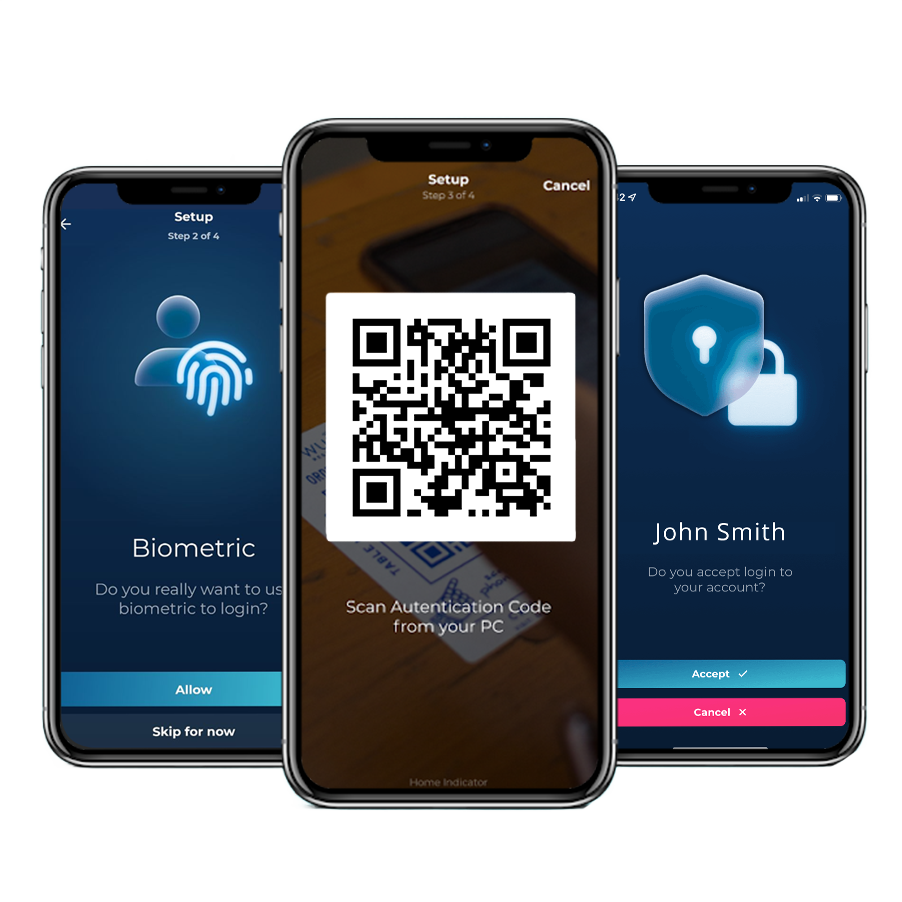
Вхід через мобільний автентифікатор від початку до кінця
Один телефон — і паролі перестають бути частиною робочого дня. Працівники відкривають робочі станції Windows і вебзастосунки за ними одним дотиком, а разом із паролем зникають і облікові дані, які зловмисник намагався б виманити фішингом, і заявка на скидання після забутого пароля.
Навіть системи, які ніколи не мали єдиного входу, рухаються разом з усіма: Hideez AuthShield ставить той самий безпарольний вхід перед застарілими вебзастосунками, тож відмова від паролів не спиняється на сучасній половині інфраструктури.

Як працівники входять і виходять із застосунком для автентифікації

1. Розблокувати робочу станцію
QR-код на екрані блокування, дотик по Bluetooth поруч із машиною або NFC-наліпка на ній.

2. Увійти у вебсервіси
Доступ до інтегрованих застосунків SAML і OIDC — після підтвердження запиту на вхід на телефоні.

3. Додати одноразовий код
Коли сервіс просить одноразовий код, він надходить із того самого MFA-застосунку.

4. Відійшов — заблокувалося
Екран блокується сам, щойно телефон виходить із зони дії Bluetooth.
Старі вебсистеми, які ніколи не підтримували єдиний вхід, теж охоплені — Hideez AuthShield ставить перед ними той самий безпарольний вхід.
Як працює кожен спосіб входу в мобільному автентифікаторі від Hideez
Як працівники розблоковують Windows мобільним автентифікатором на телефоні, дістаються вебзастосунків за ним і продовжують працювати, коли мережа підводить.

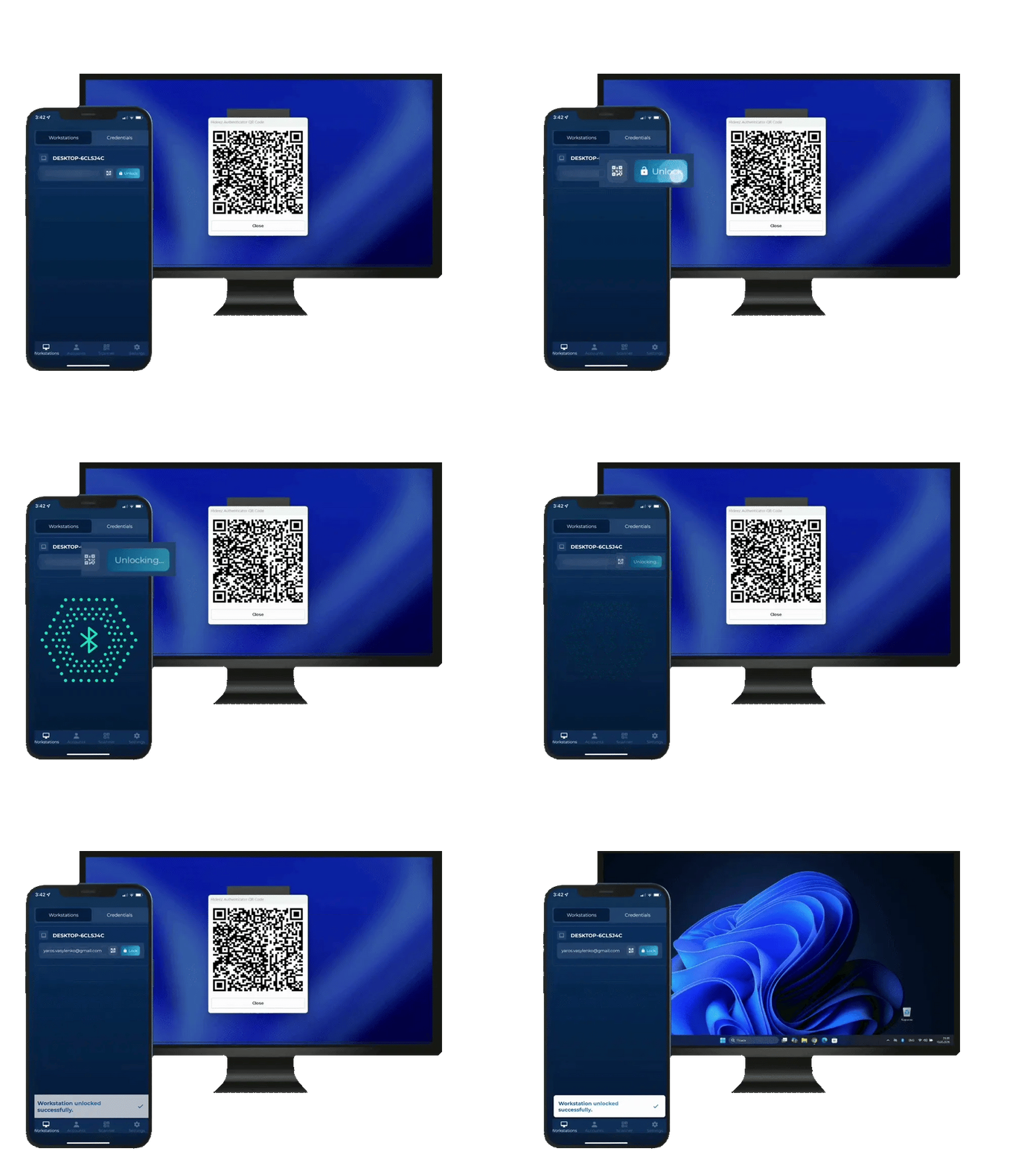

На екрані блокування з’являється QR-код. Працівниця сканує його в застосунку та підтверджує запит.
Працівниця відкриває застосунок мобільного автентифікатора поруч із комп’ютером і натискає кнопку «Розблокувати».
Працівники прикладають телефон до NFC-наліпки NTAG216, щоб розблокувати робочу станцію. Це рішення для спільних ПК, за якими протягом дня працюють кілька людей.
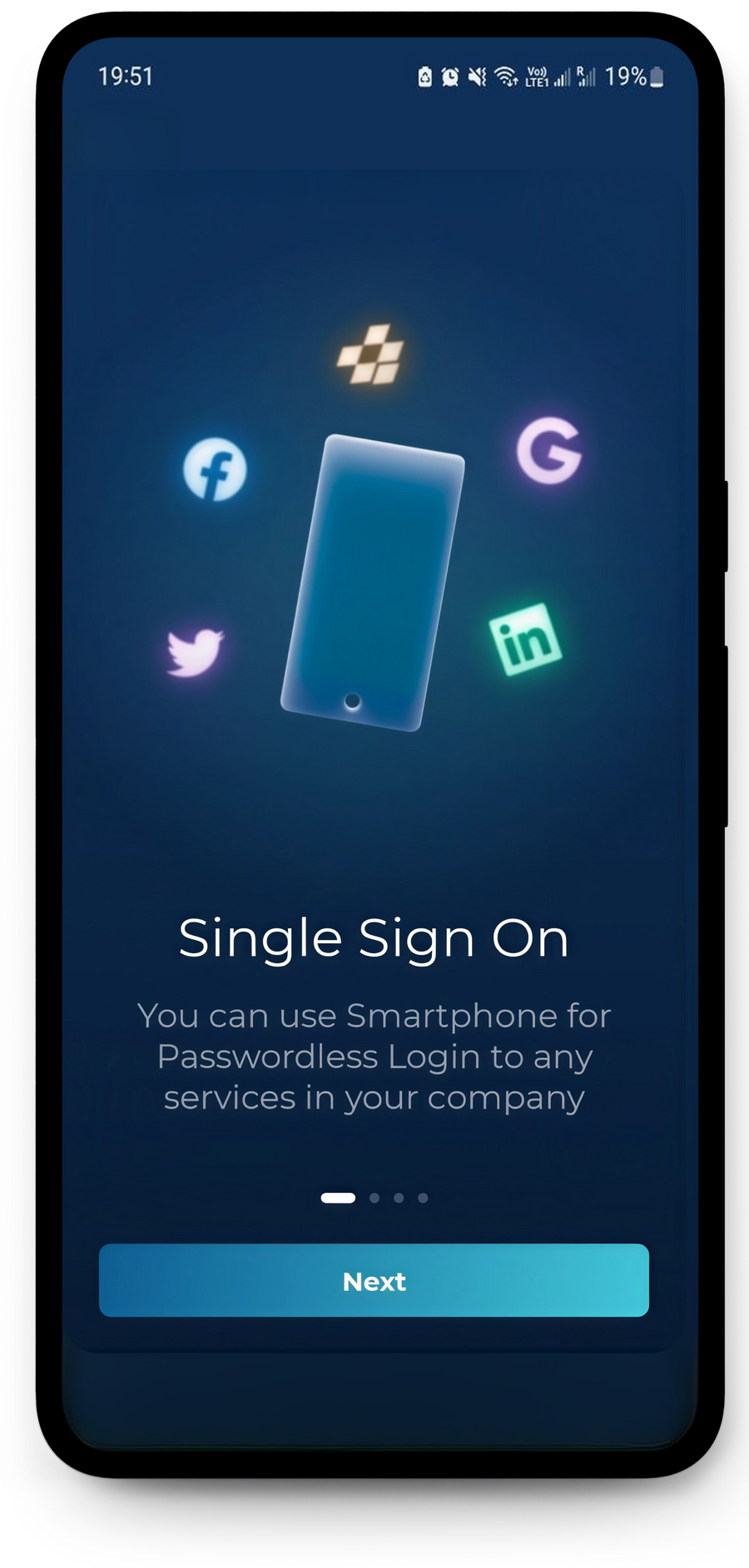
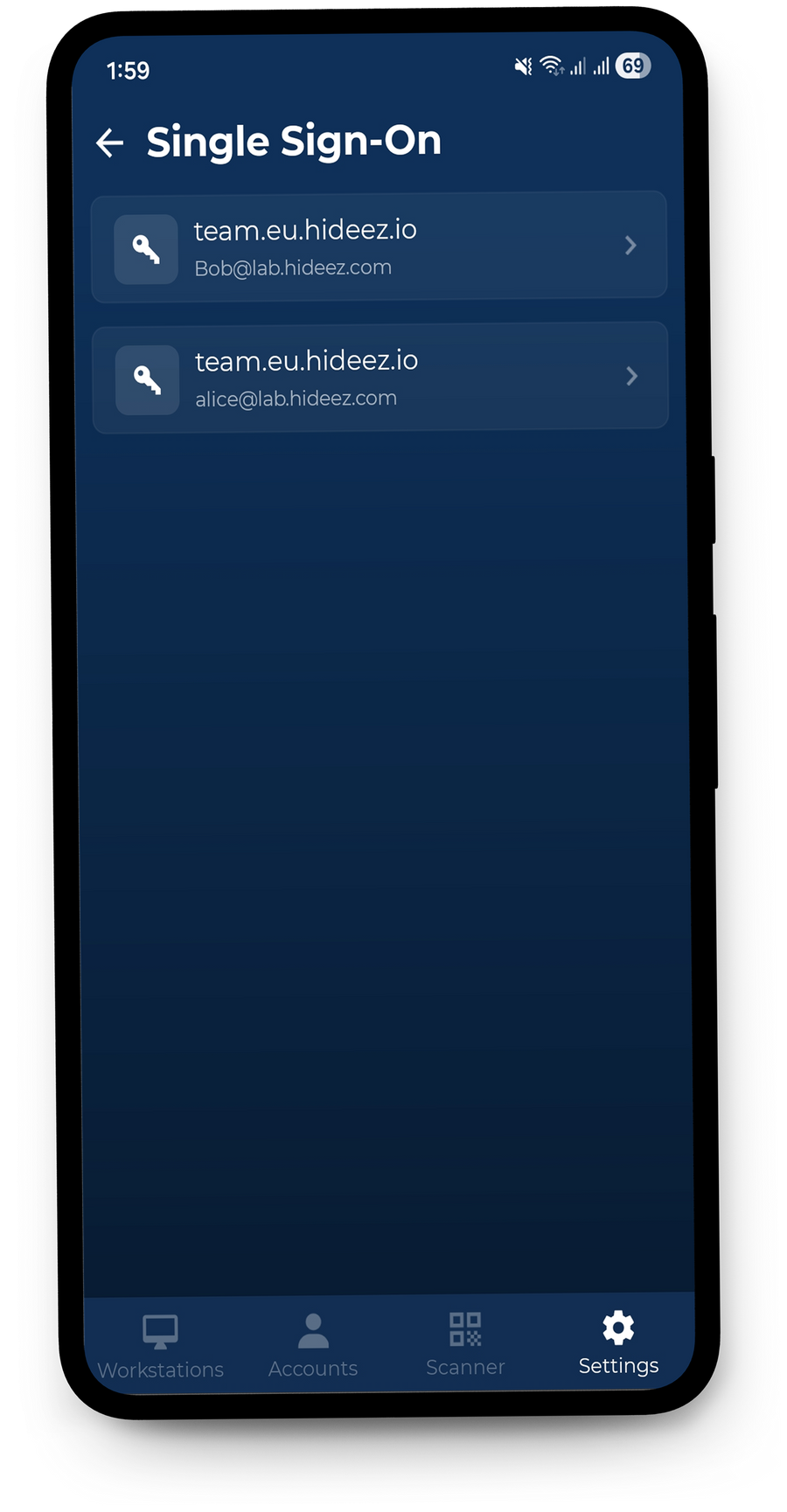
Hideez Authenticator надає безпарольний доступ за QR-кодом до вебзастосунків, інтегрованих через SAML 2.0 або OIDC. Для застарілих застосунків без власної підтримки SSO той самий процес автентифікації можна розширити за допомогою Hideez AuthShield.
Безпарольна MFA повністю прибирає пароль і перевіряє користувача двома незалежними факторами. Оскільки немає спільного секрету, який працівники мали б знати чи вводити, зловмисникам нічого вгадувати, красти чи виманювати фішингом і соціальною інженерією.
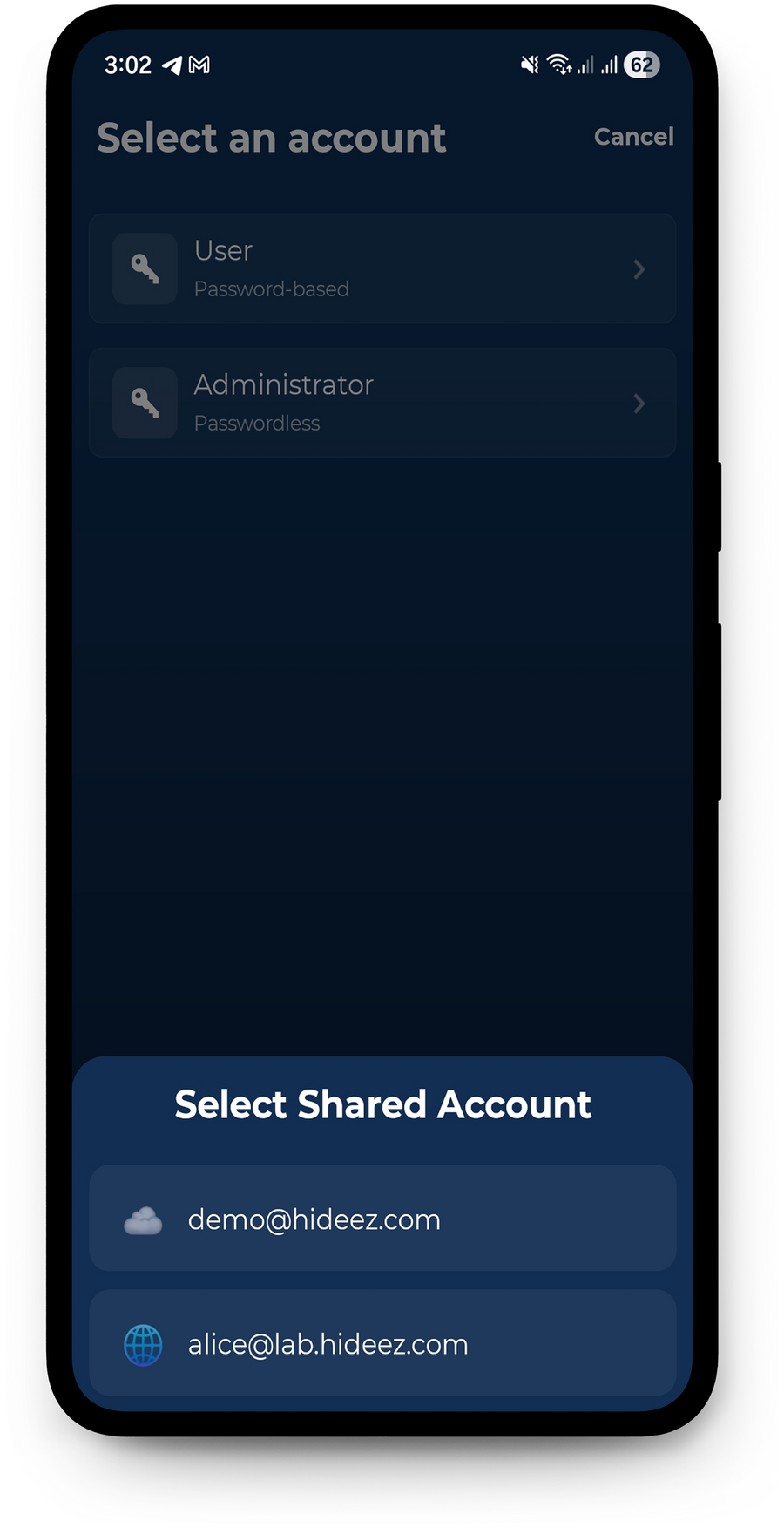
Коли команда користується спільним службовим записом, застосунок показує ті записи, які ця людина має право відкрити, і фіксує, хто ним скористався.
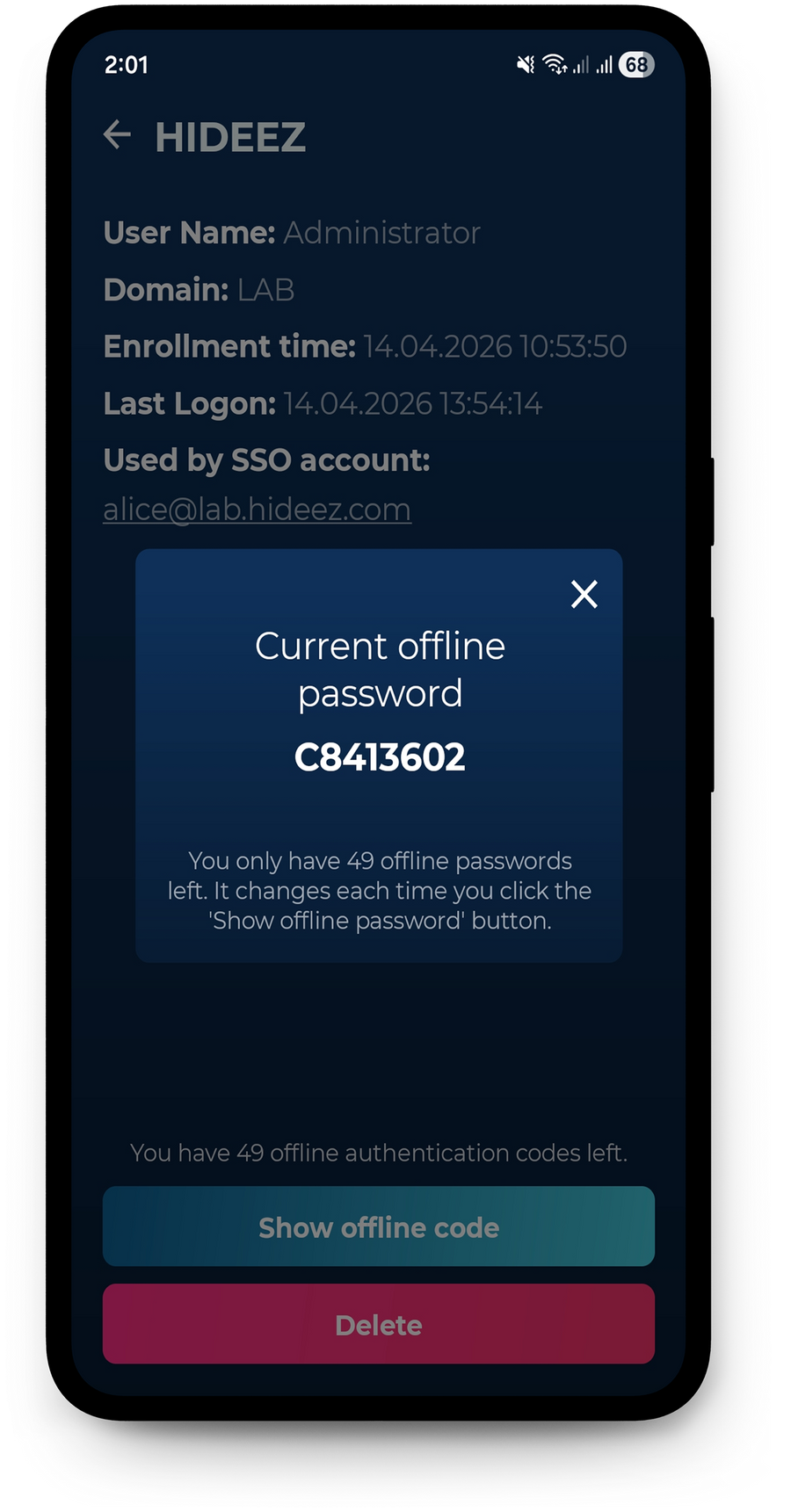
Якщо робоча станція не має підключення до інтернету, користувачі можуть увійти за одноразовим кодом замість сканування QR-коду. Вхід через Bluetooth і NFC також працює офлайн.
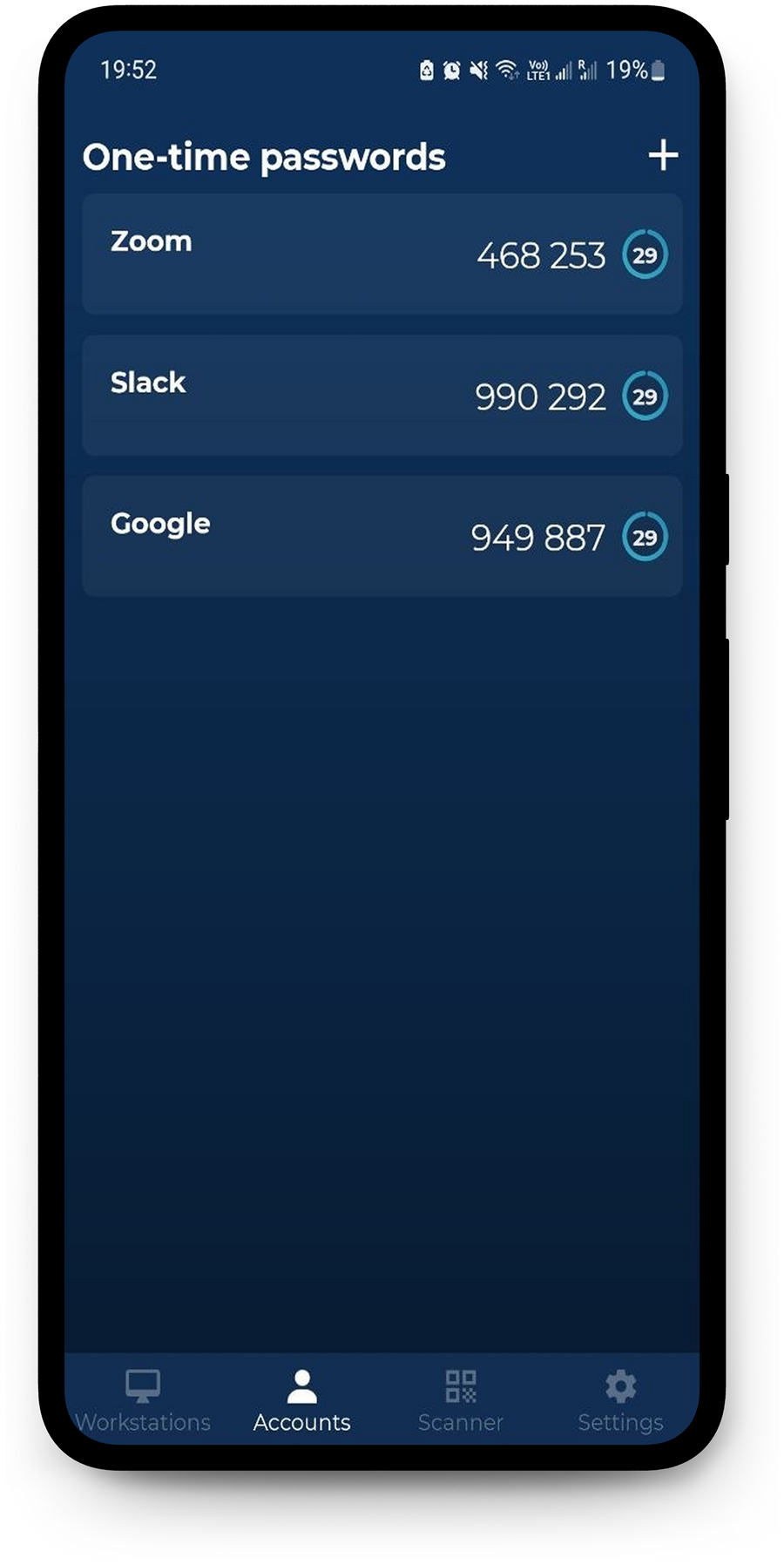
Застосунок для автентифікації також працює як стандартний TOTP-автентифікатор і генерує одноразові коди для облікових записів із 2FA на основі TOTP — незалежно від SSO-інтеграцій Hideez.
Переваги мобільного автентифікатора від Hideez для Вашого бізнесу

Підвищте продуктивність працівників
Зменште тертя, пов’язане з паролями, і щоденні затримки під час входу. Hideez Authenticator — це застосунок багатофакторної автентифікації (MFA), який забезпечує швидку безпарольну автентифікацію на робочих станціях і в бізнес-застосунках: працівники отримують доступ до потрібних ресурсів без повторного введення паролів і ручних перевірок. Менше скидань паролів і перерв на автентифікацію — більше часу на продуктивну роботу.

Усуньте ризики облікових даних завдяки гнучкому захисту
Крадіжка облікових даних залишається серйозним ризиком для організацій. Hideez Authenticator — це безпечний застосунок для автентифікації, який перетворює мобільні пристрої на надійні автентифікатори завдяки прив’язці до пристрою, а та сама платформа додає підтримку FIDO2 і passkeys для фішинг-резистентної автентифікації. Входи прив’язані до авторизованих пристроїв, що знижує ризик викрадених облікових даних, втоми від MFA та несанкціонованого доступу до корпоративних застосунків.

Спростіть відповідність вимогам і готовність до аудиту
Підтримуйте вимоги відповідності надійнішою автентифікацією та контролем доступу. Hideez Authenticator допомагає організаціям узгодити практики автентифікації з такими стандартами та регламентами, як PCI DSS, HIPAA, GDPR і NIS2. Перевіряючи кожного користувача окремо під час входу — зокрема на спільних робочих станціях, — Hideez допомагає вести чіткі записи автентифікації та точніші журнали аудиту для перевірок безпеки й відповідності.
Кожен вхід має ім'я
Одна консоль погоджує робочі станції, видає способи входу й відрізає загублений телефон. Натомість вона повертає журнал нижче — кожен сеанс на станції прив'язаний до людини, яка його відкрила, включно зі спільними записами.
| Початок↓ | Завершення | Працівник | Робоча станція | Сеанс |
|---|---|---|---|---|
| 14.08.2026 09:02 | Active | Emma Wilson | WS-LINE-07 | shift01 |
| 14.08.2026 07:41 | 14.08.2026 08:58 | James Carter | WS-LINE-07 | shift01 |
| 14.08.2026 07:15 | 14.08.2026 07:39 | Michael Brown | WS-STOCK-02 | m.brown |
| 13.08.2026 18:20 | 13.08.2026 18:22 | Olivia Davis | WS-TILL-11 | till01 |
| 13.08.2026 08:48 | 13.08.2026 18:16 | Sophia Miller | WS-BACKOFFICE | office01 |
- Входи на робочу станцію і у вебсервіси потрапляють до одного журналу — під іменем людини, а не спільного профілю Windows
- Автоматичні блокування при відході також фіксуються, тож кожен сеанс має не лише початок, а й кінець
- Готова до експорту підзвітність під вимоги, які діють залежно від галузі та регіону
Що змінюється для ІТ-команд

Жодних паролів на спільних робочих станціях
Працівники входять телефоном, який і так носять із собою. Нічого не треба змінювати за розкладом, нічого не приклеєно до монітора, нічого не доводиться скидати о сьомій ранку.

Немає обладнання, яке купують і замінюють
Жодних токенів, карток і зчитувачів. Програмний автентифікатор працює на власному телефоні працівника, а прийом і звільнення стають записом у консолі замість передавання пристрою з рук у руки.

Іменний доступ до спільних записів
Кілька людей, один обліковий запис Windows — і журнал, який усе одно каже, хто і коли відкрив сеанс.

Сеанси, які закриваються самі
Робоча станція блокується, щойно телефон виходить із зони дії Bluetooth. Залишені без нагляду сеанси перестають бути зауваженням аудиту.
Мобільний автентифікатор у порівнянні
Три застосунки автентифікації — і різниця між ними проявляється саме на робочому місці. Команди, які йдуть від Okta Verify чи Duo Mobile, зазвичай приходять по другу половину цього переліку.
| Hideez Authenticator | Microsoft Authenticator | Duo Mobile | |
|---|---|---|---|
| Вхід просто з екрана блокування Windows | Так — QR-код, Bluetooth або NFC-мітка | Ні — вхід у Windows виконує Windows Hello | Так — другий фактор або Passwordless for OS Logon |
| Вхід за наближенням по Bluetooth | Так | Ні | Ні |
| Блокує станцію, коли людина відходить | Так, через Bluetooth | Ні | Ні |
| Вхід дотиком до NFC-мітки на машині | Так, з NFC-наліпкою | Ні | Ні |
| Спільні записи на спільних машинах | Так, із записом по кожному працівнику | Ні | Ні |
| Вхід, коли станція офлайн | Так, офлайн-коди | Лише коди, входу на станцію немає | Так, офлайн-коди доступу |
| Зберігає застарілий пароль до станції | Так, у застосунку на телефоні | Автозаповнення згорнуто у 2025-му | Ні |
| Генератор TOTP для сторонніх сервісів | Так | Так | Так |
| Єдиний вхід SAML / OIDC | Так, Hideez виступає як IdP | Через Microsoft Entra ID | Так, Duo Single Sign-On |
Порівняння станом на серпень 2026 року за публічно задокументованими можливостями. Duo додає другий фактор до входу у Windows за паролем і також пропонує безпарольний вхід в ОС; наближення, NFC та поведінка зі спільними записами — це те, що Hideez додає понад це.
Інтеграції з IAM і провайдерами ідентифікації
Hideez Authenticator працює як частина Hideez Workforce Identity і легко інтегрується з провідними системами IAM та корпоративними провайдерами ідентифікації. Доступні методи автентифікації залежать від Вашої моделі розгортання та конфігурації.






Досвід
Де Hideez уже працює
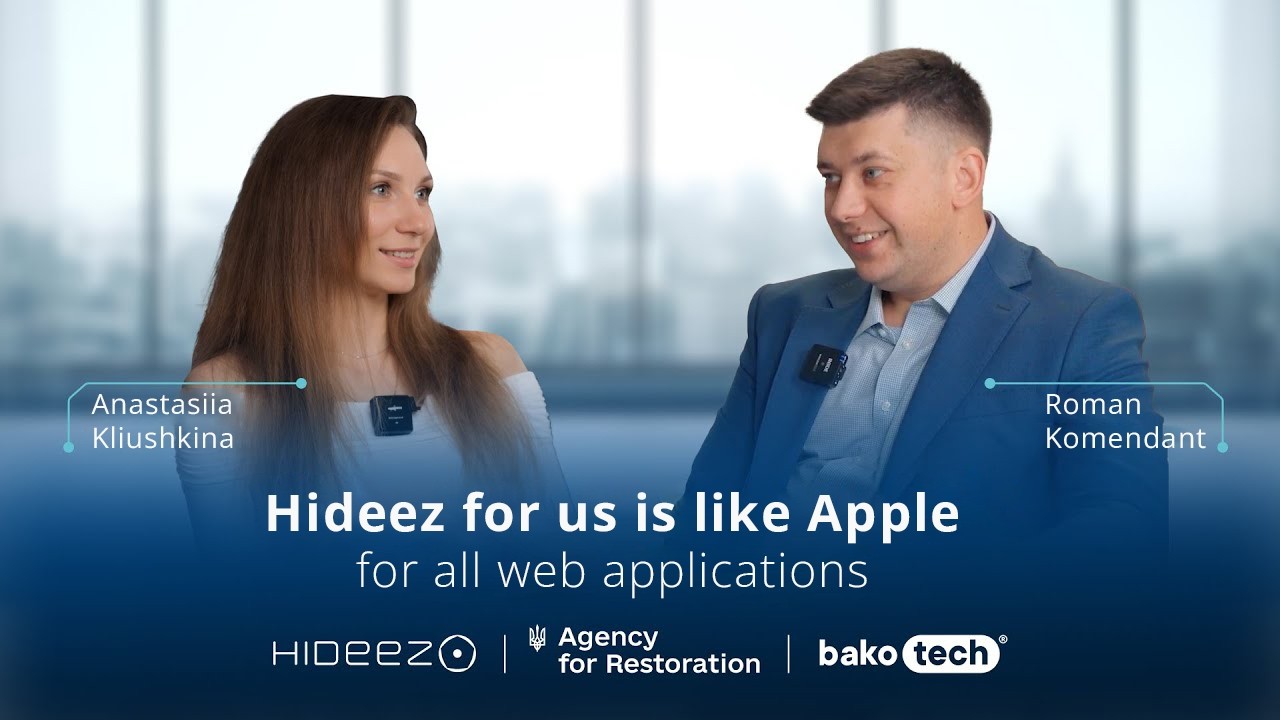
Державні органи, виробничі компанії та оператори критичної інфраструктури використовують Hideez Workforce Identity — із застосунком, з апаратними ключами або з обома.


Питання, які ставлять ІТ-команди
Hideez Authenticator безкоштовний?
Мобільний автентифікатор безкоштовно завантажується в обох магазинах застосунків. Використання в межах організації входить до передплати Hideez Workforce Identity, яка починається з безкоштовного пробного періоду.
Чи працює він без Hideez Workforce Identity?
Ні. Застосунок автентифікується у тенанті Hideez організації, тож саме тенант робить його робочим. Це компонент платформи, а не самостійний автентифікатор: у тенанті живуть політика безпарольної MFA, погодження робочих станцій і записи аудиту.
Які телефони підтримуються?
iOS 14 або новіша та Android 8 або новіший. Вхід за наближенням, блокування при відході та NFC Tap & Go додатково потребують Bluetooth 5 на телефоні й на робочій станції.
Що потрібно встановити на робочій станції?
Застосунок Hideez Client — на Windows 10 (збірка 1709 або новіша), Windows 11 чи Windows Server 2022, 64-бітні. Він постачається як .exe або як .msi для розгортання через групові політики.
Чи зможуть працівники увійти, коли станція не має зв'язку із сервером?
Так. Застосунок видає одноразовий офлайн-код для цієї машини, і працівник вводить його на екрані блокування.
Як працює блокування при відході?
Робоча станція стежить за телефоном по Bluetooth і блокує сеанс, коли телефон виходить із зони дії або Bluetooth вимикають. У застосунку також є кнопка блокування робочої станції.
Чи потрібні NFC-зчитувачі?
Ні. Tap & Go використовує наліпки NTAG216 на машинах — мітки вартістю кілька центів. Телефон зчитує мітку, щоб розпізнати станцію, а сам вхід іде через Bluetooth.
Чи може endpoint-захист заблокувати вхід через Bluetooth або NFC?
Таке трапляється. Програми, які блокують Bluetooth 5 advertising, унеможливлюють вхід за наближенням і через NFC — Palo Alto Cortex XDR є задокументованим прикладом. Вхід за QR-кодом це не зачіпає, тож у робочої станції завжди лишається безпарольний шлях.
Де зберігаються паролі?
Безпарольний вхід не вимагає від працівників вводити пароль облікового запису. Якщо робочій станції пароль усе ще потрібен, він зберігається в зашифрованому вигляді в застосунку для автентифікації на телефоні працівника, а доступ до нього захищено PIN-кодом або підтримуваною біометрією.
Що робити, якщо працівник загубив телефон?
Адміністратор прибирає цей спосіб входу з профілю працівника, після чого загублений пристрій більше не може увійти, і надсилає нове запрошення до реєстрації.
Чи може один телефон тримати кілька записів або тенантів?
Так. Один застосунок для автентифікації тримає кілька облікових записів на тому самому або на різних серверах Hideez, із вибором запису, коли їх більше ніж один.
Чи є Hideez Authenticator альтернативою Microsoft Authenticator?
У частині MFA для облікових записів Microsoft вони перетинаються. Hideez додає те, що відбувається на робочому місці: розблокування Windows за QR-кодом, Bluetooth або NFC-міткою, блокування машини, коли працівник відходить, відкриття спільних записів і робота, поки станція офлайн.
Чи можна розгорнути його централізовано?
Застосунок постачається з публічних магазинів і розповсюджується будь-якою системою MDM. Клієнт для Windows розгортається через групові політики пакетом .msi.
Це passkey чи автентифікатор FIDO2?
Hideez Authenticator — це власний корпоративний метод автентифікації Hideez. Passkeys та ключі безпеки FIDO є окремими способами входу в межах тієї самої платформи, і працівники можуть користуватися ними поряд із застосунком.
Чи є Hideez Authenticator стійкою до фішингу MFA?
За визначенням CISA і NIST стійка до фішингу MFA означає FIDO2/WebAuthn або PIV. Hideez Authenticator працює за власним протоколом, тож чесна відповідь така: він прибирає пароль, який зловмисник виманював би фішингом, і переносить підтвердження на власний пристрій працівника. Там, де вимога прямо називає стійку до фішингу MFA, та сама платформа видає passkeys і ключі безпеки FIDO, і працівники можуть мати при собі і те, і те.
Чим це відрізняється від Windows Hello?
Windows Hello впускає людину до машини, що стоїть перед нею, за відбитком або обличчям. Hideez Authenticator покриває те, чого Hello не робить: один обліковий доступ до всіх спільних робочих станцій, сеанс, який блокується, коли працівник відходить, вхід у спільні записи та доступ, коли машина офлайн. Обидва можуть працювати на одному парку машин.
Подивіться на справжніх робочих станціях
Коротка зустріч із нашою командою: ми піднімаємо тенант, встановлюємо клієнт Windows на одну машину й виконуємо вхід із телефона. Приходьте зі сценарієм, який справді важливий, — спільні термінали, майданчики з нестабільним зв'язком або Microsoft Authenticator, який мав би сягати далі.