

Hideez Authenticator
Authentificateur mobile
Fait partie de Hideez Workforce Identity. La plupart des applications d’authentification s’arrêtent à la connexion web — l’authentificateur mobile de Hideez porte la MFA sans mot de passe jusqu’au poste de travail : les collaborateurs déverrouillent un poste Windows partagé par code QR, pression Bluetooth ou autocollant NFC, et l’écran se verrouille dès que leur téléphone sort de la portée Bluetooth.
Avec l’application d’authentification, le téléphone personnel de chacun devient son identifiant d’entreprise : il n’y a donc ni tokens ni cartes à acheter, expédier ou remplacer. La connexion Windows sans mot de passe garde une personne nommée dans la piste d’audit même sur des comptes partagés, et les codes hors ligne maintiennent un site coupé du réseau en activité.
Téléchargement collaborateurs


Prérequis
Téléphone
- iOS 14+ ou Android 8+.
- Bluetooth 5 pour les fonctions de proximité.
- Code PIN de l’application ; déverrouillage biométrique en option.
Poste de travail
- Windows 10 (1709+), Windows 11 ou Windows Server 2022 en 64 bits.
- Hideez Desktop Client et connexion HTTPS au tenant.
- Autocollants NTAG216 pour la connexion NFC.
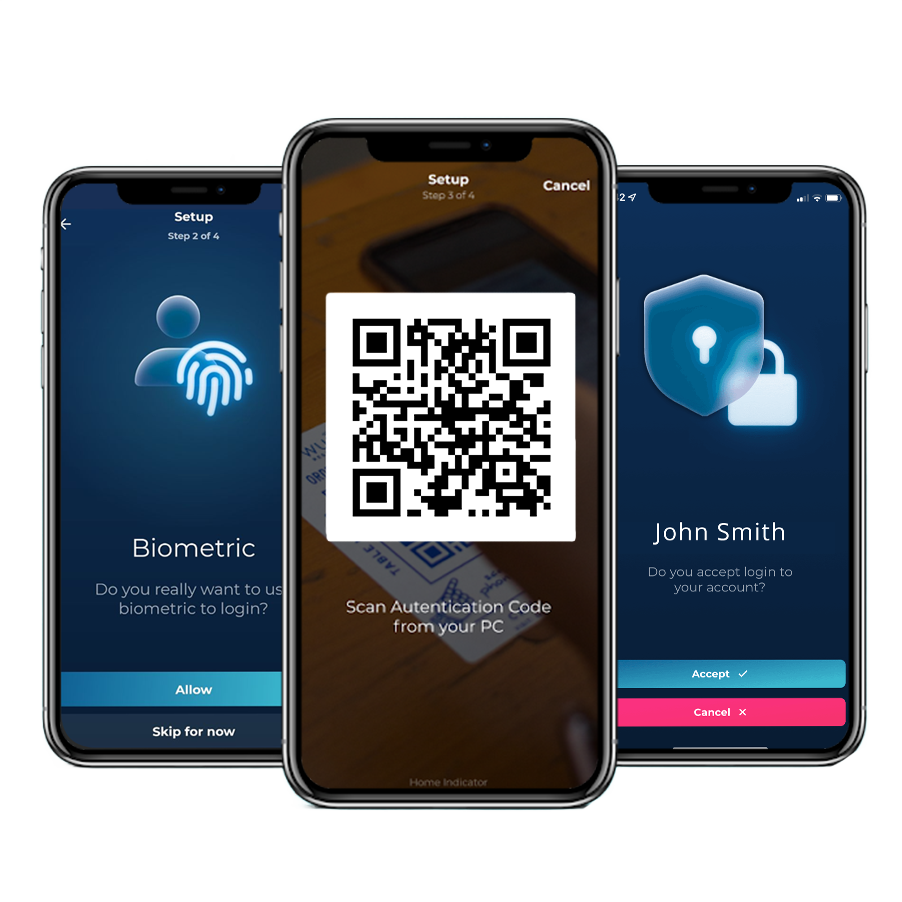
Une connexion avec l’authentificateur mobile de bout en bout
Un téléphone, et les mots de passe cessent de faire partie de la journée de travail. Les collaborateurs accèdent aux postes Windows et aux applications web qui se trouvent derrière d'une simple pression, ce qui supprime à la fois l'identifiant qu'un attaquant chercherait à hameçonner et le ticket de réinitialisation qui suit un mot de passe oublié.
Même les systèmes qui n'ont jamais connu l'authentification unique suivent le mouvement : Hideez AuthShield place la même connexion sans mot de passe devant les applications web héritées, pour que l'abandon des mots de passe ne s'arrête pas à la moitié moderne du parc.

Comment les collaborateurs se connectent et se déconnectent avec l’application d’authentification

1. Déverrouiller le poste
Un code QR sur l'écran de verrouillage, une pression Bluetooth à proximité ou un autocollant NFC sur la machine.

2. Se connecter aux services web
Accédez aux applications SAML et OIDC intégrées en approuvant la demande de connexion sur le téléphone.

3. Ajouter un code à usage unique
Quand un service demande un code à usage unique, il vient de la même application MFA.

4. S'éloigner, ça verrouille
L'écran se verrouille de lui-même dès que le téléphone quitte la portée Bluetooth.
Les anciens systèmes web qui n'ont jamais pris en charge l'authentification unique sont également couverts — Hideez AuthShield place la même connexion sans mot de passe devant eux.
Comment fonctionne chaque méthode de connexion de l’authentificateur mobile de Hideez
Comment les collaborateurs déverrouillent Windows avec un authentificateur mobile sur leur téléphone, atteignent les applications web qui se trouvent derrière et continuent de travailler quand le réseau ne suit plus.

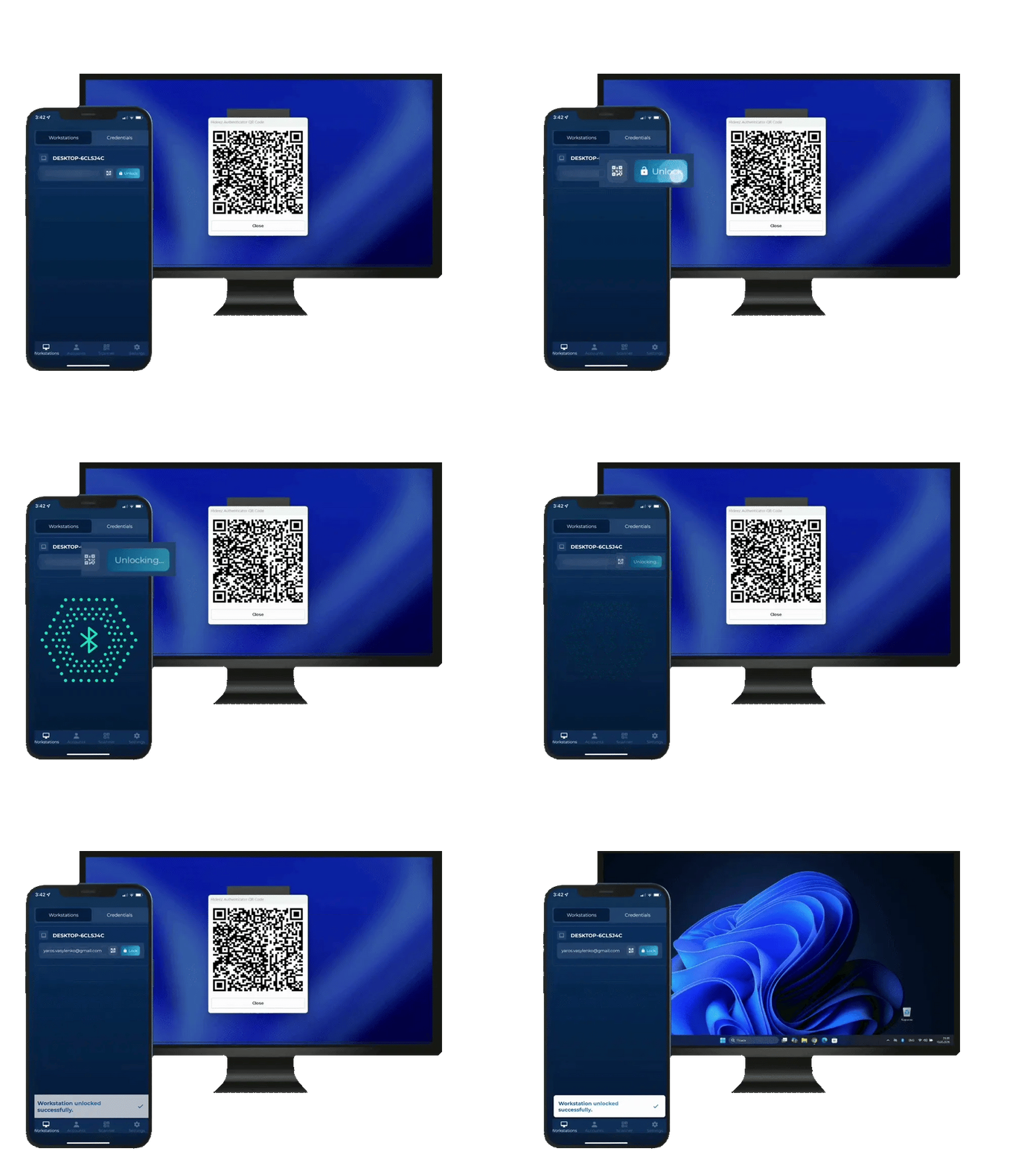

L’écran de verrouillage affiche un code QR. La collaboratrice le scanne dans l’application et approuve la demande.
La collaboratrice ouvre l’application d’authentification mobile près du poste et appuie sur le bouton « Déverrouiller ».
Les collaborateurs approchent leur téléphone d’un autocollant NFC NTAG216 pour déverrouiller le poste de travail. Conçu pour les PC partagés utilisés par plusieurs personnes au fil de la journée.
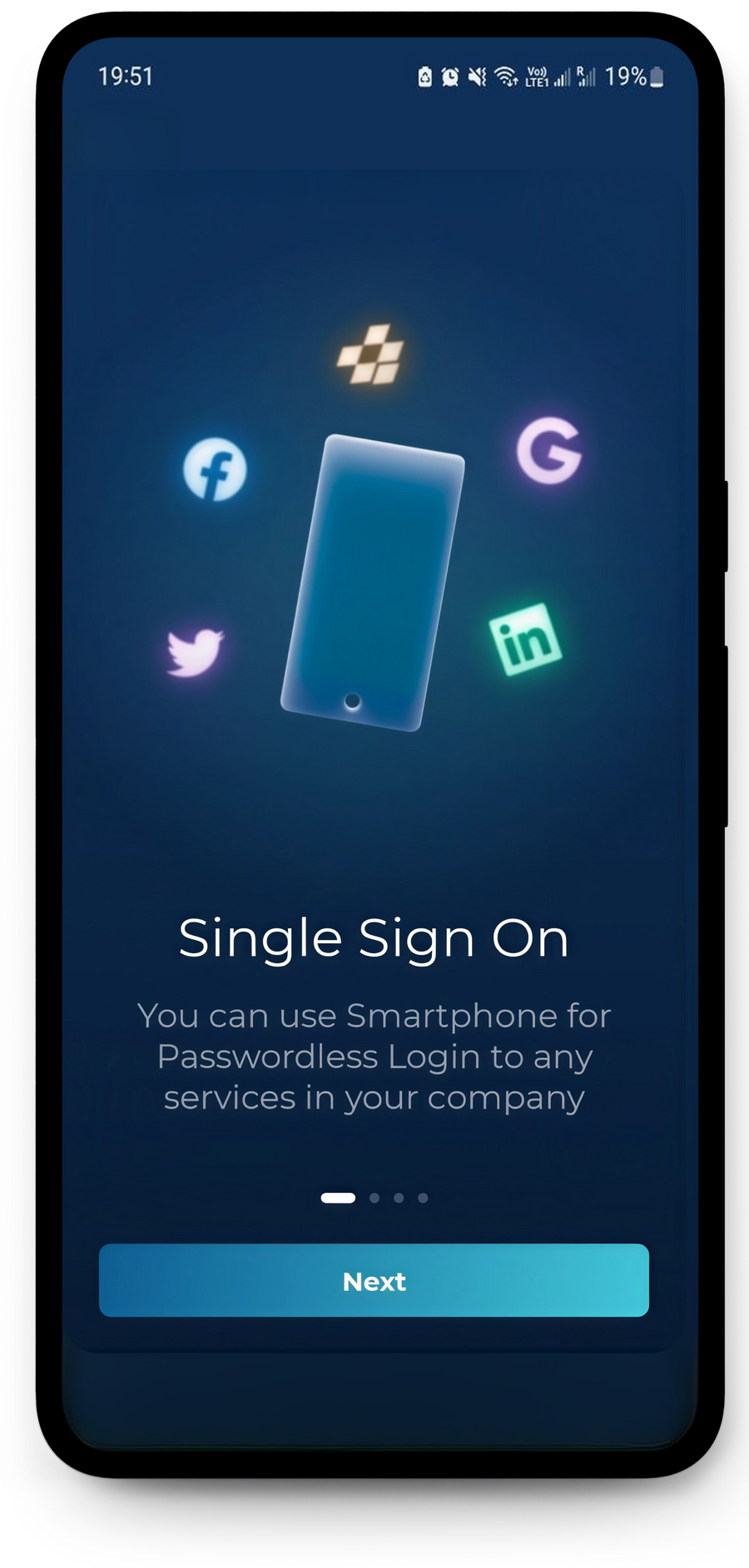
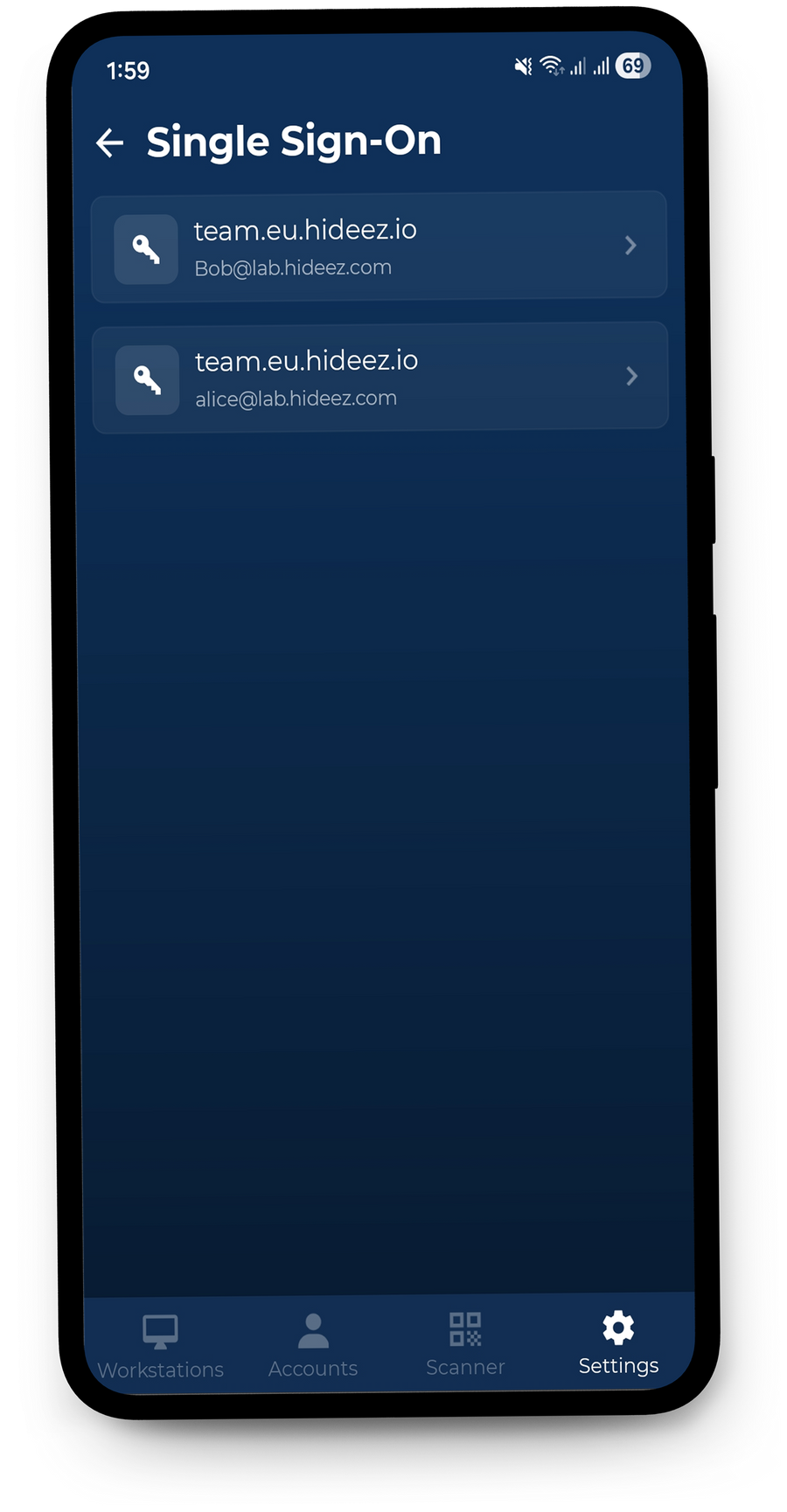
Hideez Authenticator offre un accès sans mot de passe par code QR aux applications web intégrées via SAML 2.0 ou OIDC. Pour les applications héritées qui ne prennent pas en charge le SSO nativement, le même processus d’authentification peut être étendu avec Hideez AuthShield.
La MFA sans mot de passe supprime entièrement le mot de passe et vérifie l’utilisateur par deux facteurs indépendants. Comme il n’existe aucun secret partagé que les collaborateurs devraient connaître ou saisir, les attaquants n’ont rien à deviner, voler ou capturer par phishing ou ingénierie sociale.
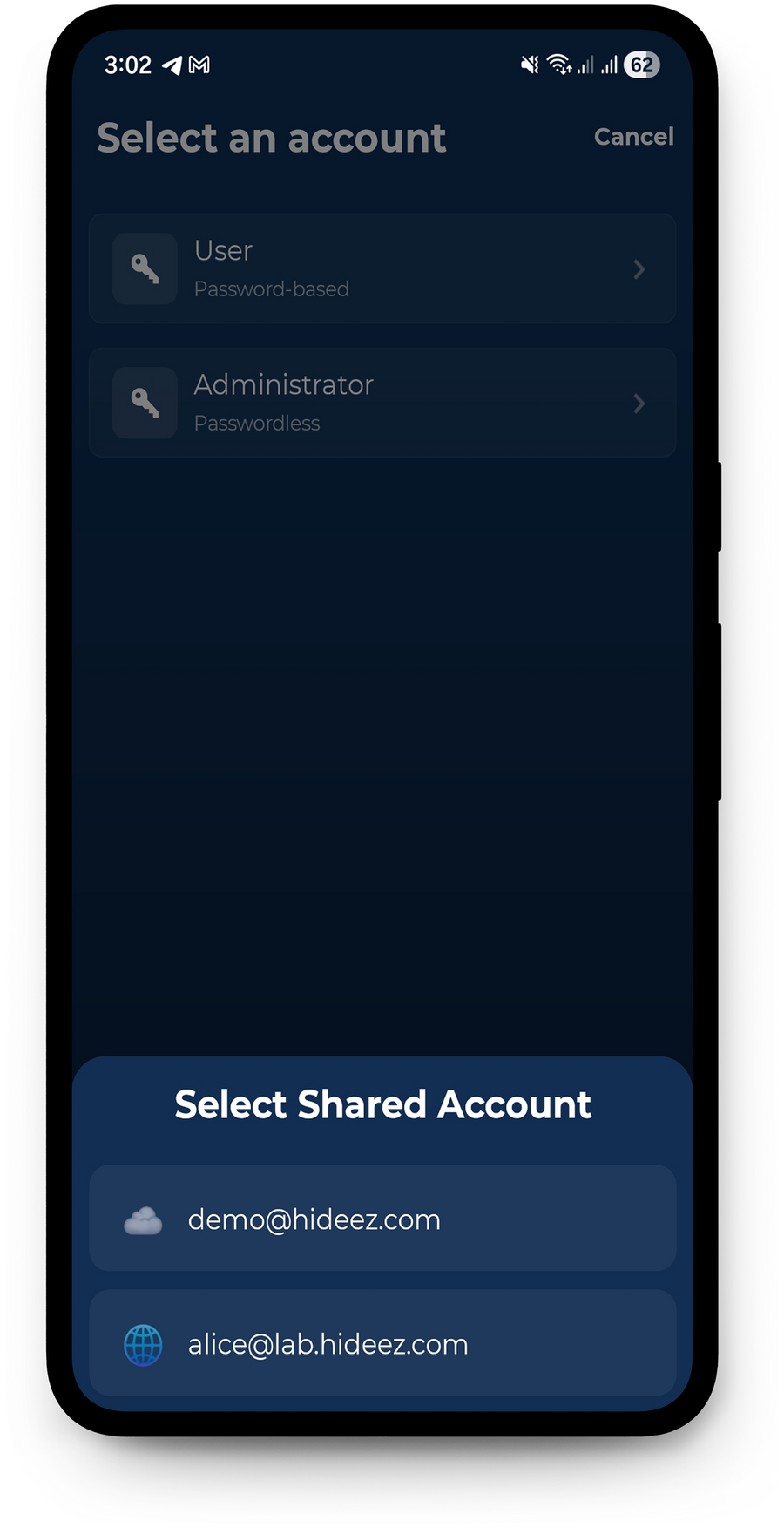
Lorsqu'une équipe partage un compte de service, l'application liste les comptes que cette personne peut ouvrir et garde trace de qui l'a utilisé.
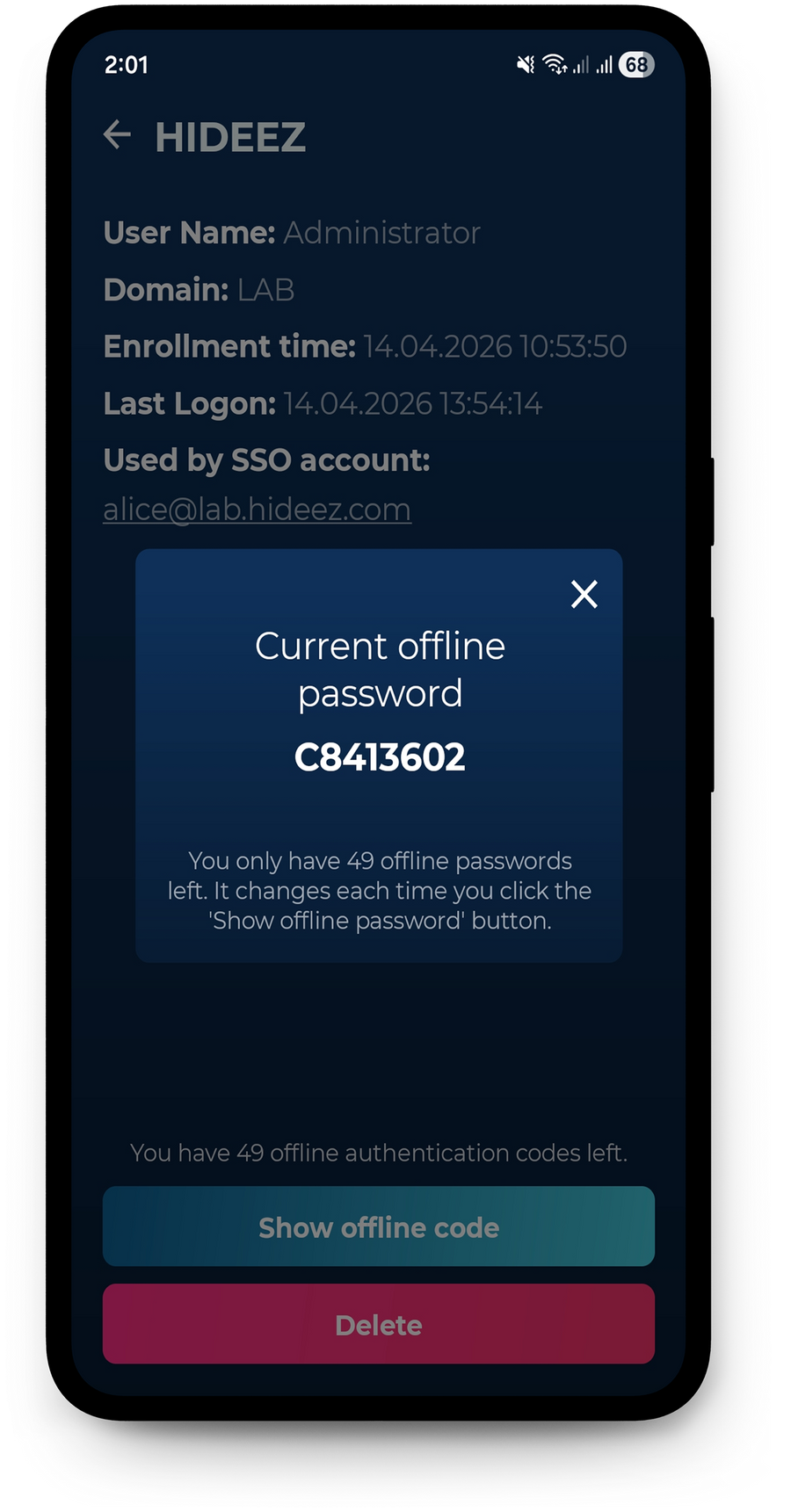
Lorsque le poste de travail n’a pas de connexion Internet, les utilisateurs peuvent se connecter avec un code à usage unique au lieu de scanner un code QR. La connexion par Bluetooth et NFC continue elle aussi de fonctionner hors ligne.
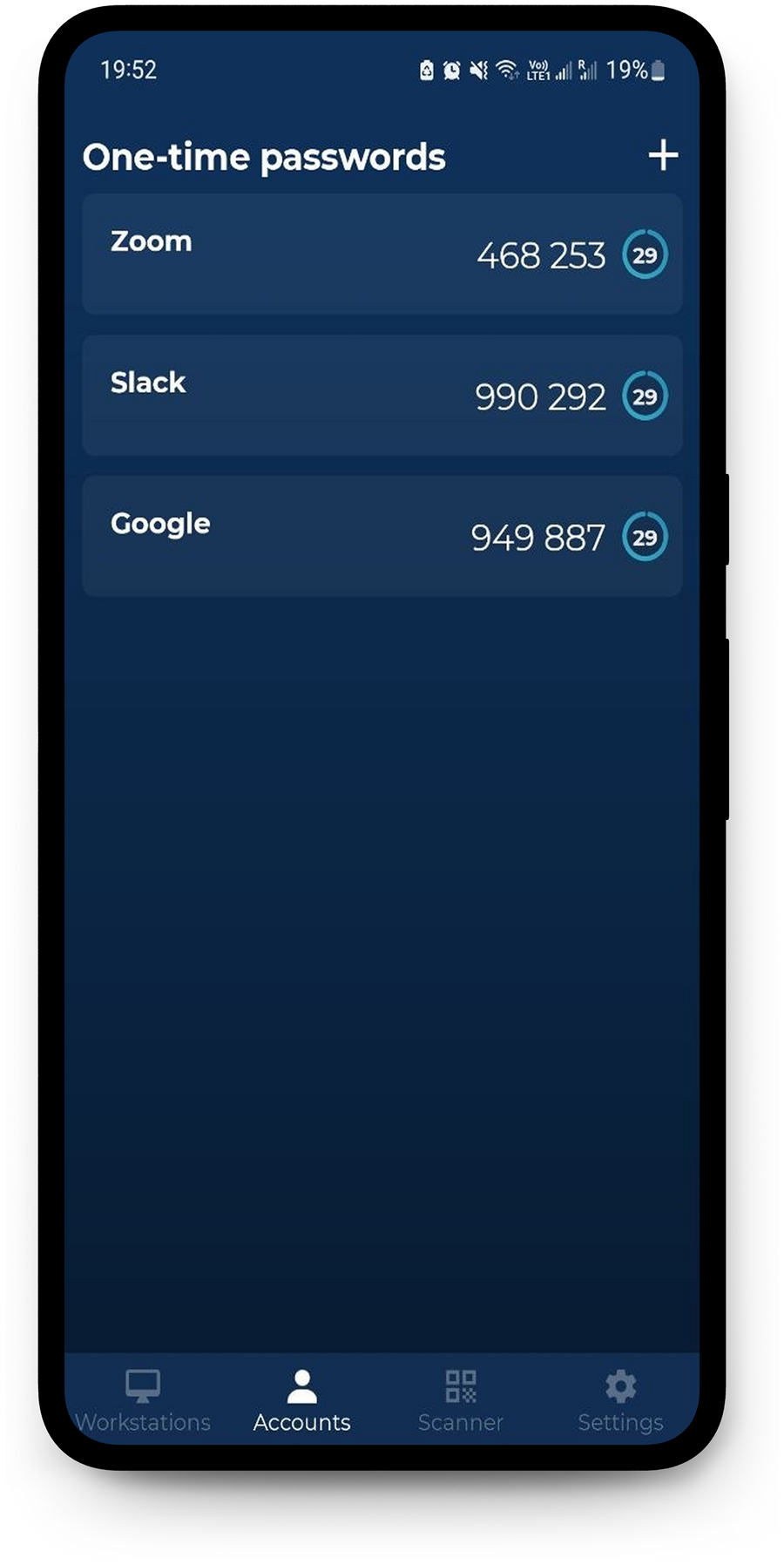
L’application d’authentification fait aussi office d’authentificateur TOTP standard et génère des codes à usage unique pour les comptes qui prennent en charge la 2FA basée sur TOTP – indépendamment des intégrations SSO de Hideez.
Les avantages de l’authentificateur mobile de Hideez pour votre entreprise

Augmentez la productivité des collaborateurs
Réduisez les frictions liées aux mots de passe et les retards quotidiens à la connexion. Hideez Authenticator est une application d’authentification multifacteur qui permet une authentification rapide et sans mot de passe sur les postes de travail et dans les applications métier : les collaborateurs accèdent aux ressources dont ils ont besoin sans ressaisir de mot de passe ni passer par des vérifications manuelles. Avec moins de réinitialisations de mot de passe et d’interruptions, les équipes consacrent plus de temps au travail productif.

Éliminez les risques liés aux identifiants grâce à une sécurité flexible
Le vol d’identifiants reste un risque majeur pour les organisations. Hideez Authenticator est une application d’authentification sécurisée qui transforme les appareils mobiles en authentificateurs sécurisés grâce à la liaison à l’appareil – et la même plateforme ajoute la prise en charge de FIDO2 et des passkeys pour une authentification résistante au phishing. Les connexions sont liées à des appareils autorisés, ce qui réduit le risque d’identifiants volés, de MFA fatigue et d’accès non autorisés à vos applications d’entreprise.

Simplifiez la conformité et la préparation aux audits
Appuyez vos exigences de conformité sur une authentification et des contrôles d’accès renforcés. Hideez Authenticator aide les organisations à aligner leurs pratiques d’authentification sur des cadres et réglementations tels que PCI DSS, HIPAA, GDPR et NIS2. En vérifiant chaque utilisateur individuellement à la connexion – y compris sur les postes de travail partagés –, Hideez permet de conserver des enregistrements d’authentification clairs et des pistes d’audit plus précises pour les revues de sécurité et de conformité.
Chaque connexion porte un nom
Une console approuve les postes, distribue les méthodes de connexion et coupe l'accès à un téléphone perdu. Ce qu'elle renvoie, c'est le relevé ci-dessous : chaque session de poste rattachée à la personne qui l'a ouverte, comptes partagés compris.
| Début↓ | Fin | Collaborateur | Poste | Session |
|---|---|---|---|---|
| 14/08/2026 09:02 | Active | Emma Wilson | WS-LINE-07 | shift01 |
| 14/08/2026 07:41 | 14/08/2026 08:58 | James Carter | WS-LINE-07 | shift01 |
| 14/08/2026 07:15 | 14/08/2026 07:39 | Michael Brown | WS-STOCK-02 | m.brown |
| 13/08/2026 18:20 | 13/08/2026 18:22 | Olivia Davis | WS-TILL-11 | till01 |
| 13/08/2026 08:48 | 13/08/2026 18:16 | Sophia Miller | WS-BACKOFFICE | office01 |
- Les connexions au poste et au web arrivent dans un seul journal, au nom de la personne et non du profil Windows partagé
- Les verrouillages automatiques à l'éloignement sont également consignés, si bien que chaque session a une fin autant qu'un début
- Une traçabilité prête à l'export face aux règles qui s'appliquent selon le secteur et la région
Ce qui change pour les équipes IT

Plus de mots de passe sur les postes partagés
Les collaborateurs se connectent avec le téléphone qu'ils ont déjà sur eux. Rien à faire tourner, rien de collé sur un écran, rien à réinitialiser à 7 heures du matin.

Aucun matériel à acheter ni à remplacer
Pas de tokens, pas de cartes, pas de lecteurs. L’authentificateur logiciel tourne sur le téléphone personnel du collaborateur, et les arrivées et les départs deviennent une entrée dans la console au lieu d’une remise de matériel.

Un accès nominatif sur les comptes partagés
Plusieurs personnes, un seul compte Windows, et un journal qui dit malgré tout qui a ouvert la session et quand.

Des sessions qui se ferment d'elles-mêmes
Le poste se verrouille quand le téléphone quitte la portée Bluetooth. Les sessions laissées sans surveillance cessent d'être un constat d'audit.
L’authentificateur mobile en comparaison
Trois applications d'authentification, et les différences apparaissent au poste de travail. Les équipes qui quittent Okta Verify ou Duo Mobile viennent le plus souvent pour la seconde moitié de cette liste.
| Hideez Authenticator | Microsoft Authenticator | Duo Mobile | |
|---|---|---|---|
| Connexion sur l'écran de verrouillage Windows | Oui — code QR, Bluetooth ou étiquette NFC | Non — la connexion Windows passe par Windows Hello | Oui — second facteur, ou Passwordless for OS Logon |
| Connexion par proximité Bluetooth | Oui | Non | Non |
| Verrouille le poste à l'éloignement | Oui, par Bluetooth | Non | Non |
| Connexion par étiquette NFC posée sur la machine | Oui, avec un autocollant NFC | Non | Non |
| Comptes partagés sur des machines partagées | Oui, consigné par collaborateur | Non | Non |
| Connexion lorsque le poste est hors ligne | Oui, codes hors ligne | Codes seulement, pas de connexion au poste | Oui, codes d'accès hors ligne |
| Conserve un mot de passe hérité pour le poste | Oui, conservé dans l'application sur le téléphone | Remplissage automatique abandonné en 2025 | Non |
| Générateur TOTP pour les services tiers | Oui | Oui | Oui |
| Authentification unique SAML / OIDC | Oui, Hideez joue le rôle d'IdP | Via Microsoft Entra ID | Oui, Duo Single Sign-On |
Comparaison d'août 2026 sur la base des fonctionnalités publiquement documentées. Duo ajoute un second facteur à la connexion Windows par mot de passe et propose également une connexion au système sans mot de passe ; la proximité, le NFC et le comportement sur les comptes partagés sont ce que Hideez ajoute par-dessus.
Intégrations avec l’IAM et les fournisseurs d’identité
Hideez Authenticator fonctionne au sein de Hideez Workforce Identity et s’intègre sans friction aux principales solutions IAM et aux fournisseurs d’identité d’entreprise. Les méthodes d’authentification disponibles dépendent de votre modèle de déploiement et de votre configuration.






Références
Là où Hideez tourne déjà
Des administrations, des industriels et des opérateurs d'infrastructures critiques utilisent Hideez Workforce Identity — avec l'application, avec des clés matérielles, ou avec les deux.


Les questions des équipes IT
Hideez Authenticator est-il gratuit ?
L’authentificateur mobile se télécharge gratuitement sur les deux stores. Son usage à l’échelle d’une organisation relève d’un abonnement Hideez Workforce Identity, qui démarre par un essai gratuit.
Fonctionne-t-il sans Hideez Workforce Identity ?
Non. L'application s'authentifie auprès du tenant Hideez de l'organisation : c'est donc le tenant qui la fait fonctionner. Elle est un composant de la plateforme et non un authentificateur autonome, et c'est dans le tenant que résident la politique de MFA sans mot de passe, l'approbation des postes et les enregistrements d'audit.
Quels téléphones sont pris en charge ?
iOS 14 ou version ultérieure et Android 8 ou version ultérieure. La connexion par proximité, le verrouillage à l'éloignement et NFC Tap & Go exigent en plus Bluetooth 5 sur le téléphone comme sur le poste.
Que faut-il installer sur le poste ?
L'application Hideez Client, sur Windows 10 (build 1709 ou ultérieur), Windows 11 ou Windows Server 2022, en 64 bits. Elle est livrée en .exe, ou en .msi pour un déploiement par stratégie de groupe.
Les collaborateurs peuvent-ils se connecter quand un poste n'a plus de liaison avec le serveur ?
Oui. L'application produit un code hors ligne à usage unique pour cette machine, que le collaborateur saisit sur l'écran de verrouillage.
Comment fonctionne le verrouillage à l'éloignement ?
Le poste surveille le téléphone en Bluetooth et verrouille la session dès que le téléphone quitte la portée ou que le Bluetooth est coupé. L'application comporte également un bouton de verrouillage du poste.
Faut-il des lecteurs NFC ?
Non. Tap & Go utilise des autocollants NTAG216 posés sur les machines, des étiquettes qui coûtent quelques centimes. Le téléphone lit l'étiquette pour identifier le poste et la connexion passe par Bluetooth.
La sécurité des endpoints peut-elle bloquer la connexion Bluetooth ou NFC ?
Cela peut arriver. Un logiciel qui bloque l'advertising Bluetooth 5 empêche la connexion par proximité et par NFC — Palo Alto Cortex XDR en est un exemple documenté. La connexion par code QR n'est pas concernée : un poste conserve donc toujours une voie sans mot de passe.
Où les mots de passe sont-ils stockés ?
La connexion sans mot de passe ne demande pas aux collaborateurs de saisir le mot de passe du compte. Là où un poste de travail exige encore un mot de passe, il est stocké chiffré dans l’application d’authentification sur le téléphone du collaborateur, avec un accès protégé par code PIN ou biométrie prise en charge.
Que se passe-t-il si un collaborateur perd son téléphone ?
Un administrateur retire cette méthode de connexion du profil du collaborateur, ce qui empêche l'appareil perdu de se connecter, puis envoie une nouvelle invitation d'enrôlement.
Un même téléphone peut-il porter plusieurs comptes ou tenants ?
Oui. Une seule application d’authentification gère plusieurs comptes sur le même serveur Hideez ou sur des serveurs différents, avec un sélecteur de compte dès qu’il y en a plus d’un.
Hideez Authenticator est-il une alternative à Microsoft Authenticator ?
Sur la MFA des comptes Microsoft, les deux se recoupent. Hideez ajoute ce qui se passe au poste de travail : déverrouiller Windows par code QR, Bluetooth ou étiquette NFC, verrouiller la machine quand le collaborateur s'éloigne, ouvrir des comptes partagés et fonctionner pendant que le poste est hors ligne.
Peut-on le déployer de façon centralisée ?
L'application vient des stores publics et peut être poussée par n'importe quel MDM. Le client Windows se déploie par stratégie de groupe avec le paquet .msi.
S'agit-il d'une passkey ou d'un authentificateur FIDO2 ?
Hideez Authenticator est la méthode d'authentification d'entreprise propre à Hideez. Les passkeys et les clés de sécurité FIDO sont des méthodes de connexion distinctes au sein de la même plateforme, et les collaborateurs peuvent les utiliser à côté de l'application.
Hideez Authenticator est-il une MFA résistante à l'hameçonnage ?
Selon la définition de la CISA et du NIST, une MFA résistante à l'hameçonnage signifie FIDO2/WebAuthn ou PIV. Hideez Authenticator utilise son propre protocole : la réponse honnête est donc qu'il supprime le mot de passe qu'un attaquant chercherait à hameçonner et déplace l'approbation sur l'appareil personnel du collaborateur. Lorsqu'une obligation cite explicitement la MFA résistante à l'hameçonnage, la même plateforme délivre des passkeys et des clés de sécurité FIDO, et les collaborateurs peuvent porter les deux.
Quelle différence avec Windows Hello ?
Windows Hello connecte une personne à la machine qu'elle a devant elle, par empreinte ou par reconnaissance du visage. Hideez Authenticator couvre ce que Hello ne couvre pas : un identifiant unique sur tous les postes partagés, une session qui se verrouille quand le collaborateur s'éloigne, la connexion aux comptes partagés et l'accès quand la machine est hors ligne. Les deux peuvent cohabiter sur le même parc.
À l'essai sur de vrais postes
Une courte session avec notre équipe : nous créons un tenant, installons le client Windows sur une machine et nous connectons depuis un téléphone. Venez avec le scénario qui compte pour vous — terminaux partagés, sites qui perdent la connexion, ou un Microsoft Authenticator qui devrait aller plus loin.