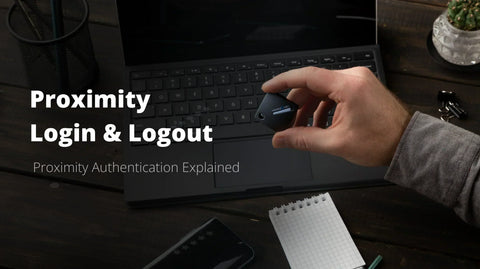
A nurse taps her badge on a shared clinical workstation and is logged into the EHR in under two seconds. She walks away, the session locks automatically. No password typed, no code entered, no phishing surface exposed. This is proximity authentication at work, and it is quietly replacing the password across hospitals, trading floors, and manufacturing plants.
The concept is direct: a user device, a hardware key, a proximity card, or a mobile app proves its physical presence near a computer through a wireless signal, and that presence acts as the authentication factor. Behind this simplicity sits a layered security model that combines radio protocols (BLE, NFC, RFID), cryptographic challenge-response, and identity policies aligned with FIDO2 and Zero Trust principles.
This guide breaks down how proximity authentication works, which protocols matter, where the real attack vectors are, and how to deploy it across Windows endpoints, VDI sessions, and regulated environments.
What Is Proximity Authentication and How Does It Actually Work?
Core Principle: Authenticating Presence, Not Passwords
Proximity authentication verifies that a registered hardware token or user device is physically near a workstation before granting access. Instead of typing a password, the user carries a key, card, or smartphone that emits a short-range signal (BLE, NFC, RFID). When the endpoint detects the paired device within a defined range, the session unlocks; when the signal fades, it locks again. Presence becomes the authentication factor, eliminating shared secrets that phishing campaigns target.

Proximity Authentication Protocols Compared: BLE, RFID, and NFC
Protocol choice shapes both your security posture and your deployment cost. No single technology fits every endpoint, and confusing range with assurance leads to weak architectures.
Side-by-Side Matrix: Range, Security, Cost, and Phishing Resistance
| Protocol | Range | Hardware cost | Phishing resistance | Best-fit use case |
|---|---|---|---|---|
| BLE | 1–10 m | Low (built-in) | High with FIDO2 binding | Office desktops, walk-away lock |
| RFID 125 kHz | <10 cm | Very low | Low (cloneable) | Legacy badge readers |
| NFC | <4 cm | Low | High with cryptographic chip | Shared kiosks, healthcare |
Decision Guide: Which Protocol (or Multi-Protocol Token) Fits Your Environment
Choose NFC for tap-and-go clinical workstations, BLE for continuous presence on laptops, and Wi-Fi or geofencing as contextual signals only. A multi-protocol Hideez Key consolidates these into one hardware authenticator.

Is Proximity Authentication Really Secure? Threat Model and Compliance Alignment
Selling proximity as "inherently safe" ignores real adversarial scenarios. Your threat model must account for BLE relay attacks, signal amplification, downgrade attempts, and lost tokens before any deployment moves to production.
Real Attack Vectors and FIDO2-Bound Cryptographic Defenses
Relay attacks extend BLE range with off-the-shelf radios; presence spoofing fakes proximity through replayed advertisements; pairing MITM intercepts unencrypted handshakes. A passwordless solution bound to FIDO2 defeats each one: the hardware key signs a challenge tied to the origin domain, so a relayed signal alone cannot forge a valid assertion. Token cloning fails because the private key never leaves the secure element.
Mapping to NIST 800-63B AAL2/AAL3, HIPAA, NIS2, and PSD2
Proximity combined with a hardware authenticator reaches AAL3 under NIST guidance, satisfies HIPAA technical safeguards, aligns with NIS2 Article 21 access controls, and meets PSD2 strong customer authentication via possession plus inherence.
Proximity Logout: The Walk-Away Security Layer Competitors Ignore
Login security receives most of the attention, yet the unattended session is where breaches actually happen. A clinician walks away from an open EHR, a trader leaves a terminal unlocked, an operator steps off the shop floor. Proximity authentication closes this gap by tying session continuity to the physical presence of the authorized user.
Continuous Presence Verification, Auto-Lock, and Sensitivity Tuning
The endpoint polls the paired hardware key over BLE at sub-second intervals. When RSSI drops below a configured threshold, the workstation locks. Sensitivity must be tuned to the environment: open-plan offices tolerate -75 dBm, while dense clinical wards require tighter values and a 3-5 second grace period to avoid nuisance locks.
CISO Checklist for Shared Workstations in Healthcare, Finance, and Manufacturing
- Lock latency under 5 seconds after user departure
- RDP and VDI session handling defined
- Audit log of every lock event
- Fallback PIN for low-battery scenarios
Deploying Proximity Authentication on Windows, RDP, and VDI Environments
Step-by-Step Setup for Workstations, Citrix, AVD, and Thin Clients
Deployment starts with the Hideez Server enrolled in your identity provider, then pushing the Windows client through GPO or Intune. Each endpoint pairs with a FIDO2 hardware key over BLE, and the credential is bound to the user's Active Directory identity. For Citrix and AVD sessions, the proximity verification runs on the local thin client while the remote desktop inherits the authenticated session through credential redirection. Thin clients running IGEL or Stratodesk support the same BLE pairing model without local install overhead.

How to Choose a Proximity Authentication Vendor: Buyer's Guide
Must-Have Capabilities: Protocol Support, FIDO2 Certification, Audit Logging, Auto-Logout
A serious evaluation starts with non-negotiables. Demand multi-protocol support (BLE, NFC, RFID) so you avoid lock-in, FIDO2 L1 certification for cryptographic phishing resistance, granular auto-logout policies, and tamper-evident audit logs streamed to your SIEM. Verify RDP, VDI, and offline coverage, plus enrollment workflows that scale beyond 500 users without manual provisioning.
TCO, 3-Year ROI, and Vertical Fit for Zero Trust Architectures
Model the full cost: hardware keys, server licensing, helpdesk savings on password resets (often 40% of tickets), and breach risk reduction. Over three years, a proximity deployment typically returns 2 to 4× its initial outlay for shared-workstation environments. Map the solution to your Zero Trust pillars before signing.
Compare protocols, certifications, and integration depth side by side during your structured proof of concept.
Frequently Asked Questions About Proximity Authentication
Is proximity authentication phishing-resistant and does it replace MFA?
When paired with FIDO2 hardware keys, proximity authentication is phishing-resistant by design: the cryptographic challenge-response is bound to the legitimate origin, blocking credential replay. It does not replace MFA conceptually; it delivers MFA more elegantly by combining possession (the key near the device) with inherence or a PIN.
How much does it cost per user and can it work offline?
Expect $30 to $80 per user for hardware, plus a server license. Offline operation is supported: cached credentials and local FIDO2 assertions keep workstations usable when the network drops, with audit logs syncing once connectivity returns.
What happens if a user loses their proximity token or smartphone?
Revoke the lost token immediately from the management console, issue a temporary backup method, and enroll a replacement. Hideez supports instant deprovisioning and pre-staged spare keys to maintain operational continuity.