
Enterprise Password Management for Businesses

Passwords still protect many business applications, even as companies adopt SSO and passwordless authentication. Enterprise password management gives IT a controlled way to create, provision, use, update, and revoke the credentials that remain. Hideez combines centralized administration with hardware-backed password storage, allowing employees to access approved accounts without viewing or copying corporate passwords. This strengthens control over legacy credentials without adding unnecessary steps to the working day.
Explore how Hideez can secure and simplify enterprise password management across your organization.
What Is an Enterprise Password Management Solution?
An enterprise password management solution protects company-owned credentials and gives administrators control over how they are issued, used, changed, and revoked. Unlike a personal password app, a corporate password manager must support central provisioning, shared accounts, employee lifecycle processes, and audit requirements. A reliable enterprise password manager protects accounts that still require passwords while modern services move to SSO or passwordless authentication.
Why Businesses Need Enterprise Password Management
Password risk increases with every employee, contractor, application, and shared account. A password manager for business addresses several recurring problems.
-
Weak and reused passwords. A managed system can generate strong, unique credentials without requiring users to memorize them.
-
Credential sharing. Controlled enterprise password sharing provides access without sending plaintext passwords through email, chat, spreadsheets, or tickets.
-
Forgotten passwords and help desk workload. A password management system reduces reset requests and the number of credentials employees must remember.
-
Access to legacy applications. Older websites and Windows applications may not support SAML, OpenID Connect, FIDO2, or passkeys. An enterprise password vault protects the credentials these systems still require.
-
Insider and accidental exposure. Keeping corporate passwords hidden reduces the chance that they will be copied, retained, or disclosed.
-
Lack of centralized control. Without a governed corporate password management process, IT may not know who can use an account or which passwords must change when an employee leaves.
Hideez Enterprise Password Management Solution
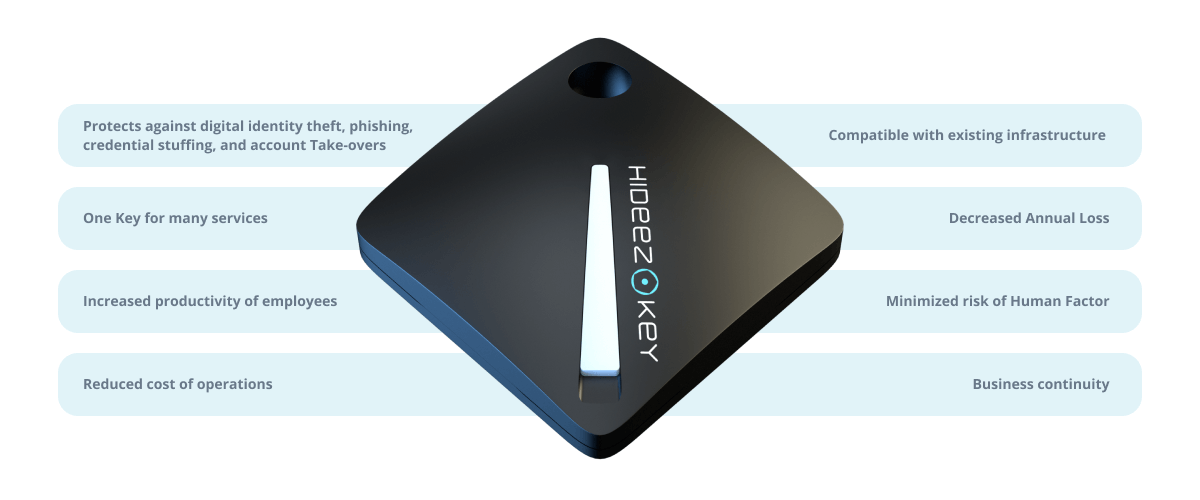
Hideez uses a hardware-backed approach to credential management. Corporate credentials can be provisioned to compatible Hideez Keys and kept in an encrypted hardware vault. Hideez Desktop application connects the key to an authorized Windows workstation and enters stored credentials into compatible websites and applications.
Through Hideez Workforce Identity, administrators register users, authenticators, and workstations, assign personal or shared accounts, update credentials, and withdraw access. Employees use assigned logins without opening the corporate vault.
This makes a Hideez Key both an authenticator and an enterprise password safe for systems that still rely on passwords. The wider platform also supports FIDO2 authentication, SSO, MFA, and workstation access, allowing companies to retain passwords only where they remain necessary.
Key Features of Enterprise Password Management
Hardware-Backed Storage
Corporate credentials are encrypted in a compatible Hideez Key. This enterprise password storage model avoids readable copies in browsers, spreadsheets, or notes.
Central Provisioning and Revocation
IT can provision corporate credentials remotely and remove access when an employee’s role, project, or employment status changes.
Hidden Password Use
Employees can enter assigned credentials without viewing them. The corporate password safe helps prevent disclosure through chat, screenshots, or clipboard history.
Password Generation and Updates
The password management tool generates strong passwords and lets administrators update corporate credentials remotely.
Personal and Shared Accounts
Hideez supports centrally provisioned personal and shared corporate accounts. Users receive the accounts required for their work, while IT controls their assignments.
Authorized Workstations
Hideez Desktop is installed on managed Windows computers. A Hideez Key can be restricted to registered workstations, reducing use from unmanaged devices.
Identity Integration
Hideez can work with existing directory and identity infrastructure, including Active Directory and Microsoft Entra ID scenarios. Password-based access can therefore operate alongside SSO and MFA.
Administrative Visibility
Central management covers users, authenticators, workstations, and supported access events. Audit records assist with reviews and investigations.
How Hideez Password Management Works
A company can adapt deployment to its directory, Windows environment, and application portfolio:
-
Identify password-based accounts. IT separates applications that can use SSO or FIDO2 from services that still need stored credentials.
-
Deploy the Hideez environment. The company selects a supported cloud, private-cloud, or on-premises model, connects the relevant directory, and installs Hideez Client on managed Windows workstations.
-
Register users and devices. Administrators associate employees with approved Hideez Keys and authorize the computers from which they may be used.
-
Provision corporate credentials. IT creates or imports logins and assigns encrypted data to the appropriate hardware vaults.
-
Use passwords without exposing them. Hideez Client verifies a compatible service and enters the assigned credentials from the key.
-
Maintain access centrally. Administrators update assignments, change credentials when required, revoke lost authenticators, and remove access during offboarding.
This allows the organization to manage enterprise passwords as corporate assets. The company decides who receives each credential, where it can be used, and when access ends.
Enterprise Password Management for Legacy and Modern Applications
Modern applications that support SAML 2.0, OpenID Connect, FIDO2, or passkeys can often go further and remove passwords from the user journey. Hideez passwordless SSO gives employees one verified sign-in for supported applications and reduces the number of reusable credentials the company must maintain.
Legacy systems need a different approach. If an application still expects a username and password, Hideez can store the credential in a hardware vault and enter it through the Windows client. Compatible legacy web applications may also use MFA for legacy applications. Hideez AuthShield places passwordless or MFA-based authentication in front of web systems that lack modern SSO support.
The vault governs passwords that remain necessary, while AuthShield strengthens or replaces the login flow. Effective password management for enterprise environments combine these options.
Use Cases
-
Shared department accounts. Teams can use approved shared logins without exchanging passwords through chat or email.
-
Legacy business applications. A password vault for business protects credentials that cannot yet be replaced by SSO or passkeys.
-
Privileged and IT accounts. Administrators can keep sensitive logins out of local files. This does not replace a complete privileged access management system.
-
Workplaces where phones are restricted. A hardware-based password manager for enterprise teams suits production areas, laboratories, healthcare environments, and other sites where personal phones may be prohibited.
-
Employee lifecycle management. IT can assign, adjust, and revoke credentials as employment and responsibilities change.
-
Distributed Windows environments. Organizations can apply the same governed process across authorized Windows workstations in several locations.
Enterprise Password Manager vs. Consumer Password Manager
A consumer tool helps an individual organize personal logins. An enterprise level password manager is designed around company ownership and administration.
|
Criteria |
Consumer Password Manager |
Enterprise Password Manager |
|
Primary owner |
Individual user |
Organization |
|
Credential storage |
Browser, app, or personal cloud vault |
Centrally provisioned hardware vault in the Hideez model |
|
Administration |
Controlled by the user |
Managed through an enterprise console |
|
Corporate account assignment |
Limited or plan-dependent |
Assigned to approved users and authenticators |
|
Password visibility |
Usually visible to the vault owner |
Corporate credentials can be used without being shown |
|
Shared accounts |
Shared as vault items or copied manually |
Provisioned and withdrawn by IT |
|
Workstation controls |
Usually limited |
Use can be limited to registered Windows computers |
|
Offboarding |
Depends on access to the user’s vault |
Corporate assignments can be revoked centrally |
|
Identity integration |
Varies by product and plan |
Designed to complement directory, SSO, and MFA controls |
Why Choose Hideez for Enterprise Password Management?
Hideez is not a conventional cloud vault added to an employee’s browser. Its enterprise password vault is hardware-backed, and corporate credentials can be provisioned to managed Hideez Keys for use on authorized Windows workstations. Employees gain access to approved accounts without learning or copying the passwords behind them.
Hideez Workforce Identity combines credential provisioning, FIDO2 authenticators, passwordless access, MFA, SSO, and workstation controls. With this password manager for enterprise deployments, legacy credentials and modern authentication can follow one access strategy.
As an enterprise level password manager, Hideez suits environments where smartphones are restricted or a cloud-only vault is unsuitable. Passwords remain protected in hardware while compatible applications move to modern authentication.
FAQ
How are our corporate credentials stored and protected?
Corporate credentials are encrypted and provisioned to the hardware vault on a compatible Hideez Key. The key works with Hideez Client on authorized Windows computers, while administrators manage credential assignments centrally.
Can employees use passwords without seeing or copying them?
Yes. Employees can enter assigned credentials into compatible services without opening the corporate vault or copying the password.
How can we control who has access to each credential?
Administrators assign corporate credentials to approved users and authenticators. They can change assignments, update credentials, block a lost authenticator, or revoke access when a person changes roles or leaves.
Can the solution securely manage shared accounts?
Yes. Personal and shared corporate accounts can be provisioned centrally. Authorized employees use the shared login through assigned Hideez Keys without receiving a plaintext copy, while IT controls who retains access.
Can it integrate with our existing SSO, MFA and identity provider?
Hideez is designed to complement existing identity infrastructure. It supports scenarios involving Active Directory, Microsoft Entra ID, SAML 2.0, OpenID Connect, LDAP, FIDO2, and MFA. The exact integration depends on the company’s directory, applications, and deployment.
Does it support legacy applications that don't have SSO or passwordless authentication?
Yes. Password-based applications compatible with Hideez Client can use credentials stored in the hardware vault. Compatible legacy web applications can use Hideez AuthShield to add passwordless authentication or MFA without native SAML or OpenID Connect support.