Proximity cards — often called prox cards — are a staple in modern access control. These contactless cards use RFID (radio frequency identification) technology to securely unlock doors, rooms, and restricted zones without physical contact.
Each card has an embedded chip and antenna that wirelessly communicates with a reader when held just 2–6 inches away. No swiping. No wear and tear.
Compared to magnetic stripe cards, prox cards are more secure, more durable, and easier to use — especially for employees, students, and authorized personnel in high-traffic areas.
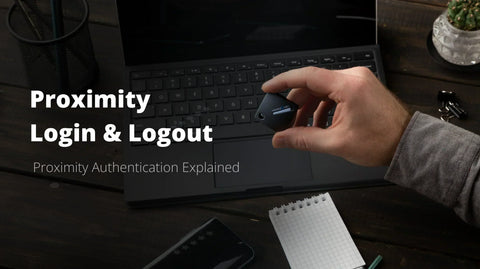
While prox cards offer convenience and basic access control, they’re just the first step. Hideez takes security further by combining RFID access with proximity-based logon and logoff, along with phishing-resistant authentication and MFA. Start with a free 30-day trial to meet compliance and upgrade your access strategy.
What is a Proximity Card and How Does it Work?
A proximity card is a type of contactless smart card that uses radio frequency identification (RFID) to communicate with access control systems. Inside each card are three key components: an antenna coil, a capacitor, and an integrated circuit (IC) that holds the user’s unique ID number — all sealed within a durable plastic shell.
So how does it work? When you hold the card near a reader — usually within 2–6 inches — it enters the reader’s electromagnetic field, typically at 125 kHz. The antenna coil and capacitor form a tuned circuit that draws energy from this field. That burst of energy powers the IC, which instantly sends the card’s unique ID back to the reader via radio signal.
From there, the reader checks the ID against a central database. If permissions match, access is granted. The entire process happens in milliseconds — no contact, no swiping, and no physical wear on the card or reader.
This frictionless setup makes prox cards a fast and convenient way to manage secure entry.
The Technology Behind RFID Proximity Cards
Proximity cards are built on low-frequency RFID technology, operating at 125 kHz. Unlike barcode or magnetic stripe systems, RFID enables contactless communication through a process called resonant energy transfer — meaning the card and reader don’t need to touch or even be in line of sight.
Here’s how it works:
Prox cards are passive devices. They contain no battery. Instead, they harvest energy from the electromagnetic field emitted by the reader. Once in range, the card’s antenna coil resonates at the same frequency as the reader, creating a wireless handshake that enables secure data exchange.
Modern proximity cards can carry different data formats. The most common is the 26-bit H10301 format, which includes a facility code (site ID) and a unique card number. For larger organizations or advanced systems, cards can also support 32-bit, 34-bit, 35-bit, or even custom high-bit formats — offering millions of unique combinations for tighter control.

Different Types and Formats of Proximity Cards
Proximity cards come in several form factors — each designed to meet specific durability, printing, and usage needs. The most common? Standard PVC proximity cards. These are made from durable white PVC and follow the CR80 credit card size. They hold up well to daily use and are ideal for general-purpose access control.
Composite proximity cards blend PVC with polyester, making them more heat-resistant and perfect for lamination or reverse transfer printing. These are often used in environments that require high-quality photo ID printing.
For high-traffic areas, clamshell proximity cards offer extra durability. They’re thicker and built to last — but that thickness comes with a tradeoff: you can’t print on them directly. Instead, adhesive labels are used for visual customization.
Some systems require legacy compatibility. That’s where magnetic stripe proximity cards like HID DuoProx come in. These combine RFID with magstripe tech, allowing you to support both old and new systems at once.
Want direct printing compatibility? ISOProx cards are engineered for that — built with materials that work seamlessly with ID card printers.
There are also compact and creative options:
-
Proximity key fobs attach to keychains for easy access
-
Adhesive proximity tags stick onto badges, phones, or wallets — extending RFID functionality to everyday items
Regardless of format, all these options rely on the same 125 kHz RFID tech under the hood.
Key Benefits of Proximity Cards for Access Control Systems
Proximity cards offer a powerful blend of security, convenience, and scalability, making them a go-to solution for modern access control.
Let’s break down the key benefits:
1. Enhanced Security
Each card has a unique identifier, reducing the risk of unauthorized access. If a card is lost or stolen, it can be deactivated instantly in the system — no need to reissue credentials for others. Unlike keys or magnetic stripe cards, prox cards don’t wear down from repeated use, which helps maintain consistent security.
2. Contactless Convenience
No swiping. No punching in PINs. Users simply wave their card near a reader. This makes entry faster and easier — especially in high-traffic zones or bad weather. For admins, managing access is just as simple: add, change, or revoke permissions remotely from the control dashboard.
3. Scalable and Cost-Effective
Compared to biometrics, prox cards offer a more affordable entry point. They work with most existing access control systems, require little maintenance, and last for years. Need to scale? You can add more users and readers without reengineering your entire setup.
Proximity Card Readers and Compatible Hardware
To work effectively, proximity cards need compatible readers — and there’s no one-size-fits-all option. These readers come in a variety of mounting types to match different installation needs:
-
Mullion-mount readers fit narrow door frames, often used on glass doors or tight entryways.
-
Single-gang mount readers are sized for standard electrical boxes and interior walls.
-
Wall-mounted readers provide versatility for retrofits and outdoor installations.
-
Desktop readers are used for time tracking, card issuance, or secure workstation logins.
Most proximity readers use the Wiegand protocol, the long-standing standard for transmitting card data to access control systems. It relies on simple data 0 and data 1 signals to push information from the reader to the access panel. However, modern systems may also support:
-
Clock and Data protocols
-
OSDP (Open Supervised Device Protocol) for encrypted, bidirectional communication
-
RS-232 and RS-485 for specialized or long-range connectivity
In terms of frequency, 125 kHz is the standard for proximity cards. But some advanced readers support dual-frequency operation — handling both 125 kHz prox cards and 13.56 MHz smart cards. This offers flexibility for hybrid systems or gradual upgrades.
Popular manufacturers include HID Global, Farpointe, rf IDEAS, and others — offering broad compatibility with a wide range of card formats and form factors.
Security Features and Encryption in Modern Prox Cards
Basic proximity cards already offer a step up from physical keys — but modern proximity systems go further with layered security to prevent unauthorized access.
One built-in safeguard is the facility code. It acts as a site-specific identifier, ensuring that cards issued by one organization can’t be used in another — assuming each uses a unique code within their region.
Still, traditional 125 kHz prox cards have a known vulnerability: cloning. Because the data transmission is unencrypted, attackers with cheap tools can duplicate card credentials.
That’s why many access control systems add software-based defenses, including:
-
Time-based access restrictions
-
Anti-passback rules (to prevent card re-use in tailgating scenarios)
-
Integration with video surveillance to log and monitor access attempts
Need stronger protection?
Organizations with sensitive environments often upgrade to smart cards operating at 13.56 MHz. These use encrypted communication and secure authentication protocols like:
-
MIFARE
-
DESFire EV2
-
iCLASS SE
These technologies make cloning virtually impossible — but come with higher costs and more complex setup requirements. Still, for hospitals, government agencies, or financial institutions, the security gains are well worth the investment.

Common Applications and Industries Using Proximity Cards
Proximity cards are used across industries — wherever secure, contactless access is a priority. From corporate offices to government facilities, these cards offer flexible, scalable access control.
Corporate Environments
Office buildings are the most widespread use case. Prox cards handle:
-
Door and elevator access
-
Parking lot entry
-
Time and attendance tracking
-
ID badge functionality with photo and branding
By integrating with facility management systems, companies can streamline access and auditing — all while enhancing on-site security.
Education Sector
Colleges and universities rely on proximity cards for:
-
Dorm room access
-
Laboratory and research facility control
-
Library checkout systems
-
Cafeteria and payment services
Students and staff benefit from the convenience of a single, multifunctional ID — while administrators gain centralized control and audit capabilities.
Healthcare, Government, and Industrial Sites
In high-security industries, prox cards help safeguard:
-
Pharmaceutical storage
-
Confidential records
-
Restricted production lines or control rooms
These sectors often require detailed access logs, role-based permissions, and integration with surveillance or alarm systems — all of which are supported by modern RFID access platforms.
Implementation and Management Considerations
Rolling out a proximity card system starts with proper planning. Begin by assessing your facility’s needs:
-
How many doors and users are involved?
-
What security zones require controlled access?
-
Will you need to scale in the future?
Selecting the right card format and reader types upfront is crucial — because migrating between technologies later can be complex and expensive.
Card Issuance & Policy Planning
Set clear guidelines for:
-
Issuing new cards
-
Deactivating lost or stolen cards
-
Managing replacements and temporary credentials
Pay close attention to facility codes and card numbering. To avoid future conflicts:
-
Don’t start numbers with 0 or 1 — some systems reject them
-
Use higher ranges to minimize overlap with other installations
-
Leave headroom for future expansion
Ongoing Maintenance & Training
Long-term success means regular system audits and user education. Train staff on how to use their cards properly and report lost credentials. Implement a rapid replacement process to minimize downtime. Use card holders and laminates to extend card life — especially in rugged environments.
Also, don’t forget the backend:
-
Schedule regular system backups
-
Keep documentation and user access logs up to date
-
Review security policies quarterly for compliance