Verizon's 2024 DBIR attributes 68% of breaches to a human element, with stolen credentials still the top initial access vector. Yet most passwordless deployments stall after the pilot phase, blocked by shared workstations, on-premises Active Directory, and recovery scenarios that vendor demos quietly skip.
This playbook addresses the operational reality your teams face: nurses rotating across a dozen terminals, RDP sessions into legacy Windows Servers, a finance director who lost a security key on a Friday evening. Passwordless MFA is an architecture decision tied to your identity provider, your endpoint fleet, and your regulatory exposure under NIS2, DORA, and PCI DSS v4.0.
The sections below give you the technical foundations, the deployment patterns, and the governance controls required to retire passwords without reintroducing them through the back door of a help-desk reset workflow.
What Passwordless MFA Really Means (and Why Vendors Keep Blurring It)
The term passwordless MFA describes an authentication flow where the password is removed entirely, and identity is proven by combining a possession factor (a FIDO2 key, a device passkey) with an inherence or knowledge factor (biometric, PIN) verified locally on the user device.
Passwordless vs. MFA vs. Passwordless MFA: a clear decision framework
Classic MFA stacks a second factor on top of a password, keeping the credential database as an attack surface. Passwordless authentication replaces the password with one stronger factor. Passwordless MFA does both: it eliminates the shared secret and enforces two factors through a single cryptographic gesture.
Why "phishing-resistant" is not marketing wallpaper: FIDO2, WebAuthn and CISA's bar explained
CISA recognises only two methods as phishing-resistant: FIDO2/WebAuthn and PKI smart cards. SMS, OTP codes, magic links and push approvals all fail against AiTM proxies like Evilginx.
The Authentication Methods Landscape: What Counts, What Doesn't
Synced passkeys vs. device-bound passkeys vs. FIDO2 security keys
Not every passkey carries the same weight. Synced passkeys replicate the private key across consumer clouds, with no attestation and no admin revocation path, a model unfit for privileged accounts. Device-bound passkeys keep the credential on a single user device, offering stronger guarantees but tying recovery to that hardware. FIDO2 security keys deliver the highest assurance: hardware-isolated keys, cryptographic attestation, and centralised lifecycle control through your authenticator and IAM stack.
Why push MFA, OTP and magic links fail against AiTM and MFA fatigue attacks
Push approvals collapse under MFA fatigue, where attackers spam the authenticator app until a user taps Approve. SMS and TOTP codes are typed by the user, so any reverse-proxy phishing kit captures them in real time. Magic links inherit email's weaknesses. Only origin-bound cryptography stops the Evilginx-class attacks dominating 2024 breach reports.

Deploying Passwordless MFA in Hybrid AD and Shared-Workstation Environments
Most mid-market infrastructures still run on-premises Active Directory alongside cloud workloads. A credible passwordless rollout must address both, without forcing a full migration.
Windows logon, RDP, VPN and legacy LDAP: what works offline and on-premises
Hybrid AD environments need a FIDO2 credential provider that intercepts the Windows logon screen, RDP sessions, and VPN clients, while syncing key registrations to your on-prem domain controllers. Hideez Server brokers this trust locally, so authentication continues during WAN outages or in air-gapped segments. Legacy LDAP applications bind through the same hardware-backed private key, eliminating cached password hashes on workstations.
Shared workstations in healthcare, manufacturing and retail: why synced passkeys break and what to deploy instead
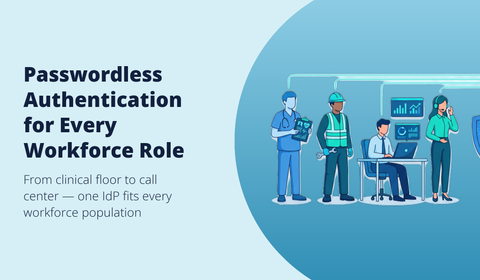
Synced passkeys assume one user, one phone. Nurses, factory operators, and retail clerks rotate across the same terminal every shift. Deploy portable FIDO2 keys or proximity tokens carried by each worker, with tap-to-switch session handover.
Book a deployment review with our team.
The True Cost of Passwordless MFA vs. Traditional MFA
Hidden costs competitors won't show: SMS fees, helpdesk tickets, hardware refresh, training
Vendor pages quote ROI headlines but skip the line items that drain IT budgets. SMS OTP fees average $0.05 per message and scale linearly with workforce growth. Password reset tickets cost $70 each according to Gartner, and represent 20-40% of helpdesk volume. Add hardware token refresh every 3-5 years, lost-device recovery workflows, and user training cycles.
3-year TCO model and how to build your own business case beyond Forrester's 324% ROI
Build your model around four cost centers: licensing, hardware procurement, operational support, and breach risk reduction. For a 2,000-employee organization, password-based MFA typically costs $180-240 per user per year once helpdesk overhead is included. Passwordless deployment with FIDO2 keys lands at $90-130 over the same period. Quantify avoided phishing losses using IBM's $4.88M average breach cost as your risk-adjusted baseline.

Lifecycle Management: Provisioning, Recovery and Offboarding at Scale
Bulk enrollment, Temporary Access Pass governance and offboarding runbooks
Provisioning 2,000 FIDO2 keys is an operational project, not a sign-in event. Ship pre-registered hardware authenticators to verified addresses, then bind them through a time-limited Temporary Access Pass issued by IT, scoped to 60 minutes and single-use. Your offboarding runbook should revoke the passkey at the identity provider, deprovision the device passkey in your authenticator app inventory, and confirm session termination across SSO-connected apps within one hour of HR notification.
Losing a key at 2 AM: secure recovery patterns without reintroducing passwords
Issue every user a backup security key enrolled during onboarding. When the primary is lost, recovery flows through video-verified identity proofing plus a fresh Temporary Access Pass, never a password reset. Harden your helpdesk against social engineering with mandatory callback verification. Request a deployment walkthrough of Hideez recovery workflows.
Compliance Mapping: NIS2, DORA, GDPR, PCI DSS v4.0 and HIPAA
Mapping passwordless MFA controls to specific regulatory articles
Auditors no longer accept "we use MFA" as a checkbox answer. Each regulation now expects phishing-resistant authentication tied to documented controls.
| Regulation | Article / Requirement | Passwordless MFA control |
|---|---|---|
| NIS2 | Art. 21(2)(j) | Phishing-resistant FIDO2 authentication |
| DORA | Art. 9(4)(d) | Strong customer authentication, device binding |
| GDPR | Art. 32 | Cryptographic key protection of personal data |
| PCI DSS v4.0 | Req. 8.4.2 | Phishing-resistant MFA for all CDE access |
| HIPAA | §164.312(d) | Person-or-entity authentication with attestation |
Attestation, device binding and Zero Trust alignment: what auditors actually look for
Auditors verify that the private key never leaves the authenticator, that attestation certificates prove hardware origin, and that each credential is bound to a registered user device. Zero Trust principles require continuous verification, signed authentication events, and audit logs covering every sign-in.
From Pilot to Rollout: A 90-Day Passwordless MFA Plan for Mid-Market CISOs
Weeks 1–6: pilot user selection, enrollment and Conditional Access tuning
Start with 30 to 50 pilot users mixing IT staff, executives and one business unit exposed to phishing. Ship FIDO2 keys with a printed enrollment guide, then run guided registration sessions where each user binds their authenticator and a backup credential the same day. Tune Conditional Access to require phishing-resistant methods for the pilot group only, keeping password fallback active. Track failed sign-ins, helpdesk tickets and enrollment time per user.
Weeks 7–13: helpdesk readiness, password retirement, rollback criteria and KPIs that matter
Train your helpdesk on Temporary Access Pass issuance, lost-device recovery and social engineering hardening before scaling. Retire passwords group by group once enrollment exceeds 95%, with a documented rollback trigger if sign-in failures spike. Measure reset tickets, mean time to authenticate and breach-attempt blocks. Request a tailored rollout demo with our team.
Frequently Asked Questions About Passwordless MFA
Can I deploy passwordless MFA without moving everything to the cloud?
Yes. Hideez supports on-premises Active Directory, RDP and legacy LDAP integrations through its self-hosted server. FIDO2 hardware keys authenticate Windows logon offline, and your private key never leaves the device. Air-gapped networks remain viable.
What happens if a user loses their FIDO2 security key or phone?
Issue a Temporary Access Pass through your helpdesk after identity proofing (video verification for privileged accounts). The user enrolls a replacement authenticator, the lost credential is revoked from the directory, and access resumes within minutes. A backup hardware key per user shortens this to seconds.
How do I choose the right passwordless vendor for hybrid environments?
Map three criteria: deployment model (cloud-only vs. hybrid), workstation type (personal vs. shared) and attestation requirements. Hideez fits organizations needing on-prem control, shared-workstation support and vendor-neutral FIDO2 keys without forced cloud migration.