A two-hour idle threshold fails every recognized security framework. CIS Control 4.3 caps general-purpose OS sessions at 15 minutes and mobile devices at 2 minutes. PCI DSS 8.1.8, NIST SP 800-53 AC-11, and HIPAA § 164.312(a)(2)(iii) converge on the same principle: an unattended workstation must lock fast enough to deny opportunistic access, never after hours of inactivity.
Shorter timeouts have traditionally clashed with user productivity. Operators bypass the lock, share passwords, or disable the screen saver entirely. That trade-off no longer holds. Proximity-based authentication and FIDO2 hardware keys now allow aggressive idle settings without friction, locking the device the moment the user steps away and reauthenticating on return.
The sections below resolve the contradiction circulating online, map each compliance requirement to a precise timeout value, and detail how to configure automatic session locking across Windows, macOS, Linux, and remote sessions.
What an Automatic Session Lock Really Is (and Why "2 Hours" Is Wrong)
Definition and mechanics: session lock vs automatic logoff vs session termination
An automatic session lock suspends an active session after a defined period of inactivity and demands reauthentication (password, PIN, biometric, smart card) before access resumes. The session itself stays alive in memory: running processes, open files, and network connections persist behind a locked screen, often paired with a pattern-hiding display or screen saver. Automatic logoff terminates the user session entirely and closes applications. Session termination goes further, severing the underlying authenticated context at the identity provider. Each control answers a distinct risk: opportunistic physical access, lingering credentials, or stale tokens.
The verdict on the "2-hour" claim — what authoritative sources actually say
False. No recognized framework endorses a 120-minute maximum. CIS Control 4.3 caps idle time at 15 minutes for workstations and 2 minutes for mobile devices; PCI DSS 8.2.8 and NIST AC-11 align with that ceiling.
Compliance Framework Matrix: Required Timeouts by Standard
Side-by-side comparison: CIS 15 min, CJIS 30 min, PCI DSS 15 min, NIST AC-11, HIPAA §164.312(a)(2)(iii), ISO/IEC 27002
Auditors rarely accept "industry practice" as evidence. They expect a specific clause mapped to a configured timeout. The matrix below consolidates what each standard demands.
| Framework | Clause | Max idle time | Scope |
|---|---|---|---|
| CIS Controls v8.1 | Safeguard 4.3 | 15 min (OS) / 2 min (mobile) | Enterprise assets |
| NIST SP 800-53 | AC-11 | Organization-defined, ≤15 min typical | Federal systems |
| NIST SP 800-171 | 3.1.10 | Pattern-hiding required | CUI environments |
| PCI DSS v4.0 | 8.2.8 | 15 min | Cardholder data |
| HIPAA Security Rule | §164.312(a)(2)(iii) | Reasonable, addressable | ePHI workstations |
| CJIS Security Policy | 5.5.5 | 30 min | Criminal justice info |
| ISO/IEC 27002:2022 | 8.1 | Defined by policy | All endpoints |
Pattern-hiding displays, reauthentication, and audit evidence requirements
Three sub-controls determine whether an implementation passes audit. The lock must conceal prior screen contents (NIST AC-11(1)), require credential-based reauthentication rather than a simple dismiss gesture, and produce log entries proving enforcement across the device fleet.

Configuring Automatic Session Lock Across Every Platform
Windows GPO and registry, macOS MDM profiles, and Linux (GNOME/KDE/TMOUT)
On Windows, enforce the policy through Computer Configuration → Policies → Administrative Templates → Control Panel → Personalization → Enable screen saver combined with Password protect the screen saver and Screen saver timeout set to 900 seconds. The equivalent registry path is HKLM\Software\Policies\Windows\Control Panel\Desktop. For macOS, push a configuration profile with the askForPassword and askForPasswordDelay keys via MDM. On Linux, GNOME exposes org.gnome.desktop.session idle-delay, KDE uses kscreenlockerrc, and shell sessions should set TMOUT=900 in /etc/profile.d/.
RDP, VDI, SSH, and application-level locks (EHR, ERP, admin consoles)
Remote sessions need their own controls. Configure fSessionTimeoutIdleLimit for RDP, set ClientAliveInterval in sshd_config, and define idle policies in Citrix or VMware Horizon. Application layer enforcement matters equally: Epic, SAP, and AWS Console all expose idle reauthentication settings that operate independently of the OS lock.
Eliminating the Usability vs. Security Trade-off with Proximity and FIDO2
Aggressive timeouts fail when users fight them. Sticky notes appear, mouse jigglers spread, and locks get disabled at the helpdesk. Proximity authentication breaks that pattern.
Hardware keys, FIDO2, and proximity-based auto-lock on walk-away, auto-unlock on return
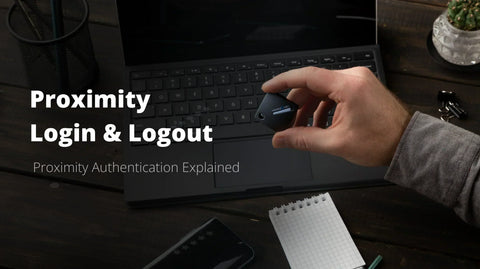
A FIDO2 hardware key paired with Bluetooth proximity-based auto-lock on walk-away, auto-unlock on return lets you enforce a 2-minute idle lock without a single complaint. The workstation locks the moment the user steps away and unlocks automatically on return, with cryptographic reauthentication handled by the key. No password retyping, no screen saver friction, no compromise on the inactivity threshold.
Session locking inside a Zero Trust architecture
Zero Trust requires continuous verification, not a one-time login. Session locking operationalizes the verify explicitly pillar by forcing reauthentication tied to context: device posture, location, time-of-day. Combined with conditional access, each unlock becomes a fresh trust decision rather than an inherited grant.

Audit Pitfalls, Remote Work, and SMB Implementation Checklist
Top reasons organizations fail session lock audits — and role-based timeouts for remote, hybrid, and shared workstations
Auditors repeatedly flag the same gaps: GPOs scoped to the wrong OU, exempted service accounts left interactive, missing pattern-hiding displays required by NIST AC-11(1), users disabling screen saver locks locally, and application sessions persisting behind a locked OS. Remote and hybrid setups amplify the risk. Calibrate timeouts by role: 2 minutes for clinical shared terminals, 5 minutes for home offices and BYOD laptops, 10 minutes for call-center agents, 15 minutes for general office endpoints.
Implementation checklist and policy template essentials
A deployable policy covers seven items: asset inventory, risk classification, GPO and MDM enforcement, application-level reauthentication, audit logging of lock events, annual review, and exception governance. Pair it with proximity-based unlock to keep aggressive thresholds workable — book a demo for a tailored deployment walkthrough.
Frequently Asked Questions
Should an automatic session lock occur after a maximum of two hours of inactivity?
No. A 120-minute threshold contradicts every recognized standard. CIS Control 4.3 caps general-purpose OS sessions at 15 minutes idle and mobile devices at 2 minutes. PCI DSS 8.2.8 and NIST AC-11 align around the same 15-minute ceiling.
Which compliance frameworks explicitly require an automatic session lock?
Six frameworks reference this control directly: NIST SP 800-53 AC-11, NIST SP 800-171 §3.1.10, CIS Critical Security Controls v8.1, PCI DSS Requirement 8.2.8, HIPAA §164.312(a)(2)(iii), and ISO/IEC 27002. CJIS adds a 30-minute maximum for criminal justice systems.
Is password-based or proximity-based session locking more secure?
Proximity-based locking outperforms password-only methods. It removes user friction, eliminates forgotten manual locks, and enforces aggressive timeouts automatically. Combined with FIDO2 hardware authentication, it closes the gap between policy and actual user behavior, the most common audit finding on session lock controls.