
Безпарольний SSO і контроль робочих станцій для всього персоналу
Replace passwords across Windows devices, legacy apps, and modern SSO - with automatic PC lock when employees walk away


Flexible deployment
Not limited to the cloud — deploy Hideez self-hosted, in a private cloud, or in a multitenant environment.

Variety of Authentication Tools
A range of phishing-resistant MFA methods designed to secure access across diverse environments and use cases.

Proximity-based authentication
Let employees automatically unlock and lock shared workstations as they approach or step away.

No third-party data transfer
Ніхто, навіть Hideez, не має доступу до ваших даних. Вони залишаються там, де їм і належить бути.
Passwordless Access Tailored to Every Industry
Hideez is a last-mile authentication solution built for environments where traditional passwordless solutions fall short. Enable password-free workflows across shared workstations, mobile-restricted environments, and legacy systems through a variety of login tools and deep integration capabilities.
Enable simple, phishing-resistant MFA for public sector without disrupting daily work. Employees can securely access systems using flexible login methods — mobile phones or hardware keys — while supporting compliance with cybersecurity requirements such as NIS2.
LEARN MOREStreamline clinical operations through fast, contactless login and logoff on shared workstations. Staff can instantly access EHR systems while maintaining HIPAA-compliant authentication.
LEARN MOREАвтоматизуйте доступ до спільних промислових робочих станцій: безконтактний вхід і автоматичне блокування сеансу, поки працівники переміщуються виробничими ділянками. Hideez забезпечує безпарольний доступ до систем SCADA, MES та ERP — і водночас відповідає суворим вимогам відповідності.
LEARN MOREHideez provides phishing-resistant authentication for banks and financial institutions. Staff can securely access systems using flexible MFA methods — from mobile authentication to hardware tokens to align with regulatory requirements such as DORA and NIS2.
LEARN MOREEnable fast, passwordless access to shared workstations used by rotating staff. Employees can securely log in to POS systems and other Windows devices with automatic session lock as they move away. This helps support compliance with PCI DSS and PSD2.
LEARN MORE
Explore Our Passwordless Access Tools for the Workforce

Dynamic QR codes are a modern and user-friendly way to fulfil MFA requirements by GDPR, NIS2, DORA, ISO27001 and other regulations.
They enable employees to securely access web services and unlock workstations in just a few seconds — up to 5–10× faster than typing complex passwords. This passwordless method also prevents phishing and keylogging attacks since credentials are never transmitted.

Bluetooth connectivity enables fast, contactless authentication based on the distance between a user's device (smartphone or Hideez Key) and a workstation. Hideez supports two Bluetooth-based scenarios:
Employees are automatically signed in to a Windows workstation as they approach. This enables hands-free access to shared computers and supports an unlimited number of user accounts, making it ideal for shift-based and shared workstation environments.
The workstation automatically locks when the user steps away. By detecting a drop in Bluetooth signal strength, the system helps prevent unauthorized access in dynamic workplaces such as healthcare, manufacturing, retail, and modern offices.

NFC authentication enables fast, contactless tap-and-go login to Windows workstations, eliminating the need to type passwords or carry separate smart cards. In this approach, a smartphone acts as a smart card: users simply tap their phone against an NFC reader or a sticker attached to the workstation.
NFC-based credentials can also be integrated with physical access systems, allowing organizations to combine building access and workstation authentication in a single tap.

Biometric authentication with Passkeys enables secure passwordless access to web services through device-native verification. Instead of entering passwords, users authenticate with a fingerprint, face recognition, or a device-bound PIN, which unlocks a cryptographic key stored on the endpoint.
Because the credential is bound to the device, no secrets are transmitted over the network, making Passkeys inherently phishing-resistant and eliminating risks such as credential theft or password reuse.
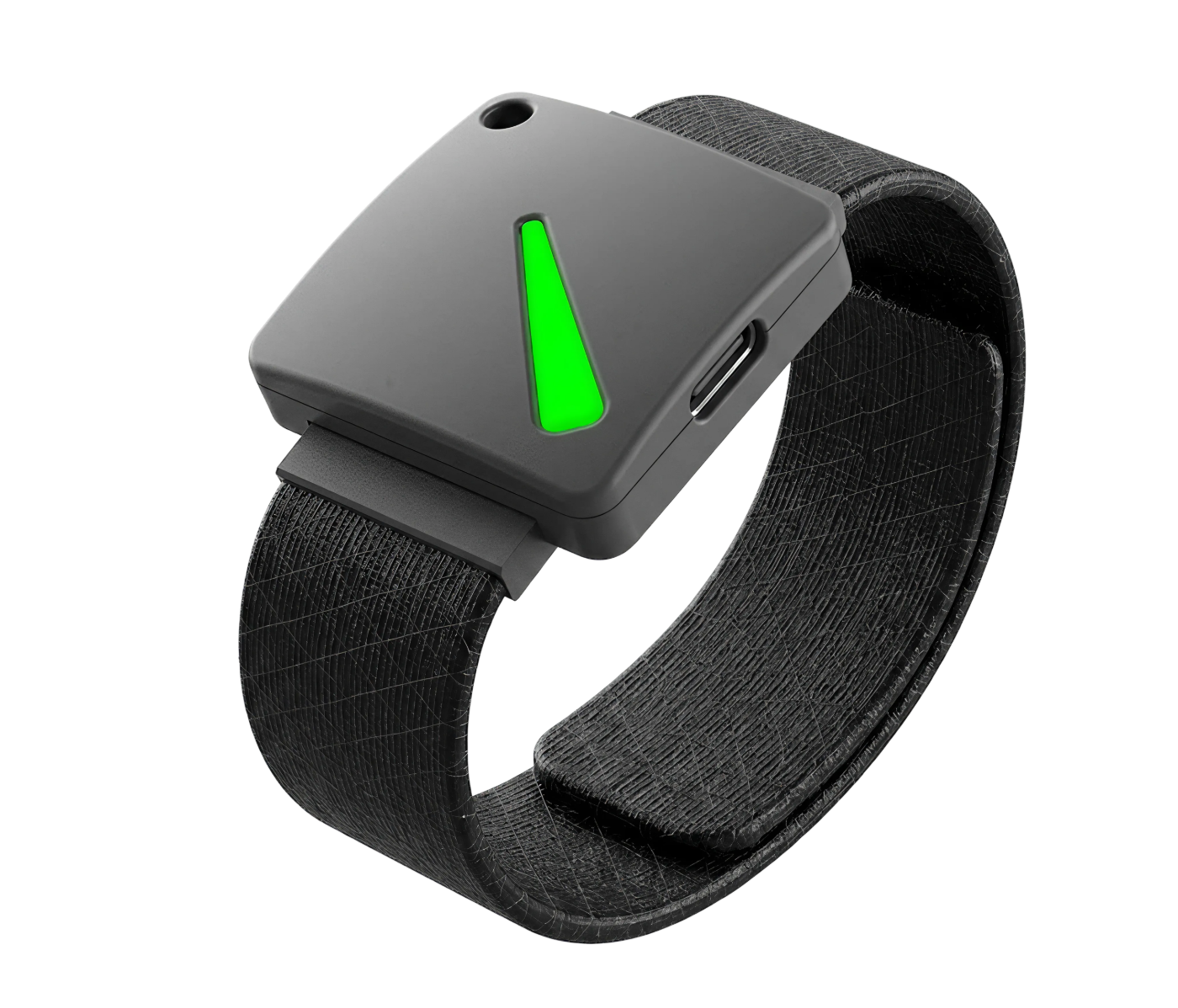
Hardware security keys are often the only acceptable option in environments where mobile devices are restricted. Hideez supports FIDO2-compatible hardware tokens from vendors such as YubiKey, Feitian, and Token2.
Hideez Keys are multifunctional security keys that combine RFID, NFC, Bluetooth, and USB connectivity. These keys enable secure passwordless authentication to workstations and web services while remaining simple to use in controlled workplaces. In addition, the device can act as a secure hardware vault for credentials, enabling authentication to legacy applications that still require traditional passwords or OTP codes.
Our Integrations


Our Certifications


З чого почати
Від демонстрації до повного впровадження
Ви отримуєте пропозицію під вашу інфраструктуру та безкоштовний пілот на власних робочих станціях ще до будь-яких зобов'язань.

Розкажіть про своє середовище — і ми покажемо Hideez на сценаріях, які йому відповідають, разом із розрахунком під вашу конфігурацію.
Hideez Server і всі способи автентифікації, крім апаратних ключів*, на ваших власних робочих станціях.
Ми налаштовуємо систему, інтегруємо її з Entra ID або Active Directory і залишаємось на зв'язку щодо технічних питань.
* Апаратні ключі безпеки купуються окремо. У країнах, де в нас є локальний партнер, він може провести пілот разом із вами.
Що кажуть наші клієнти
Hideez допомагає малим, середнім і великим компаніям у різних галузях — від 5 до 5 000 співробітників


Наша команда має великий практичний досвід роботи з системою Hideez, що дозволило інтегрувати її в широкий спектр продуктів. З часом процес інтеграції ставав дедалі простішим, а система продовжує розвиватися, додаючи нові можливості.

Технічне впровадження Hideez пройшло без ускладнень. Особливо сподобалися автоматичне блокування та розблокування робочої станції, швидка робота з документами в Siemens EBR і зручне використання менеджера паролів для RDP-підключень із великою кількістю облікових записів.

Hideez виявився ефективним рішенням 2FA для критичної інфраструктури, і ми бачимо значний потенціал для подальшого вдосконалення в міру розвитку сумісності та стабільності. Він допомагає нам захищати системи відеоспостереження та відеоаналітики, якими щодня користуються тисячі співробітників. Захищений віддалений доступ до цієї інфраструктури є критично важливим, особливо для працівників, які підключаються через VPN із розподілених локацій.
Поширені запитання
How long does it take to deploy Hideez?
It depends on the chosen setup model. The fastest option is the multi-tenant cloud version, which can be deployed independently in minutes, with core integrations configured in a few hours. On-prem deployments take more effort, but our support team assists throughout the process.
What's included in the free version?
Hideez multi-tenant cloud is free for up to 5 users. It includes the same core functionality as other deployment options, including passwordless SSO, MFA, workstation lock and unlock, Active Directory and Entra ID integration, and support for multiple authentication methods.
Can I self-host Hideez?
Yes. Hideez can be deployed on your own infrastructure. It is also available as a dedicated private cloud deployment isolated for your organization.
Do we need to replace our existing MFA/SSO systems?
No. Hideez works with your existing security infrastructure, so there is no need to replace your current systems. It integrates with Entra ID, Active Directory, other identity providers, and any FIDO2-certified security keys, and can be used alongside other security solutions already in place.
How does Hideez integrate with other products and services?
Yes. Hideez integrates with service providers through SAML, OIDC, and WS-Federation. For web services that do not support these protocols, Hideez Auth Shield provides an alternative integration path. For local systems without SSO support, Hideez hardware keys can be used as secure hardware password managers that automatically fill in login credentials and OTPs without exposing them to the user.
How many users can authenticate on a shared device with Hideez platform?
There is no fixed limit. Hideez is built for shared-device environments where many employees use the same workstation. It can also operate in offline environments and in workplaces where mobile phone use is restricted.
What happens if workers lose their security keys or mobile phones?
If hardware keys are the main login method, we recommend enrolling a phone as a backup. This allows users to authenticate with one method if the other is unavailable. If neither method is accessible, an administrator can send a reactivation link and restore access.
Подивіться Hideez на власних робочих станціях
Забронюйте персональну демонстрацію, а потім запустіть безкоштовний 30-денний пілот разом зі своєю ІТ-командою.