

Discover the variety of authentication scenarios

Universelles IAM-Tool
Hideez Workforce Identity helps IT admins manage accounts and access privileges of workers 100% remotely. Employees can use Hideez Authenticator as their primary or secondary authentication method in addition to passkeys or hardware security tokens.

PC-Anmeldung und -Abmeldung basierend auf Benutzer-Nähe
The proximity login and logoff feature automatically disables access to your PC when you walk away. Be sure that your information and projects are safe when you leave your workplace. Use Hideez Authenticator to lock and unlock workstations in seconds.
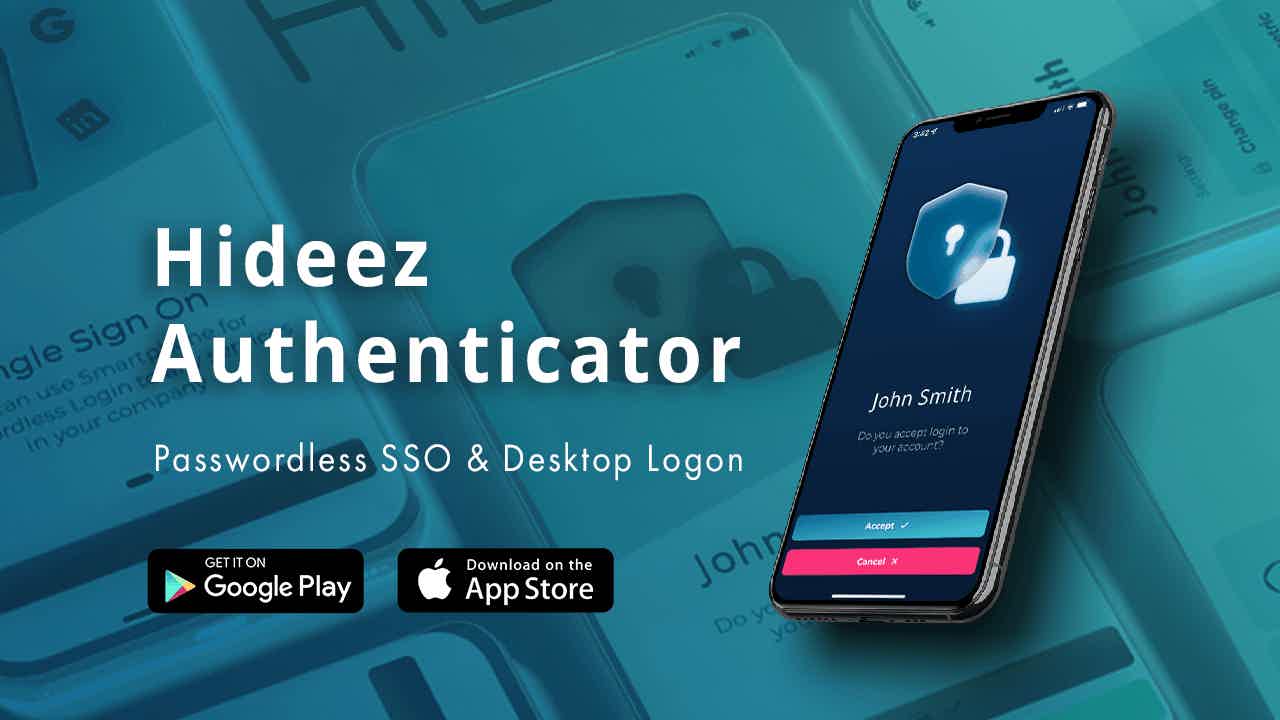
Passwortloses Single Sign-On
Experience phishing-resistant passwordless logins and two-factor authentication across your accounts. Hideez Authenticator is supported by Google, Facebook, Microsoft, Dropbox, Twitter, and hundreds of other FIDO-unterstützter Dienste.
Einfache Einrichtung und Multifunktionalität

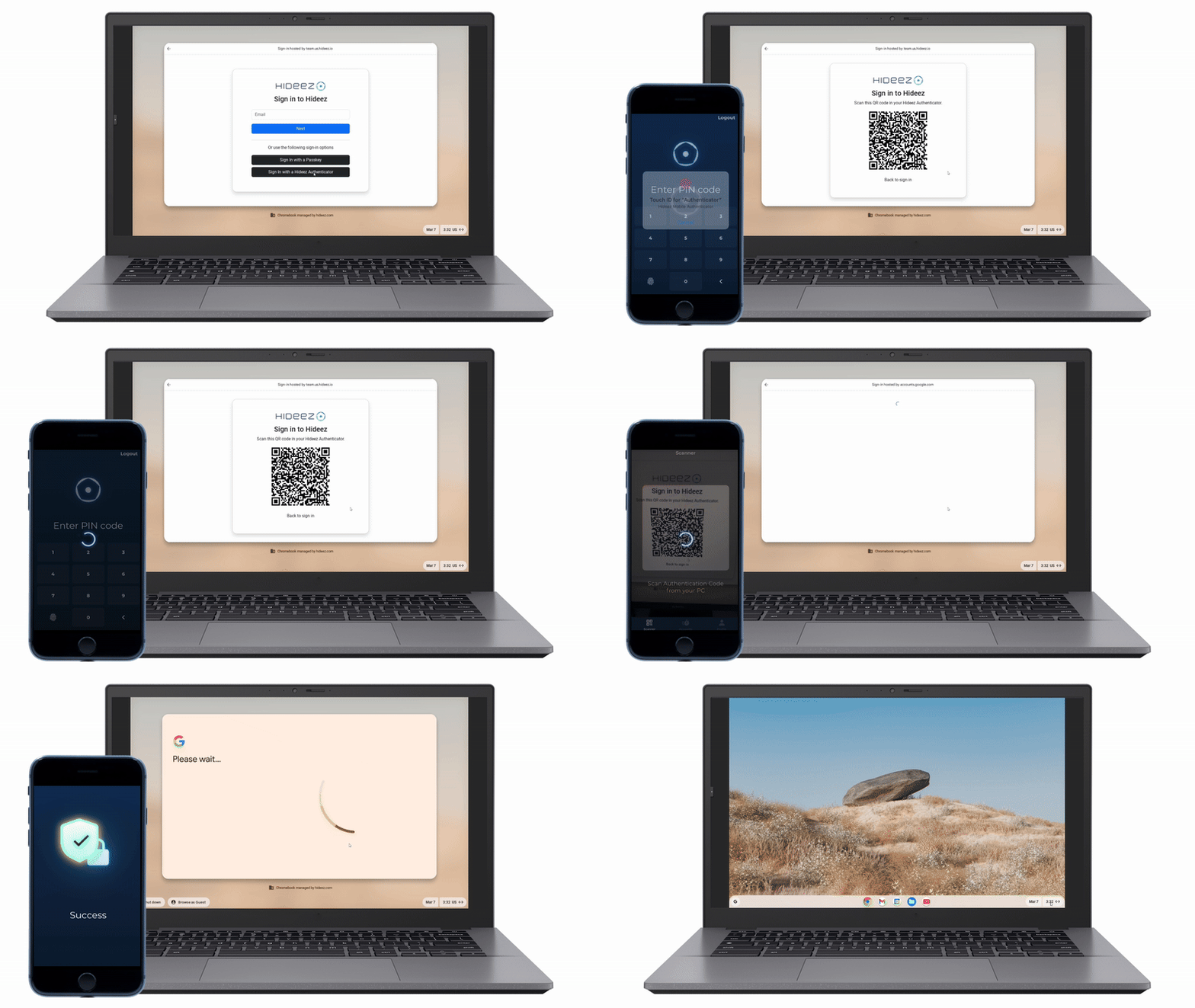
Step 1. Intall the app from the App store or Google Play
Step 2. Erstellen Sie ein kostenloses Admin-Konto auf dem Hideez Server
Step 3. Scannen Sie den QR-Code vom Server, um die App zu koppeln
Schritt 4. Install the Hideez Client software on your Windows PC
Schritt 5. Choose Enterprise version
Schritt 6. Configure proximity-based login/logout and password-based authentication
Haupteigenschaften
Passwortlose Authentifizierung
Die FIDO-Authentifizierung eliminiert die traditionellen Bedrohungen durch die Verwendung herkömmlicher Passwörter und SMS-basierter 2FA, indem sie diese durch die passwortlosen Zugangsstandards FIDO U2F und FIDO2 ersetzt. Sie schützt vor gängigen anmeldedatenbasierten Angriffen wie Phishing und Man-in-the-Middle-Attacken.
Proximity-basiertes Login und Logoff
Genießen Sie berührungslose PC-Logins, um das Risiko von Shoulder Surfing zu eliminieren. Hideez Authenticator sichert und beschleunigt die Authentifizierung, indem er den Computer entsperrt, wenn sich der Benutzer nähert, und ihn sperrt, wenn er sich entfernt.
support for the Highest Security Standards

FIDO U2F (Level 1) Certified

FIDO2 (Level 1) Certified

Citrix-Ready Solution

Microsoft-approved
Anbieter von FIDO2-Sicherheitsschlüsseln

Meets NIST
Password Guidelines

HIPAA-konform